


 Reply With Quote
if you use the cheatcode
it should boot without locking up.Code:knoppix nodhcp
then when you get into knoppix do
to get ipadres.Code:sudo pump -i eth0
if this does not work let us hear.
EDIT
you type that in a console
/EDIT


Hi!
When I try to boot Knoppix, it does everything ok until this message...
And then the cursor stops blinking and it freezes up...Network device eth1 detected, DHCP broadcasting for IP. _
Do you know what the problem is and how can I fix it?
"eth0" should be my Realtek PCI Ethernet card and it seems to be ok (LAN cable attached to it), and "eth1" is probably my on-board LAN nForce4 built-in Gbit MAC (Marvell 88E1111 PHY) that came with my motherboard (no LAN cable attached to it)...
I tried disabling it on the BIOS, but it still gets detected anyway! :P
Can someone please tell me what to do to be able to boot Knoppix normally?
if you use the cheatcode
it should boot without locking up.Code:knoppix nodhcp
then when you get into knoppix do
to get ipadres.Code:sudo pump -i eth0
if this does not work let us hear.
EDIT
you type that in a console
/EDIT
I'm sorry for the mistake, but I forgot something...
I also have a Wireless PCI card! So, the on-board Ethernet card is disabled correctly afterall... :P
Therefore, my configuration is this one...
Anyway, I did what you said ("sudo pump -i eth1") and it worked fine!eth0 - Gigabyte WPKG PCI WLAN Card
eth1 - Realtek RTL8139 Fast Ethernet NIC
eth2 - nForce4 built-in Gbit MAC (Marvell 88E1111 PHY)
Thanks man!
When I run KWiFiManager, it shows Interface eth0, so that's my wireless PCI card...
But when I start the Network card configuration tool (netcardconfig) and select:
> "eth0 Netzwerkkart_0" (small translation error here!!!)
> "Use DHCP broadcast?" (and click "Yes")
It shows this message and then it completelly locks up Knoppix like on the boot sequence...
When I boot normally, the 2 messages that appear are:Sending DHCP broadcast from device eth0
And then it locks up... So I though the problem was on the eth1 card, but it's in fact on eth0...Network device eth0 detected, DHCP broadcasting for IP.
Network device eth1 detected, DHCP broadcasting for IP._
It's some sort of problem when getting the IP address from the Wireless card, that shouldn't be happening...
Still... it's kind of annoying having to type that "knoppix nodhcp" command everytime I want to boot Knoppix...
Will this problem be fixed on next versions?
If you'd like, just tell me what I have to do and I can try to help you discover a solution for this!
 Posting Permissions


Cisco/Linksys SPA2102 VoIP Phone Adapter Router 2FXS (Unlocked)
$17.99

Yealink SIP-T54W Prime Business IP Phone Gigabit WiFi Bluetooth VoIP
$59.95
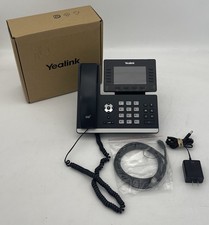
Yealink SIP-T54W Prime Business IP Phone Gigabit WiFi Bluetooth VoIP
$59.95
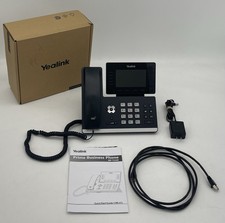
Yealink SIP-T54W Prime Business IP Phone Gigabit WiFi Bluetooth VoIP
$59.95

Cisco / Linksys SPA2102 VoIP 2FXS Phone Adapter with Router (unlocked)
$18.99

Cisco CP-8821-K9 Wireless VoIP Phone w/ Battery - WORKING
$144.99
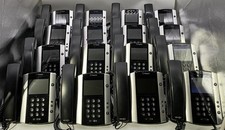
Lot Of 16: Polycom VVX 501 VoIP Touchscreen Desktop Phone W/Handsets & Stands
$150.00

Poly Edge E500 12-Line Corded IP VoIP Phone w/ PoE, Black/Silver
$120.00

Yealink SIP-T54W Prime Business IP Phone Gigabit WiFi Bluetooth VoIP
$59.95

Grandstream WP810 Portable Cordless Wi-Fi IP Phone
$54.99
