

 Reply With Quote
You can use "./configure - make - make install" but often it's easiest to download a .deb package and install with "sudo dpkg -i packagename.deb".
I don't use kpackage but I doubt if it can handle tar.gz. Which package are you trying to install?


Can i install tar.gz and similar ones using kpackage manager??
I need to install some library files in a pc not connected to net.
I dnlded the lib files in tar .gz format but plz tell me how to install with kpackage mangr or Shall i merely follow ./configure,make, and makeinstall
You can use "./configure - make - make install" but often it's easiest to download a .deb package and install with "sudo dpkg -i packagename.deb".
I don't use kpackage but I doubt if it can handle tar.gz. Which package are you trying to install?
Is the all library files available in .deb format??Originally Posted by Markus
libgii-0.9.2.src.tarWhich package are you trying to install?
libggi-2.1.2.src.tar
And also some simple arcade games too[/quote]
How about these versions:
If the debian box hasn't internet you can search at http://www.debian.org/distrib/packages#search_packages within testing and unstable branches, and check the packages dependencies so you can download those as well. For example this http://packages.debian.org/testing/libs/libgii0 page says the dependencies are:Code:apt-cache policy libgii0 libgii0: Installed: 1:0.9.1-0.1 Candidate: 1:0.9.1-0.1 Version table: *** 1:0.9.1-0.1 0 930 ftp://ftp.fi.debian.org testing/main Packages 990 ftp://ftp.fi.debian.org unstable/main Packages apt-cache policy libggi2 libggi2: Installed: 1:2.0.5-1.1 Candidate: 1:2.0.5-1.1 Version table: *** 1:2.0.5-1.1 0 930 ftp://ftp.fi.debian.org testing/main Packages 990 ftp://ftp.fi.debian.org unstable/main Packages
Code:Other Packages Related to libgii0 [dep]= depends [rec]= recommends [sug]= suggests *[dep] libc6 (>= 2.3.2.ds1-21) [not alpha, ia64, m68k] GNU C Library: Shared libraries and Timezone data libc6 (>= 2.3.5-1) [m68k] *[dep] libc6.1 (>= 2.3.2.ds1-21) [alpha, ia64] GNU C Library: Shared libraries and Timezone data *[dep] libgii0-target-x (= 1:0.9.1-0.1) General Input Interface X input target
Do someone can tell me how to uninstall something installed in the "./configure - make - make install" way?
Apt-get and dpkg are always explained as installing and removing tools, but what about uninstall sftware installed in the above mode, that I've never found answer in various tutorials ?
go to the directory that you installed from and try "make uninstall" or similar, read the documentation, it is usualy there somewhere if possible.
the uninstall it may work great but it also MAY harm your system, if you read the makefile you should also be able to see what you should delete maually...
Ok one more question
Ive asked it as a separate question but no one replied
when i run ./configure I get an error
can you tell whats the pblm??checking for KDE... configure: error:
in the prefix, you've chosen, are no KDE headers installed. This will fail.
So, check this please and use another prefix!
If you install source packages with checkinstall you can uninstall more easily: http://www.debian-administration.org/articles/147
The missing kde headers is probably a missing dev package, I'd say kdelibs4-dev.
 Posting Permissions


Crucial MX500 1TB 2.5" SATA III Internal SSD CT1000MX500SSD1
$102.99

Samsung 860 EVO 250GB SSD MZ-76E250 2.5" SATA III Solid State Drive -
$39.99

Netac 2TB 1TB 512GB 256GB Internal SSD 2.5inch SATAIII Solid State Drive lot
$549.00
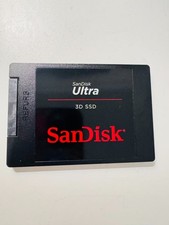
SANDISK ULTRA 3D NAND 1TB SSD SATA III 6 GB/S 2.5" /7 (SDSSDH3-1T02)
$138.56

Samsung 256 GB Internal SATA SSD Fully Tested 50%-79% Health
$24.00

Fanxiang 256GB 512GB 1TB 2TB 4TB SSD Lot 2.5'' SATA Internal Solid State Drive
$42.99

2 PACK 128 GB SSD M.2 2280 SATA Solid State Drive Major Brands, Samsung, LiteON
$28.00

Fanxiang 1/2/5/10Pcs 2.5'' SATA SSD Lot 1TB 2TB 4TB 512GB 256GB TLC Internal SSD
$129.99
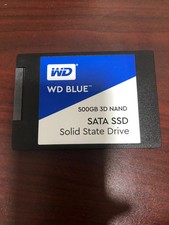
WD Blue 500GB 3D NAND 2.5” SATA III SSD
$40.00

Micron MTFDDAK256TBN 256 GB, Internal ,2.5" SSD
$23.00