-
This can't be done retroactively due to the nature of the Win2K boot menu, so I am unsure how much help this will be, but here goes:
Partition your drive so that drive C:\ is a FAT 32 partition,
If you use FDISK from a Win 98 boot disk, any partition over 512 MB will be FAT 32 by default.
After you have created your partitions and made C:\ active, format C:\ using the following command from the Win 98 boot disk A:\ prompt:
Format C: /s /u
You now have a bootable C:\ partion. Copy MINIROOT.GZ and VMLINUZ from a Knoppix boot disk and the loader loadlin.exe to C:\. Create an Autoexec.bat that contains the following lines:
@echo off
cls
loadlin.exe vmlinuz init=/etc/init lang=us initrd=miniroot.gz quiet BOOT_IMAGE=knoppix
The above loadlin command should be all one line. Copy it to C:\. Loadlin will search for a /Knoppix directory on all hda devices and boot Knoppix.
Install Win 2k on the next available partition and a boot menu will be created automagically. The partition that boots Knoppix will show as DOS on the boot menu, you can change the name to Knoppix by editing the Boot.ini file.
A caveat: I have yet to figure out how to get Persistant Home to be detected at boot as you are not presented with a knoppix prompt for cheat codes. However, you can save Knoppix Configuration to hda1 and copy the resulting .sh and .tbz files to the Knoppix directory from Win 2K or from the Knoppix item on the boot menu by pressing F5 to bypass the autoexec file and using the commands copy *.tbz C:\Koppix and copy *.sh C:\ Koppix. A little awkward and you end up with a huge .tbz file after a lot of configuring, adding a different icon theme and so on, mine is just over 35 MB.
I would also note I have 4 FAT 32 partitions on my hard disk: C:\ to boot Knoppix, H:\ for the swap file, I:\ for the Knoppix directory and J:\ which I labeled LINUX_SHARE and is used to store anything I want to keep from a Knoppix session.
Well, that's it, I guess.
Similar Threads
-
By jdong in forum Hdd Install / Debian / Apt
Replies: 86
Last Post: 02-24-2005, 03:17 AM
-
By lastinger in forum Networking
Replies: 7
Last Post: 09-22-2004, 03:52 AM
-
By JLocke in forum Networking
Replies: 0
Last Post: 03-01-2004, 12:06 AM
-
By legal in forum Hdd Install / Debian / Apt
Replies: 0
Last Post: 01-15-2004, 04:33 PM
-
By mailman42 in forum General Support
Replies: 3
Last Post: 08-20-2003, 04:26 PM
 Posting Permissions
- You may not post new threads
- You may not post replies
- You may not post attachments
- You may not edit your posts
-
Forum Rules

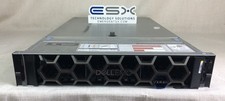
Dell R740XD VxRail P570 24x 2.5” 2U CTO Server– 2x Gold 6240, H740p, 2x 1600W
$699.00

NETAPP HCI NAF-1701 SuperMicro Server 4X BLADE H410C 8X GOLD 5120 4 NODE SERVER
$1499.97

Dell PowerEdge M640 Blade Barebone Server Dell P/N: HHB006 Tested Working
$149.99

Dell PowerEdge M620 Blade Server 2x Xeon E5-2680v2 256GB DDR3 RAM NO HDD
$349.99

Dell Poweredge C6400 24x 2.5’’ 2x 2400W 4x C6420 Nodes H330 | 2x SFP | 8x Trays
$799.99

Dell PowerEdge M630 Blade Server 2x Xeon E5-2680 v4, 2F3MP , 4GDP5 ,R10KJ ,JVFVR
$96.60
SUPERMICRO CSE-827 SERVER 4* E5645 2.4GHZ 12* 8GB PC3 RAM 11* 2TB SATA HDD 2*PSU
$679.99
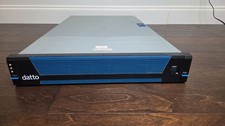
Datto S3E12000 RACK SERVER 2U 2x Xeon E5-2670 v3 2.30GHz 32GB RAM 2x PSU 14 BAY
$399.95

Supermicro 938-16 16-LFF MicroCloud SuperServer 5038MR-H8TRF *No Blade Servers*
$159.99
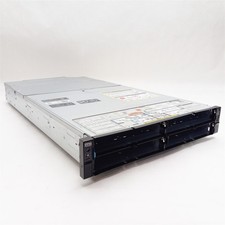
Dell PowerEdge FX2 FC630 Blade 4*Slot Server Chassis Enclosure NO BLADES/PSU/CMC
$199.97



 Reply With Quote