-
Senior Member
registered user
Re: Working with a persistent home on a NTFS partition
I'd strongly recommend an external USB device. Many companies are giving away small USB sticks as swag. 16 MB is plenty for some simple file saving.

Originally Posted by
ugo
Question:
do you know how to avoid passing through Windows?
IIRC, you don't actually enter a full Windows session, but rather just it runs a chkdsk which then reboots.
But to answer your questions, try ntfsfix. I've never used it but it sounds like it might do the trick. The way this might work is to boot using the "-b" cheatcode (e.g. boot: knoppix -b) which drops you into emergency mode. Once there, type "ntfsfix /dev/hda1" assuming /dev/hda1 holds the ntfs partition. When it's done, type exit to continue booting Knoppix.
Give that a try and let us know how it goes.
Originally Posted by
ugo
P.S. Of course, I could suggest to the students to resize ntfs and create a new (vfat or something in
linux) partition, where they can safely out the persistent home; but I guess they would be scared
about resizing.....
IMHO, resizing is the best option if you don't have an external USB device. After resizing you should create a new ext2 partition to hold a persistent disk image (PDI). I used this method quite a bit in the internet cafes and kiosks while travelling in Argentina. I'd copy both the ISO from the CD and the PDI from my USB key to the disk. I'd also create a swapfile on the partition and booted using the "bootfrom=" cheatcode. When I was done I'd boot again and copy the PDI to my USB key. On slow machines this worked much faster than using the CD.
Good luck and let us know what works for you.
Regards,
- Robert
http://www.cwelug.org
Similar Threads
-
By Laos in forum General Support
Replies: 11
Last Post: 06-13-2007, 08:37 PM
-
By mattperkins26 in forum MS Windows & New to Linux
Replies: 2
Last Post: 02-10-2005, 01:05 PM
-
By dargaud in forum General Support
Replies: 1
Last Post: 09-12-2004, 07:21 PM
-
By knopstar in forum Customising & Remastering
Replies: 2
Last Post: 08-20-2004, 03:54 AM
-
By arkaine23 in forum Customising & Remastering
Replies: 0
Last Post: 02-17-2004, 12:38 AM
 Posting Permissions
- You may not post new threads
- You may not post replies
- You may not post attachments
- You may not edit your posts
-
Forum Rules


Atari 800 Home Computer System 800 Untested
$95.00

DEFECTIVE Atari 810 Vintage Computer Disk Drive powers on Unit Only Boo G3D
$55.24
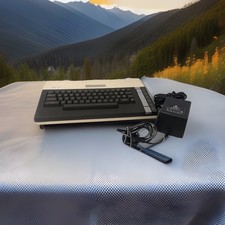
ATARI 800 XL 8-Bit Computer w/ Power Supply
$169.00
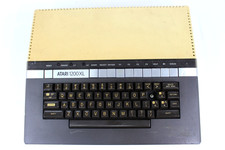
VTG Atari 1200XL Home Computer System 1200 XL ** Tested ** Parts or Repair
$248.75

Fujinet 1.7.1 Atari 400 800 800XL 130XE 65XE XEGS Assembled, Tested, Working
$99.99
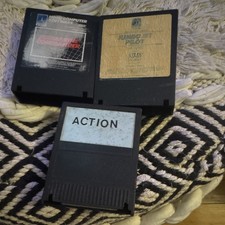
Atari Jumbo Jet Pilot Vintage Floppy Disk Software Lot w/ 2 Disks
$29.99
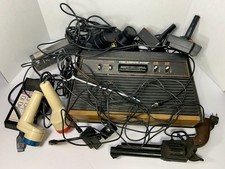
Atari Lot Video Computer System (VCS) Console Lot w/ Controllers, Gun, Touch Pad
$199.99

Atari 800 130XE 65XE Color S-Video & Audio Adapter Tested
$24.00

Atari 1040ST Computer System SM124 Monitor Megafile 60 SLMC804 Bundle W/ Boxes
$849.00
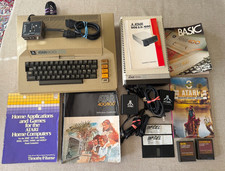
Vintage Atari 800 Computer + 1050 Disk Drive Manuals Games Software Cables Power
$349.00



 Reply With Quote