

 Reply With Quote
I can help a little. Copy the XF86Config-4 file generated by Knoppix to /etc/X11/XF86Config-4 in Debian. This will work for a Debian Sarge install.


Firstly, I have finally got Debian running with KDE.
Secondly, why can't I change the resolution up past 800x600? I can run it at 1024x768 on a Knoppix live cd, why not here?
Thirdly, how do I install ndiswrapper to allow me to use my wireless internet? I can again get this working fine on Knoppix.
4thly, when I get ndiswrapper working, will it know to load automatically? How do i make it load on startup?
5thly, How do I make it so KDE loads without having to have a USB mouse plugged in all the time? I can use my wireless mouse on knoppix fine, but on my Debian install it won't load KDE unless I have another mouse plugged into USB... my wireless keyboard and mouse are both wireless and run from one wirteless usb hub. THe keyboard works fine...
Thanks for your help!
Rich
I can help a little. Copy the XF86Config-4 file generated by Knoppix to /etc/X11/XF86Config-4 in Debian. This will work for a Debian Sarge install.
3) just use aptitude/synaptic to get ndiswrapper or read the ndiswrapper documentation that describes how to install it on Debian sarge
4) read the ndiswrapper documentation that describes how to install it on Debian sarge
5) No idea. Have you searched around for info? Maybe other follks have experienced similar problems. The forums at http://www.linuxquestions.org is a great place to start
On aptitude ndiswrapper isn't in the list. Remember I can't connect to the internet without ndiswrapper, so I can't dload it in Linux. I am using XP to type this, can I download it in windows and then use it in Debian? Or can I copy it off the Knoppix CD somehow?
In knoppix I use wavelan and networkcardconfig to set it all up, I can't see this in Debian either. Any idea where to get that from?
Finally Debian doesn't see my Windows Drive, it only see hdd, the secondary drive I bought to install it on. How do I make it 'see' my main drive? When(/if!) I get ndiswrapper I need to select my windows driver files to make it work...
Thanks for your help, this forum is so useful!
Rich
Any time things work differently after HD install, than as live, first thing is to eliminate the obvious. The installer sets up grub or lilo to try to emulate the live CD after Install. So, at least first try, if you have multiple distros, install Knoppix bootloader in its own partition, and add chainloader call to loader in main distro. This uses the loader cheats that are used in live cd mode.
Next, check grub.conf or lilo.conf in live cd mode, note it, and if this is your only linux distro and you are using mbr, check to see if it is the same in the installed file as in the live one.
This may be low probability, but it is usually best to start with simplest causes of problems.
\
also, same as always, try kanotix since more install help is available, including from Kano himself.
to view your windows drive, as root, type
mount -t vfat /dev/hda1 /mnt
this will mount your harddrive to /mnt . If you now open a file manager to /mnt you will be able to see your windows drive.
You can download ndiswrapper to your windows partition, boot into linux, mount your windows drive with the above command, and copy the ndiswrapper tarball to a local directory, uncompress it, and read the README.
 Posting Permissions


OWC Mercury Elite Pro 2 Bay RAID Enclosure with USB 3.2 for Dual 3.5 inch HDDs
$87.99

Broadcom MegaRAID 9480-8e Fujitsu PRAID EP540e SAS RAID Card (Replac 9380-8e) 8i
$228.00
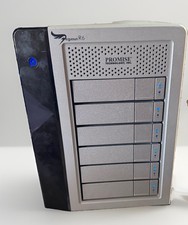
Promise Pegasus R6 Thunderbolt 2 RAID Storage 6Bay Enclosure G2U
$129.99
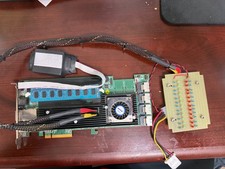
Areca ARC-1882IX-24 (16i4e)24-Port RAID Controller Card w/BBU /HDD Monitor Board
$202.46

Dell PowerEdge HBA330 LP PCI-E 12GBs RAID SAS Controller Adapter J7TNV
$18.95

Broadcom LSI 9305-16i 12Gbps SAS-3 PCIe x8 HBA 16-Ports Raid Controller
$64.99

MegaRAID 9580-8i8e 16-port 12G SAS/SATA/NVMe 8GB PCIe RAID - 05-50076-00
$1619.26

LSI 9305-16i SATA SAS 12Gbs Controller card PCIe 3.0 IT-Mode w/SAS SATA cable US
$125.98

Intel VROC Premium RAID Controller Card PCIe Add-On Module VROCPREMMOD
$265.00

G-Technology G-SPEED Studio XL 48TB Thunderbolt 2 Storage - Housing Only
$200.00