-
Hd install -- portable hard drive
Hi,
I know there are a lot of posts on the net and on this forumn for knoppix installation, but I can't follow a lot of them.
Here is what I want to do:
*I have a 10 gig portable hard drive, (I know how to boot from a portable hard drive)
and I want to be able to run knoppix 4.0 from that hard drive
*I read a little about having the bootable partition be like the cd, and be read only, (so it would free up
a cd drive)
Here is what I have:
*I have a 10 gig portable hard drive *mentioned above
*I have already partitioned it from a windows XP home machine
The swap partition is 384 megs, the partition for the OS itself is 3.5 gigs (The rest I plan to use for
another linux OS)
Here is what I tried:
1. Boot up with Knoppix LiveCD
2. At a terminal screen type: su -
*/hit enter, dah!/*
3. Type: sudo mount -o dev,rw /mnt/sda2
*/mnt stands for mount, sda2 is the hard drive partition I installed too, I can almost
guarantee that it will be different for you/*
4. Type: passwd
5. Type your new password for linux
6. Click on the "K" button
*/To start the knoppix version of the windows start menu/*
7. Choose system
8. Choose "More applications"
9. "File Manager Super User Mode"
10. Use your new password on the promt
11. Open the file, menu.lst (/boot/grub/meny.lst)
12. Edit the line that reads: "kernel /boot/vmlinuz root= /dev/hda2 ro ### isk_size=100000
init=/etc/init apm=power-off nomce"
*/Change the ### to form the work ramdisk (Your hda2 may be different)
13. Save the File
14. Reboot
*I get to step 11 and then I cannot find the file, plus I'm not even sure the swap partition was mounted.
If anyone could please help me, it would be greatly appreciated, O, and I don't mind deleting the
partitions, if I could just get the portable hard drive to boot just like the cd, it would be greatly
appreciated, thanks.
Feel free to post comments back on this forumn or email them directly back to me at my email address.
-- [email protected]
Thanks Again -- Marshall
-
Install it first...
I read as well as I could your instructions, and I don't see where you installed it on the HD.
Boot up Knoppix as a live CD. After it is runing, at a terminal prompt, type:
knoppix-installer <enter>
Then follow instructions. IF it can't see your portable HD, at that time, cancel, and mount the portable.
I may be wrong on this, but no where in your list do you use the knoppix-installer.
I don't now off hand where to put the boot loader for use when you re-boot. Normally, google for help before asking anyone on any forum, but especially on this one.
Next tip. Since the folks here have decided for Klaus, who supports installing Knoppix on HD, and is working on a new installer, that Knoppix should not be installed, forget about Knoppix, you can't get help here when you need it. Download Kanotix, it is very similar, the installer alleges to be better, and Kano himself answers tough questions on his forum.
Tip on USB devices. Pupply linux has developed a floppy usb booter, much like the old floppy boot for Win 98, and may well work on computers which don't normally boot USB devices. Google for puppy URL.
-
thnx
I will try that.
I've heard about kanotix, is it the same [basically] as knoppix? I love the feel of knoppix, which is why I don't really want to switch.
Anyway, thnx.
I thought however, it would be possible to boot from one of the partitions just like it was booting from one of the cds, letting it be read-only. As is says here, http://www.knoppix.net/wiki/Hd_Based...b-stick.2C_ROM...
" 4. Boot from smartdisk, usb-stick, ROM...
Please write about your experiences to boot from your MP3-Player, or what ever...
See [Boot KNOPPIX from an USB Memory Stick (http://rz-obrian.rz.uni-karlsruhe.de/knoppix-usb/)] by Matthias Müller
For booting the USB stick it uses [spblinux (http://www.8ung.at/spblinux/)] "
-
I got it!
I know its not well advised that someone should install knoppix on a hard drive, yet anyway, but I successfully did it. Although it took about an hour, I still did it.
Similar Threads
-
By ICPUG in forum Hardware & Booting
Replies: 2
Last Post: 06-29-2005, 06:40 PM
-
By kamal in forum Hdd Install / Debian / Apt
Replies: 19
Last Post: 12-18-2004, 07:39 AM
-
By brianfay in forum Hdd Install / Debian / Apt
Replies: 2
Last Post: 06-02-2004, 12:42 PM
-
By ak47 in forum Hdd Install / Debian / Apt
Replies: 1
Last Post: 12-01-2003, 08:36 AM
-
By Gregwithoneg in forum General Support
Replies: 6
Last Post: 05-22-2003, 01:41 PM
 Posting Permissions
- You may not post new threads
- You may not post replies
- You may not post attachments
- You may not edit your posts
-
Forum Rules


Commodore 128 C128 Computer FOR PARTS / REPAIR Untested Missing Key No Cords
$149.99
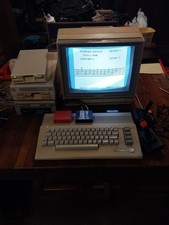
Commodore 64c Computer System
$550.00

Pi1541 Zero with Epyx Fastload Hat, Case & 16gb SD for Commodore 64 and 128
$79.99

TeensyROM+ TR+ v0.4 Cartridge for C64/128 - w/ Case & 32GB SD Preloaded
$89.50

Commodore 64 PC with Model 1541 Diskette Drive and Flight Simulator II *READ*
$199.99
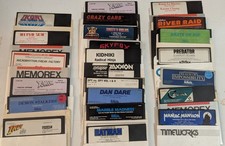
Commodore 64/C64 23 Original Games (Untested /As Is ,no returns )Maniac Mansion
$115.00

Commodore 64 Serial Cable 6PIN DIN 1541 1571 C64 128 C128 Disk Drive Printer USA
$10.49
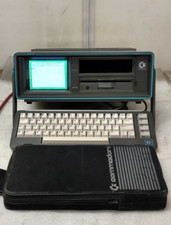
Commodore SX-64 Personal Computer
$600.00
(5) Commodore 64 Games WIZARD OZ DEEP SPACE GUILD THIEVES STRIKE FLEET BOPWRSTLE
$49.98

Commodore 64 Dead Test & Diagnostic Cartridge & Test Harness Set - USA seller
$39.99



 Reply With Quote