

Ok, I just D/L the newest knoppix dvd iso. I completed the knoppix-installer using debian style config.
All is good, autodetected my windows partition and added it to the grub loader.. all works well.
problem = its all in german !
Don't mis-understand me.. I like the german language, its just that I don't freaking understand it ! hehe
so anyway, how do we change the settings for a US keyboard and US GUI / Terminal interface ?
Simple..
After you are done installing to HDD, and you boot up successfully, open a root terminal (click knoppix penguin on task bar, click Root Shell, type in the root password and youre in.
There are 3 files that you must modify, they are text files in the /etc/sysconfig/2.6.12 directory. You should know how to use the vi editor to do this, otherwise you can use any other editor that you want, but don't try to do it from the gui unless you start the application with root privilidges. Alternatively, you can open a file manager in super user mode... and then you can edit the text files in the gui with root privileges (click the kde menu icon on the left hand side of the task bar > System > More Applications > file manager (super user mode).. and youre in !
the first file is: i18n
modify it to look like this:
next file: keyboardCode:LANG="C" COUNTRY="us" LANGUAGE="us" CHARSET="iso8859-1" XMODIFIERS=""
Code:KEYTABLE="us" XKEYBOARD="us" KDEKEYBOARD="us" KDEKEYBOARDS="us,fr"
next file: knoppix << This is the most important one !! .. (NOTICE: The entire file is not included in this snippet, only the first few lines that are critical to change the values, do not just copy and paste this and over-write the original file because you'll damage the configuration .. just replace each of these lines over the ones in your actual file).
Code:LANG="C" COUNTRY="us" LANGUAGE="us" CHARSET="iso8859-1" KEYTABLE="us" XKEYBOARD="us" KDEKEYBOARD="us" KDEKEYBOARDS="us,fr" DESKTOP="kde" TZ="America/New_York"
Ok, now you are done modifying the files... save and close everything, and reboot the system.
You should now have everything in english, even firefox and Gaim, and even the terminal interface and manual pages will be in english !
ENJOY !!!!!!!!!!!
:P
 Posting Permissions


INTEL XEON E5-2680V4 SR2N7 2.40GHZ CPU
$11.00

Dell Precision Tower 7810 Xeon E5-2630 v3 @ 2.40GHz , 32GB Ram, NO HDD, NO OS
$239.99

Dell EMC PowerEdge R440 Xeon silver 4215 2.5GHz 16 GB ram 2x 550W PSU No HDD
$275.00

Dell Precision T7820 2x Xeon Silver 4114 2.20GHz 950W No RAM GPU HDD 4x SATA
$350.48

Dell Precision T5820 Workstation 3.70GHz W-2135 No RAM/ GPU/ HDD/ OS
$179.98
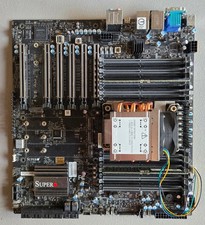
Supermicro X13SW-TF, Intel Xeon W7 2495X and Micron DDR5 64GB EC RAM Platform
$6000.00

Intel Xeon E5-2699 V4 2.20GHz 55M 22-CORES LGA2011-3 Server Processor 145W SR2JS
$84.49

Intel Xeon E3-1230 v3 SR153 3.3GHz Quad Core LGA 1150 CPU Processor
$14.49
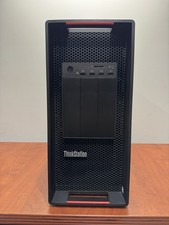
LENOVO THINKSTATION P920 XEON GOLD 6128 3.4GHz 32GB RAM 1TB SSD Windows 11 Pro
$1550.00

Lenovo ThinkStation P520c Intel Xeon W-2133 6-Core 3.60GHz -NO RAM/ HDD/ GPU/ OS
$127.54


 Reply With Quote