

 Reply With Quote
Ok, its been 24 hours and no has told me how to select the "D:" drive. I just want to be able to open my zip drive(e: drive). Anybody out there?


How do you open a drive in Knoppix? I know in Windoze you would go to run and type "E:" or "D:" I assume this is probably something via command line in Linux but I couldn't find it googling. Could anyone fill me in?
Ok, its been 24 hours and no has told me how to select the "D:" drive. I just want to be able to open my zip drive(e: drive). Anybody out there?
Insert the zip disk into the drive & then boot up knoppix. There should be an icon on the desktop for the device. Click it & it will be a graphical file manager.
Ok, I'm running knoppix on Virtual Pc. For some reason its not detecting my zip on start up like when I run it directly. Is there no way to just select the D or E drive manually? What about when you have it installed, how do you select the D drive then?
You are running Knoppix in a virtual environment and you expect it to be able to see physical drives?
You must consult the instructions on how to do this with your virtual PC software - it's not a knoppix issue.
It works with Linux Mepis (booting with the zip plugged in) That means its not a Virtual Pc issue. Is there no way to select a drive in Linux? I know I'm a noob but I'm sure this can be done but I'm not getting clear answers here.
 Posting Permissions


1969 EAI TR-20 Analog Computer Programming PACE Philbrick Electronic Associates
$36.00

Vintage George A Philbrick Researches Tube Analog Computer Module Serial 005503
$109.99

Refurbished Working 1960's Heathkit EC-1 Educational Electronic Analog Computer
$2999.99

Vintage Early Week 12 1984 Apple Macintosh 128K Computer M0001 w/Analog Board+
$209.99

Extron RGB-160XI Analog Computer Video 60-378-01
$127.06

Vintage Analog Computing Magazines For Atari Computer Owners No 11-20 Acceptable
$75.00

Vintage Goodyear Electronic GEDA Analog Computer Plug -- Extremely Rare
$179.00

1986-88 Antic Atari / Analog Computing Magazines Computer vtg LOT Collection 80s
$45.49
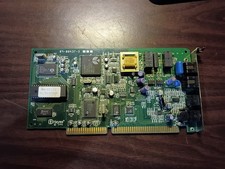
vintage internal ISA Dial-Up Modem from the Accura 28.8 series. 5617us
$13.99
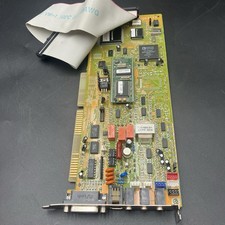
Packard Bell ISA Sound Card AD1845XP Analog Devices SoundPort DOS Win95 Untested
$25.46