

 Reply With Quote
Ok, its been 24 hours and no has told me how to select the "D:" drive. I just want to be able to open my zip drive(e: drive). Anybody out there?


How do you open a drive in Knoppix? I know in Windoze you would go to run and type "E:" or "D:" I assume this is probably something via command line in Linux but I couldn't find it googling. Could anyone fill me in?
Ok, its been 24 hours and no has told me how to select the "D:" drive. I just want to be able to open my zip drive(e: drive). Anybody out there?
Insert the zip disk into the drive & then boot up knoppix. There should be an icon on the desktop for the device. Click it & it will be a graphical file manager.
Ok, I'm running knoppix on Virtual Pc. For some reason its not detecting my zip on start up like when I run it directly. Is there no way to just select the D or E drive manually? What about when you have it installed, how do you select the D drive then?
You are running Knoppix in a virtual environment and you expect it to be able to see physical drives?
You must consult the instructions on how to do this with your virtual PC software - it's not a knoppix issue.
It works with Linux Mepis (booting with the zip plugged in) That means its not a Virtual Pc issue. Is there no way to select a drive in Linux? I know I'm a noob but I'm sure this can be done but I'm not getting clear answers here.
 Posting Permissions


Intel Core i7-3770K 3.5 GHz Processor
$39.00

Intel Core i7-9700 3.0 GHz Octo-Core (SRG13) Processor
$79.00
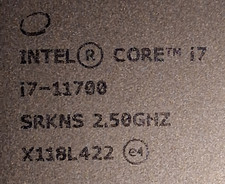
$120.00
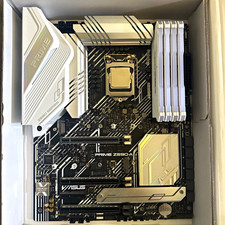
CPU-RAM-MOBO COMBO- 32gb DDR4 3600MHz, i5 CPU, Asus Prime Motherboard
$370.00

Intel SRG17 Core i7-9700T Desktop Processor CPU
$74.99

Intel Core i7-9700 SRG13 3.0 GHz Desktop CPU
$80.00

Intel Core i5-14600KF Unlocked Desktop Processor
$259.99

Intel Xeon E3-1230 v3 SR153 3.3GHz Quad Core LGA 1150 CPU Processor
$14.49

HP ProDesk 405 G8 Desktop AMD Ryzen 5 PRO 5650GE 16GB RAM 512GB SSD W11P
$319.99

GAMING COMBO: ASUS Prime H470M-PLUS MOTHERBOARD + i5-10600KF CPU + 16GB DDR4
$229.95