-
HD partition
Hello all,
I tried to install dual 0S on my laptop which is WinXP home edition and KNOPPIX but i already have installed the 1st one and wanted to install KNOPPIX and somehow, i didn't know how can i devide this HD by using KNOPPIX. Any URL or other information will be helpful for me.
TIA
-
kene,
Follow parj link for the full story.
I dual-booted Linux with WinXP, and here is my story; I learned to install WinXP first, because WinXP clobbers the whole HDD, and never offers to be installed on a partition. Next, I booted Knoppix Live CD and ran KDE >> SYSTEM >> QTPARTED and inserted a new partition at the END of the HDD. Then, I did the HDINSTALL for Knoppix (this command changes with Knoppix distro, so look around on this Forum for the correct one) and used LILO for the boot selector. When I rebooted to WinXP, it complained about the change in its HDD size, so it did a SCANDISK and worked for a little while. After a while WinXP started really complaining (and crashing), so I did the process over again, but elected to NOT install LILO as a boot selector, rather I made a BOOT FLOPPY. If I want WinXP, I boot. If I want Knoppix, I insert the floppy. No problems since.
-
Junior Member
registered user
hi everyone,
After a while WinXP started really complaining (and crashing)
What can you expect from Windows,  that's one of its features.
Seriously, I have not tried XP. I am using Win2K Pro/Knoppix 4 with GRUB bootloader in mbr and Windows is quite happy with it. I still have windows installed in FAT32 partition. I don't like NTFS. Most problem with dual boot Win/Linux are caused by NTFS. Once its messed up its a real mess (knoppix cd to the rescue).
-
"...WinXP clobbers the whole HDD, and never offers to be installed on a partition."
I wonder if that's a "feature" specific to XP Home? I haven't done an install of XP (always Pro so far) where I needed a partitioned drive, but I know at least one vendor (Sony) sets up a default where the OS and user files are on different partitions. So It must be possible SOMEHOW.
If the installer really can't be made to partition the drive or install to a partition on a pre-partitioned one, it might pay to use QTParted to get free space, then "repair" the XP installation before trying to do the Linux install. That should make boot.ini agree with the actual drive geometry--and a disagreement between the description in boot.ini and the actual disk is probaly Windows's problem.
Similar Threads
-
By Nevermore in forum MS Windows & New to Linux
Replies: 1
Last Post: 07-17-2009, 01:59 PM
-
By jwg in forum Hardware & Booting
Replies: 2
Last Post: 02-25-2007, 03:34 PM
-
By bono in forum MS Windows & New to Linux
Replies: 5
Last Post: 08-08-2005, 08:10 AM
-
By rrfish72 in forum General Support
Replies: 12
Last Post: 08-05-2004, 07:09 AM
-
By rossnixon in forum General Support
Replies: 10
Last Post: 02-08-2004, 01:32 PM
 Posting Permissions
- You may not post new threads
- You may not post replies
- You may not post attachments
- You may not edit your posts
-
Forum Rules


Dell 6P85J 4TB ST4000NM0063 7.2k 6Gb/s 3.5” SAS SED Hard Drive with Tray
$39.99

Western Digital HUS726T4TAL5204 4TB 7.2K SAS 12Gb/s 3.5" 512e HDD NetApp X375A
$64.00

Seagate ST8000DM004 8TB 3.5" 6Gb/s 256MB SATA HDD P/N: 2CX188-300 Tested
$149.99

(ST8000NM0045) SEAGATE ENTERPRISE 8TB 7200RPM 4Kn SATA 6Gb/s 3.5" HARD DRIVE
$199.99

Seagate ST500DM009 BarraCuda 500 GB 3.5" SATA III Desktop Hard Drive
$14.99
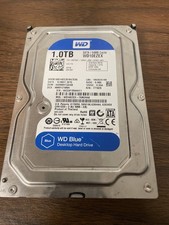
Western Digital WD Blue 1TB SATA 3.5in 7200RPM 64MB Internal HDD WD10EZEX
$14.99

HGST Ultrastar 7K4000 3TB 7200RPM SATA III 3.5" Hard Drive HDD HUS724030ALA640
$39.99

Dell ST6000NM0034 1HT27Z-150 NWCCG 6TB SAS 3.5 7.2K ENTERPRISE SERVER DRIVE
$68.99

DELL 2TB Enterprise HDD (7200RPM, 3.5", SATA III, 128MB Cache) HUS722T2TALA600
$49.95

Seagate ST12000NM0127 12TB 256MB 7200RPM 3.5" SATA 6.0Gb/s Enterprise Hard Drive
$318.99



 Reply With Quote