-
Administrator
Site Admin-

Originally Posted by
kwyjibo730
Here's the deal:
When I run netcardconfig if I answer for yes for "Use DHCP Broadcast" I get "failed" as the output. When I answer "no", I need to know which IP to use when it askes for IP Addr. of eth0; should I use 127.0.0.1, my computers internal IP, the router IP, or what. I'm assuming mask should remain the same as in the router settings and the other settings should remain default. Any ideas where these settings might need to be changed/synchronized with the router settings.
I have not used that model Linksys, but have not had problems with Knoppix and other Linksys routers. I'm still wondering what your NIC is and if that's part of the problem.
Do not use 127.0.0.1. That's a local loopback addres for all TCP/IP stacks. The safest thing to use would be the IP addres that is assigned to that system in Windows, likely something in the 192.168.xxx.xxx range. Alternatively, you could select any other address that you knew was available, as long as the first 3 numbers matched what your router uses and you were sure that the fourth number was not in use elsewhere on you network. To be safe I would use an address that the router is not configured to hand out; for example if I let my router hand out IP addresses in the range of 192.168.xxx.100 to 192.168.xxx 200 then I would use 201 or 99 (192.168.xxx.99 to be more exact, where xxx is usually 0, 1 or 2 depending on router).
If it's a NIC problem then the manual netcardconfig may not work as well. If it's really a DHCP issue then you should be able to set in the values manually and find that you are on the Internet.
Not having a background with that particular router I can't tell you if it has a MAC address feature or not or where to find it. I guess I could try to look up the documentation on-line, but I'll leave that to you. Many routers, particularly wireless routers do now have control by MAC address. It's not usually enabled by default, so if you have not turned it on this is not likely to be the problem. But if you have set your MAC addresses into the router and then enabled this feature to keep out wireless hackers, look for it in your router and try disabling it for a quick test.
Let us know your results. It would be nice to resolve this so that you don't have to do the manual netcardconfig each time you boot Knoppix.
Similar Threads
-
By Ian111384 in forum General Support
Replies: 0
Last Post: 03-04-2009, 04:23 PM
-
By Joliemome in forum Networking
Replies: 2
Last Post: 05-15-2006, 02:25 AM
-
By Kakalak in forum Hardware & Booting
Replies: 2
Last Post: 09-28-2005, 11:23 PM
-
By Marshall.83 in forum Hardware & Booting
Replies: 1
Last Post: 10-20-2003, 10:12 PM
-
By Waylander in forum Networking
Replies: 6
Last Post: 10-10-2003, 01:39 AM
 Posting Permissions
- You may not post new threads
- You may not post replies
- You may not post attachments
- You may not edit your posts
-
Forum Rules

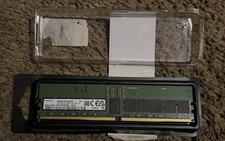
M321R4GA0BB0-CQK Samsung 32GB PC5-38400 DDR5-4800MHz Registered ECC CL40 RDIMM
$550.00

24x Micron MT40A512M16LY-062E IT:E 8Gb DDR4-3200 96-FBGA Memory IC
$349.99

24x Micron MT40A512M16LY-062E IT:E 8Gb DDR4-3200 96-FBGA Memory IC
$349.99

Dell 16GB PC4-21300 (DDR4-2666) Memory (SNPPWR5TC16G)
$89.99

Kingston 32GB 64GB 128GB 256GB USB 3.0 Flash Drive Thumb Memory Stick Pen lot
$285.90

USB 3.0 Flash Drive 32GB 64GB 128GB Memory Stick Thumb Stick Lot Pack
$826.09
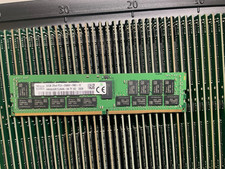
HMA84GR7CJR4N-VK HYNIX 32GB (1X32GB) 2RX4 PC4-2666V DDR4 MEMORY
$219.00

Transcend 96GB (6x16GB) 2Rx8 PC4-2666V DDR4 ECC UDIMM Server RAM TS2GLH72V6B
$299.00

TF/SD Card Adapter Camera Reader Android Type-c For iPhone17 Pro Max Plusm lot
$573.98

Wholesale 5/10/100PCS 1GB 2GB 4GB 8GB 16GB 32GB USB 2.0 Flash Drive Memory Stick
$489.96



 Reply With Quote