
Each attempt to download klik .cmg files results in an error msg requesting an install of cpio rpm.
My system has cpio 2.6.1 installed but have the error message every time I request a download.
Is there a way around this problem?


Each attempt to download klik .cmg files results in an error msg requesting an install of cpio rpm.
My system has cpio 2.6.1 installed but have the error message every time I request a download.
Is there a way around this problem?
I assume your system misses the "rpm2cpio" command?
klik assumes this command to be present on the base system. It is part of the "rpm" package. The klik client needs it to extract the (potential) .rpm input files listed in the klik package recipe (which controls the creation of the final klik .cmg package format).
I assume that the requirement for rpm2cpio is only for rpm Klik sources.
The requirement is somewhat out of sync with Klik's ...no need to install, just point and click.
My system is archlinux and rpm's require special install details to stay current.
Can't use all of Klik.
First off: Though Arch is not an "officially" supported distribution, I know that ArchLinux users in fact have reported that they made klik work for them by only a few minor tweaks.
I'll list a few of the "base" requirements for the klik client to work in the "User's FAQ" (http://klik.atekon.de/wiki/index.php/User's_FAQ).
The fact that your system is ArchLinux doesnt mean that klik will install an RPM to your system. It will do this:
--> *download* an RPMs, .debs or .tar.gzs into your /tmp directory (if these file formats are used to produce a klik .cmg);
--> use rpm2cpio to extract any .rpm that is amongst the downloaded ingredient files;
--> convert the ingredients into a single .cmg file (the klik native file format);
--> delete the ingredient RPMs, .debs or whatever from your /tmp again.
You only really *need* to have the rpm2cpio utility on your system for those few klik recipes that use RPM ingredients with their recipe. Arch doesnt install rpm2cpio by default, because Arch's package format doesnt use RPMs.
Most of klik's recipe's however do use .debs as input ingredient files exclusively. Very few have RPMs (mostly because there are now .debs available which provide an equivalent version).
I hope this makes the process more clear to you .
While this is technically correct, klik does check for the presence of rpm2cpio and gives an error if it is not present. This is to ensure that klik is not run on systems that do not have all the prerequisites for klik.Originally Posted by pipitas
So, please install the rpm package on your Ark Linux system and klik should work.
Greetings,
probono
I appreciate the details for the utility to be applied, however, I have no idea where I can download a free version of rpm2cpio.
I would hate to install it and see that it doesn't work!
I appreciate your persistence..
But to give you detailed directions, we'd also appreciate you to leak us the name and version of your distro.
We would hate to list you package names and URLs for the 30 most popular distros only to find out you're using the 31st
OK -- here's a hint in case you what to search yourself: rpm2cpio is in most cases part of the package "rpm".
;-P
 Posting Permissions


OPNsense pfSense 8-Core Atom C3758 2.2GHz 8GB DDR4 64GB SSD 8x NIC QAT AES VPN
$145.00

pfSense Firewall 16-Core Atom C3958 8GB DDR4 RAM 64GB SSD 8x 1Gbe QAT AES-NI VPN
$184.99

OPNsense pfSense 16-Core Atom C3958 16GB ECC RAM 512GB SSD 8-Port QAT AES-NI VPN
$258.00

SonicWall TZ280 Firewall 03-SSC-6933 Advanced Edition 3YR NEW SEALED
$999.99
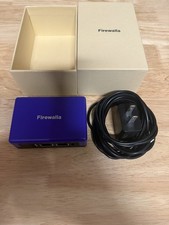
Firewalla Purple : Cyber Security Firewall for Home & Business,
$299.00

Fortinet FortiGate 60F FG-60F P24286-03-13 Network Firewall Security Appliance
$155.75

Firewalla Gold Pro - 10 Gbps Cyber Security Firewall
$680.00

Palo Alto PA-220 Next-Gen Firewall 520-000309-00J
$40.00

Zero Trace Pen: All-in-one Tor Network Anonymous Drive + Cryptocurrency Wallet
$147.00

Cisco Meraki MX67-HW Security Appliance Firewall NEW Unused Unclaimed
$202.50

 Reply With Quote