-
HOWTO: Upgrade to Debian Unstable
This is a tutorial on how to upgrade your just-installed KNOPPIX to debian unstable. I personally belive that using the sid repositories is better than using unofficial repositories so you can get the latest software.
The first step is to install knoppix. Boot from the CD, change things to your liking, and run the hdinstall script. Restart your computer.
Now that you've restarted, you should see the KDM login manager come on screen. Select the "console login" option. You will no be in a console with a login prompt. It should say something like this: "yourhostname login:" Log in as root. You will now have a root (#) prompt.
Type "vim /etc/apt/apt.conf" to edit your apt configuration file. Change the line APT: efault-Release "testing"; to APT:efault-Release "unstable";.
Now edit your /etc/apt/sources.list file so it looks something like this:
Good, now that that is set up, quit vim and get ready to do some apt-ing. Enter the following commands:
Code:
# apt-get update
# apt-get dist-upgrade
The dist-upgrade command will probably prompt your to remove many large packages. When I did it, the dist-upgrade command told me it had to remove all of KDE, for instance. Don't worry, you can install it later.
When you are upgrading, you will probably encounter an error in which one package cannot overwrite another packages files. your apt-get process will end with an error like "error processing package: /var/cache/apt/archives/blahblah-2.3.deb". You can fix that like this.
Code:
# dpkg --force overwrite -i /var/cache/apt/archives/blahblah-2.3.deb
# apt-get install -f
# apt-get dist-upgrade
Eventually, the long process will end. You will probably want to reinstall KDE, GNOME, CUPS, etc. (if they weren't already removed) with their GCC-3.3 (or whatever unstable is currently at; it's GCC-3.3 at the time of this writing):
Code:
#apt-get remove kdelibs
#apt-get install kde
#apt-get install gnome
#apt-get install mozilla mozilla-xft
The KDE and GNOME metapackages for unstable are (at the time of this writing), version 3.1.1 and 2.2.1, respectively. When you have reinstalled all the necessary packages, restart your computer enjoy your new Debian-SID computer. It should now function identically to any other regularly installed SID system.
Similar Threads
-
By RemasteringNoob in forum Customising & Remastering
Replies: 11
Last Post: 07-27-2004, 02:26 AM
-
By awreneau in forum Laptops
Replies: 2
Last Post: 04-30-2004, 06:30 PM
-
By datakid in forum General Support
Replies: 0
Last Post: 11-07-2003, 07:46 AM
-
By hyao in forum General Support
Replies: 1
Last Post: 08-01-2003, 03:40 PM
-
Replies: 1
Last Post: 01-06-2003, 12:51 PM
 Posting Permissions
- You may not post new threads
- You may not post replies
- You may not post attachments
- You may not edit your posts
-
Forum Rules


IBM System X3850-X5 Server w/4x Intel Xeon E7-4870 CPU , 512 GB DDR3 RAM,NO HDD
$1299.99

Unused IBM 09P0037 MAINBOARD For RS/6000 7044-170 P-Series
$375.00

IBM QRadar xx29 2x Xeon E5-2650v4 2x 900W PSU M5120 12x 3.5" Bay Server No RAM
$179.99

Rare Vintage IBM 93ZZ PowerPC Server Board - MCM Ceramic CPU - 40N1844 - 1.1 lbs
$49.99

Compaq ProLiant 1500R 5/100 rack server, Series 3155, with IBM 2.1GB HD, VINTAGE
$295.00

IBM SYSTEM X3500 M3 SERVER 7380AC1 TOWER Server XEON E5620 8GB RAID SEE NOTES
$110.30

IBM 4262 SYSTEM x3200 Tower - HDD Wiped, NO OS
$80.00
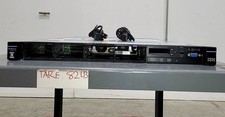
IBM SYSTEM X3550 M5 5463AC1 2.5x8 Server 2*XEON E5-2640 V3 8GB SEE NOTES
$85.99

IBM ADP Server Type 7870 AC1 NO HDD | 128GB RAM PC3L | 2 x Xeon E5620
$199.99

IBM 7014-T00 Enterprise 19" Rack Enclosure No Keys
$549.95



 Reply With Quote