-
Senior Member
registered user
Whew! I'm glad you got this sorted out. As for preventing this from happening again, you can't, but you can minimize the problems with various tools at your disposal. Remember the apt-get tricks I showed you? If you have a mixed system of stable/testing/unstable and you want to make it unstable, you would first edit /etc/apt/apt.conf and change the default release to unstable. Next you would open a console as root and type: followed by: However, IMO, I think the better idea would be to test first and then commit instead:
Code:
apt-get -s -t unstable upgrade
followed by:
Code:
apt-get -t unstable upgrade
To get a more debian system as opposed to knoppix/debian, you would do this:
Code:
apt-get -s -t unstable dist-upgrade
That will remove some programs and add new ones to make it more debian specific but some knoppix components will remain. Debian unstable is, from what I understand, more stable than most distributions' stable entries. But it is experimental software and you must consider it as such. Think of it as beta software, and you will need to be aware that there will be some broken packages that can't resolve properly. Testing is supposedly beta too, but it's more polished as most of the bugs have been or is being worked out before it is released as stable. Personally, I think testing is more current than stable and just as stable as stable, but not as bleeding edge as unstable.
Similar Threads
-
By RemasteringNoob in forum Customising & Remastering
Replies: 11
Last Post: 07-27-2004, 02:26 AM
-
By awreneau in forum Laptops
Replies: 2
Last Post: 04-30-2004, 06:30 PM
-
By datakid in forum General Support
Replies: 0
Last Post: 11-07-2003, 07:46 AM
-
By hyao in forum General Support
Replies: 1
Last Post: 08-01-2003, 03:40 PM
-
Replies: 1
Last Post: 01-06-2003, 12:51 PM
 Posting Permissions
- You may not post new threads
- You may not post replies
- You may not post attachments
- You may not edit your posts
-
Forum Rules

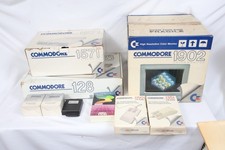
Commodore 128 Monitor 1902 Disk Drive 1571 (2) mouse 2 joysticks manual/software
$799.00
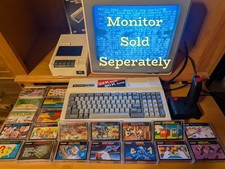
LAST ONE Early Microsoft SpectraVideo-328 Computer, 20 Games/Programs + Extras
$449.95
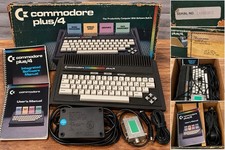
Commodore Plus/4 Vintage Home Computer w/ Box, Manuals, Power Supply
$105.00
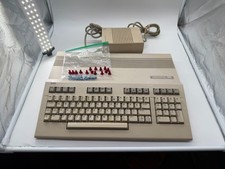
Commodore C128 Comp w/ Original Box TESTED & WORKING + Original & PETG Key Plung
$260.98
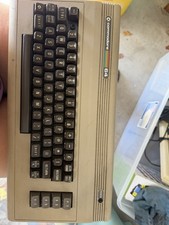
Commodore 64 Vintage Home Computer System Keyboard Unit Untested
$100.00
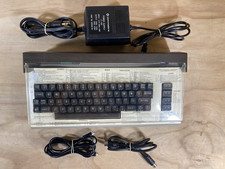
Commodore 64 Vintage Home Computer Without Box/No turn ON/FOR PARTS
$99.99
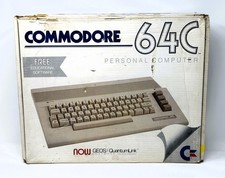
Commodore 64C Computer - Original Box - Manuals - Cover - PSU
$149.99
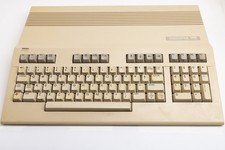
Vintage Commodore 128 Computer Powers On Not Tested with Power Supply
$169.99

Commodore OS USB | Bootable LIVE + Install | The Ultimate Gaming Linux OS | NEW
$11.99

Commodore OS Vision 3.0 | Bootable USB Install | Linux Gaming OS
$24.99



 Reply With Quote