-
Need help recovering my 3 yr old daughters pics using knopix
HI everyone,
Please excuse my ignorance but I am not a computer wiz, I am in military so that should say it all.
I recently bought knoppix version 3.9 off of ebay to recover my daughters pics when windows crashed on my computer. I was able to get Knoppix to boot but when I tried to burn files to CD I received error after error. I then attempted to copy to my usb drive. I set permissions to read and write for the particular HD partition with the pictures and I also set up the usb to read and write as well. More specifically i did the following.
right clicked on usb memory icon
properties
permissions tab
changed all permissions to can read and write
checked box that says is exicutable
devices tab
unchecked read only
did basically the same for the dard drive as well
Even after I set the permissions to read and write I was still unable to drag and drop the pictures from the Hard drive to the USB stick. I tried and tried but I got no where. Now I am at my wits end and since I have limited abilites with computer software I am asking if someone could please show me a way to get my daughters pictures back. My wife is in tears and I am going to be gone all next month, I have to mail the old hard drive back to dell by sunday or I will be charged. So as you can see I am in a bind. lol I also have duty in the morning so I can not stay up all night trying to put my brain around this problem. Any help is greatly appreciated.


-
Administrator
Site Admin-
I'm not following all that you did with the usb device. I'm assuming that it's a flash device with a FAT type partition on it; if it's a usb hard drive and you have a NTFS partition on it you will not be able to write to it with Linux. All you should have to do if there is a FAT partition is:
- 1) boot Knoppix with the USB drive in place.
2) find the desktop icon for the usb drive.
3) right click on the above icon and select the actions ... submenu to make the drive writeable (otherwise the default with Knoppix is read only).
4) use konquror to drag and drop files from the hard disk partition to the usb drive partition.
I'm not clear on what problems you had with writing a cd, but if you have only 1 optical drive the Knoppix media needs to stay in place unless you have enough memory to use the toram cheat code. I hope it's not a problem with the disc you bought, but I have a low level of trust for anything that comes from e-bay.
There are several other ways to save recovered files as well, including transfering them to another computer on a local network, uploading them to a webpage, ftp site, or a service like yousendit.com, e-mailing them, or even installing another hard drive with a FAT partition (not NTFS) and saving there,
Please let us know if this helps and you need any additional assistance.
-
Just wanted to add that I have read the FAQ and I didn't find anything that I could apply to my problem. This is probably because all of this is over my head. I appologize for my ignorance on this subject. I have been surfing the web for hours and hours for the past couple of days and I am unable to come up with a solution. Now the time is running out on me. Again, thanks for any help.
-
Thank you sir,
IT WORKED!!!
Let me say again, THANK YOU, THANK YOU, THANK YOU.
Now I can go on my deployment without having to worry about how I am going to pay dell to keep both the old and the replacement harddrive they sent.
Again thank you very much.
-
I have one more question sir,
What is the fastest way to unplug and plug back the usb stick. I have a bunch of pics to swap over to my laptop and I will have to do this multiple times.
Will I have to shut down Knoppix via the the menu icon each time and unplug and then plug back in and reboot?
I have tried to right click on the usb icon and click unmount so I can remove it safely but it does not seem to want to unmout the device.
Thanks
-
Administrator
Site Admin-

Originally Posted by
oneguy
What is the fastest way to unplug and plug back the usb stick. I have a bunch of pics to swap over to my laptop and I will have to do this multiple times.
Sorry, I honestly don't know. I always make sure that the stick is in place when I boot and I have no problems. Knoppix might auto mount it if added later, or you may be able to do a mount command, but you'll have to try to see what works unless someone with more usb device experience joins in the discussion.
---
Verifying of md5 checksum and burning a CD at slow speed are important.
-
Administrator
Site Admin-
p.s. you should be able to unmount with the mount command in a shell (command prompt), see man mount for details (also done at the cfommand prompt). The bigger question in my mind is will Knoppix let you reconnect the drive again and still recognize it. Of course another thing you could try is just don't unmount, wait a few minutes until any led on the usb drive stops flashing and just remove it, plug it into the windows system where it should be recognized, copy (do not move) the picture files, then plug the device back into Knoppix. As long as nothing on the device has changed Knoppix may be happy and let you delete the old files with Konquror to make room for the next batch. But, of course, this is just theory .....
-
Senior Member
registered user
just remember to right click it and unmount before you undock the usb thumbdrive. right click and remount / make writeable when you put it back in again.
if you forget and just pull it out, the performance gets a little unpredicatable and may require a reboot (in my experience)
-
Senior Member
registered user
Instead of trying to xfer all this with a usb drive, why not get a yahoo or gmail account )both free ) and email yourself the pictures. You get 1 and two gigs of space on the accounts and the files stay there indefinitely.
Just a suggestion if you'r having trouble and running low on time.
Similar Threads
-
By Khajit in forum Hardware & Booting
Replies: 2
Last Post: 01-30-2010, 03:51 AM
-
By Rick Harvey in forum General Support
Replies: 1
Last Post: 10-04-2005, 11:40 PM
-
By tkurine in forum MS Windows & New to Linux
Replies: 0
Last Post: 03-08-2005, 04:42 PM
-
Replies: 3
Last Post: 04-24-2004, 10:57 PM
-
By ica in forum Hardware & Booting
Replies: 1
Last Post: 02-16-2004, 02:59 PM
 Posting Permissions
- You may not post new threads
- You may not post replies
- You may not post attachments
- You may not edit your posts
-
Forum Rules


Dell PowerEdge FX2s + 8x FC430 Blades 16x E5-2630v4 160 Cores Rails No PSU/RAM
$699.00

NETAPP HCI NAF-1701 SuperMicro Server 4X BLADE H410C 8X GOLD 5120 - 4X S25G NICs
$1999.97

Dell PowerEdge M630 Blade Server 2x Xeon E5-2680 v4, 2F3MP , 4GDP5 ,R10KJ ,JVFVR
$96.60

Dell PowerEdge FC430 Blade Server 2x Xeon E5-2630v4 20 Cores FX2 FX2s No RAM/HDD
$119.99
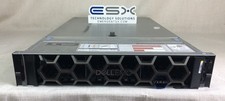
Dell R740XD VxRail P570 24x 2.5” 2U CTO Server– 2x Gold 6240, H740p, 2x 1600W
$699.00

Dell PowerEdge FX2 FX2s Server 10GbE CMC Blade Enclosure Chassis
$274.99

Dell PowerEdge VRTX Rackmount Chassis w/4x PSUs 2x CMC Modules
$399.98

Dell PowerEdge M620 Blade Server 2x Xeon E5-2680v2 2.8ghz 20-Cores | 128GB
$149.99

Dell Poweredge VRTX 25Bay 2.5" 2x PERC 8, 2xCMC, I/O 1GB Pass Through, 4x PS
$578.08

AS IS READ DESCRIP. Supermicro SuperServer 6026TT-HIBQRF 12-Bay 4x X8DTT-HIBQF
$215.00



 Reply With Quote