

 Reply With Quote
I'm probably missing something in your post but what I usually do to chroot into a drive is:
as root:
mkdir /mnt/hdx
mount /dev/hdx /mnt/hdx # with whatever options
chroot /mnt/hdx
then navigate the filesystem.
HTH


Hi everyone!
I'm attempting to create my own distro for corporate use. I'm following the directions in last months Linux Format mag. I had some issues getting the required files copied over, but managed to circumvent that. I'm now at a point where I need to run the chroot command, to make changes to my distro - add/remove programs, etc...
I'm running the command, but it keeps telling me that there is no such file or directory.
The image drive is hdb1 (2nd hard drive), and I'm running in the root shell. Below is the command I'm attempting to run from the mnt directory:
chroot hdb1/mnt/drive/knoppix-tmp/source/KNOPPIX
I've also tried chroot /hdb1/mnt/drive/knoppix-tmp/source/KNOPPIX with no success.
I'm not sure why the system tells me that there is no such file or directory. Prior to running this command, I've mounted hdb1 with read/write access, and I am able to copy files over. The pc has Mandriva installed on hda1, but I'm actually running the chroot command from the cd.
Thanks alot for your suggestions!
I'm probably missing something in your post but what I usually do to chroot into a drive is:
as root:
mkdir /mnt/hdx
mount /dev/hdx /mnt/hdx # with whatever options
chroot /mnt/hdx
then navigate the filesystem.
HTH
 Posting Permissions

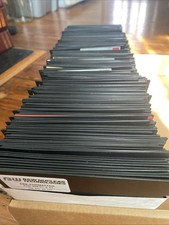
Vintage 1980s 1990s Lot of 175 Used PC Computer 5.25" Floppy Disks IBM
$175.00

Vintage HP 21MX 1000 M-Series Minicomputer Chassis Backplane Parts AS-IS
$228.19

Ast Advantage Adventure 4050D Vintage Retro Computer Great Condition
$199.99
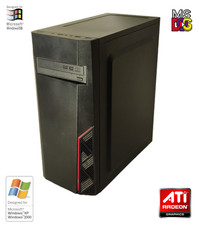
NEW* AMD Athlon 4850e 4GB ATI X1050 Win98 XP DOS Multiboot Retro PC w/ 50 Games
$389.00

Vintage Gray AC Power Cable Cord 3-Prong Plug to 3-Prong 3-Slot Connector
$50.00
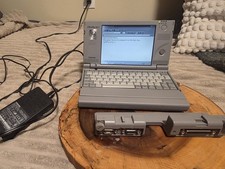
Vintage Toshiba Libretto 70CT Mini Notebook with Port Replicator and 32MB Memory
$320.00
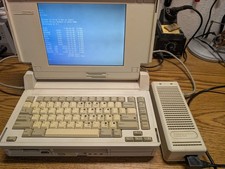
Vintage Compaq SLT/386s/20 laptop Boots to DOS, power supply, CMOS dead working
$345.00
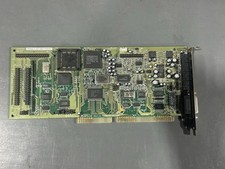
Vintage Creative Labs CT2230 Sound Blaster 16 ISA Sound Card - Working READ
$64.99

Lot of 2 Vintage Plextor PX-43CS SCSI CD-ROM Caddy Drives + 4 Caddies Used
$55.99

Vintage: Tandy CM-5 RGB High Resolution Color CRT Monitor 25-1023C
$249.50