-
Adding programs without remastering?
I'm new to Knoppix, so this may be a dumb question. But looking through the forums and the help file haven't found much...
At my workplace we do a lot of scientific imaging, and as such have a large number of imaging and modeling programs for our work. Due to the low number of Linux-running computers at our facility we don't have a lot of work stations where people can use this software. We're looking at using knopptix as a way for people to turn any PC into am imaging workstation, without having to install anything onto their computer (i.e. LiveCD or LiveDVD).
The problem I am having is that I have been unable to find ways to "install" these programs into knopptix to see if they'll work. I tried klick, but it didn'twork (or maybe I'm just dumb?). I was wondering if there were ways to "install" new programs using a LiveDVD "install" without using Klick. We have a few custom packages at work which we would like to test with Knoppix to see how well they'll work before we go through the effort of remastering.
Thanx
Bryan
-
Junior Member
registered user
Best I can tell, you'll need a 2nd CD ROM on your computer or you'll have to do what I here:
http://www.knoppix.net/forum/viewtopic.php?t=22654
I still haven't figured out if what I did caused my "cannot execute binary file" problem. Hopefully it is unrelated.
-
Junior Member
registered user
Warthaug,
If you're dead set on Knoppix then I can't help you but if you want to check out some other "live" linux types then check out Slax(http://slax.linux-live.org/). You can add modules to a base Slax ISO and then reburn the ISO and have your customized "live" Linux Cd with out really remastering it, at least the hard way anyways.
-
If you're dead set on Knoppix then I can't help you but if you want to check out some other "live" linux types then check out Slax(
http://slax.linux-live.org/). You can add modules to a base Slax ISO and then reburn the ISO and have your customized "live" Linux Cd with out really remastering it, at least the hard way anyways.
I'm not set on anything - Knoppix just seems to be one of the more popular liveCD Linux's out there. I will definetly check out slax.
Thanx for the advice.
Bryan
-
"We have a few custom packages at work which we would like to test with Knoppix to see how well they'll work before we go through the effort of remastering."
Really, the easiest way would to install Knoppix (or Slax) to the hard drive and see if your packages were compatible. There is a slight chance something still wouldn't work when the result was actually remastered--but the same would be the case with an arrangement where the OS was running from CD but the application running from the hard drive, as the most likely issue would be that something needed to be writeable.
The nice thing about Slax for this kind of thing is that it's set up to fit on a mini-CD, so it can grow a lot and still fit on a standard one. Knoppix may require a lot of included packages be removed before the remaster would work.
I have personally had better luck with remastering Knoppix, but Slax and Morphix (and maybe a few others) have the ability to add packages in a kind of modular fashion--included on the remastered CD, but not really part of the base .iso.
Similar Threads
-
By johnxu in forum Customising & Remastering
Replies: 0
Last Post: 02-21-2008, 08:32 AM
-
By pppreese in forum Customising & Remastering
Replies: 1
Last Post: 02-06-2005, 06:38 PM
-
By NormanBates in forum Customising & Remastering
Replies: 0
Last Post: 08-20-2004, 10:04 AM
-
By deadpan_burke in forum Customising & Remastering
Replies: 0
Last Post: 02-20-2004, 04:22 AM
-
Replies: 3
Last Post: 03-10-2003, 05:53 AM
 Posting Permissions
- You may not post new threads
- You may not post replies
- You may not post attachments
- You may not edit your posts
-
Forum Rules

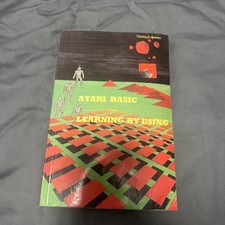
Atari Basic - Learning by Using by Thomas E. Rowley
$25.00

Atari 130 XE/Atari 1050 Bundle W/ Cords And Extras (Powered On)
$300.00

DEFECTIVE Atari 810 Vintage Computer Disk Drive powers on Unit Only Boo G3D
$49.29

UNOCART-2600 SD card Multi Rom Cartridge for ATARI 2600 with CASE
$34.25

Fujinet 1.7.1 Atari 400 800 800XL 130XE 65XE XEGS Assembled, Tested, Working
$99.99
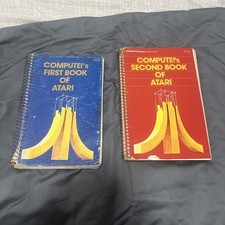
COMPUTE's 1st + 2nd BOOK of ATARI 400/800/1200XL/810/822/130XE/835/65XE/XEGS
$30.00
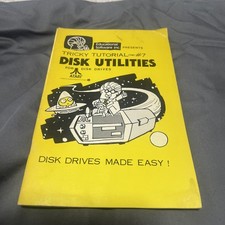
ATARI TRICKY TUTORIAL #7 DISK UNTILITES 400/800/1200XL/130XE/815/1400XL/835
$20.00
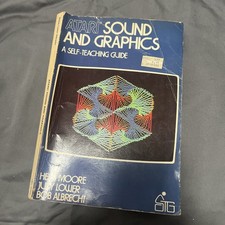
ATARI - Sound and Graphics - A Self Teaching Guide - Vintage 1982 - Rare
$15.00

Atari 800 8-bit Computer System Fully Tested Great Condition 48k READ
$350.00

ATARI HDD Drive ACSI Emulator 520-1040ST/STF/STFM, STE, Mega STE, TT030 acsi2stm
$48.95



 Reply With Quote