

 Reply With Quote
I had the same problem. The solution was to load the usb 2.0 driver, ehci-hcd. Once I did that, I got the 2.0 speeds.
FMI, see:
http://www.linux-usb.org/usb2.html


Using the CD version of Knoppix 4.02, hdparm -t /dev/hda shows that my
drive is only working at 4 MB per second. Under Knoppix 3.6 and Fedora Linux,
hdparm reports 60 to 62 MB/second.
hdparm -t /dev/sda shows that my USB memory key is 1 MB/second, but
it runs at 8 MB/second under Knoppix 3.6 or Fedora.
hdparm -I /dev/hda reports exactly the same information under Knoppix 4.02,
Knoppix 3.6, and Fedora. Specifically, they both show that my ATA 100 drive is
definitely using the UDMA5 mode.
The slowdown is real, not a quirk of hdparm. I use this dd command to back up my system.
dd if=/dev/hda1 of=/dev/hdc1 bs=2M
Under Knoppix 4.02, the backup takes unbearably long. Under Knoppix 3.6 the drive to drive
copying is done at more than 50 megabytes per second.
My hard drives are identical ATA 100 Seagate Barracudas. My motherboard is a GA=7N400,
which has the nForce2 chipset.
I had the same problem. The solution was to load the usb 2.0 driver, ehci-hcd. Once I did that, I got the 2.0 speeds.
FMI, see:
http://www.linux-usb.org/usb2.html
I noticed the same problem, found a patch a made a fix. CF:
http://www.knoppix.net/forum/viewtop...?p=97923#97923
Gilles
Hello Gilles, can you please tell me how you installed the patch?
I downloaded minirt_usb2.gz, mounted the CD image .iso file, copied in
the new minirt_usb2, and burned an new CD. The new CD doesn't boot.
Do I have to do the entire "remastering" procedure to apply the patch?
Is there a checksum that I must update before burning a CD?
The patch for the linuxrc boot script file (included in the minirt.gz) is described in here:Originally Posted by JeffBonn
http://lists.debian.org/debian-knopp.../msg00031.html
I always boot from the ISO files stored on the hdd and use the minirt_usb4.gz
(which includes the USB2 patch + other nice features) instead of the minirt.gz off the cd.
(read how to make it work from the forum or wiki: http://www.knoppix.net/wiki/Win_Partition)
I never tried to make a new iso after having replaced the minirt.gz by the minirt_usb4.gz ... it may work...
Get the minirt_usb4.gz file from here: http://www.knoppix.net/forum/viewtop...?p=98940#98940
and in order to make a new bootable Knoppix CD, you will need to follow this FAQ:
http://www.knoppix.net/wiki/Knoppix_...to#Live_CD_ISO
and use this command from Linux (or cygwin):
mkisofs -pad -l -r -J -v -V "KNOPPIX" -no-emul-boot -boot-load-size 4 \
-boot-info-table -b boot/isolinux/isolinux.bin -c boot/isolinux/boot.cat \
-hide-rr-moved -o /mnt/hda1/knx/knoppix.iso /mnt/hda1/knx/master
Hope this helps,
Gilles
PS: If I have time, I will try to make that ISO...
>PS: If I have time, I will try to make that ISO...
yes PLEASE do so...
I just tried, and it doesn't work as is... more work to be done for cd boot...
Edit:
I just got the CD boot working now with the minirt_usb4.gz (tested with qemu):
For some reasons the isolinux boot loader used by the Knoppix official cd
doesn't like the minirt_usb4.gz file. Problem of size ?
But I do not have the time to investigate now...
I got it working using grub as a bootloader and the following command to generate the iso:
mkisofs -pad -l -r -J -v -R -N -V "KNOPPIX" -no-emul-boot -no-iso-translate \
-boot-load-seg 0x1000 -b boot/isolinux/grldr -c boot/isolinux/boot.cat \
-hide-rr-moved -o ../iso_usb.iso ../cdrom
And I used the following menu.lst in the root of the CD:
title Knoppix
kernel (cd)/boot/isolinux/linux ramdisk_size=100000 init=/etc/init lang=us apm=power-off vga=791 nomce quiet dma screen=1600x1200
initrd (cd)/boot/isolinux/minirt_usb4.gz
boot
Best Regards,
Gilles
Gilles, thank you for the detailed instructions. Your post describes several
different issues that I did not know about. -- Jeff
Here it is: http://s94002264.onlinehome.us/grub/iso_usb.iso (md5: 3b70c1b7fdb1b1659404925fdcd379d2)
This is just for demo purpose. I won't keep this link alive too long, since I do not have unlimited bandwidth.
So please let me know when your download is done.
Thanks,
Gilles
Dear Gilles,
thanks for the iso. I download it now and I will test it then.
Thanks again
 Posting Permissions


RAMAXEL Lenovo 32GB LPDDR5X CAMM2 7500MHz Laptop RAM | UNTESTED
$445.00

A-Tech 8GB DDR3 1600 PC3-12800 Laptop SODIMM 204-Pin Memory RAM PC3L DDR3L 1x 8G
$21.68

Crucial DDR3L 16GB 2 x 8GB 1600 MHz PC3L-12800 Laptop RAM Sodimm Memory 1.35V
$41.00
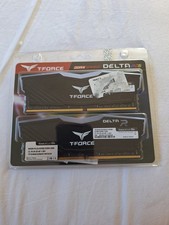
TEAMGROUP T-Force Delta R RGB 64GB
$350.00

Major Brand 16GB (2x8GB) PC3-12800U DDR3-1600MHz DDR3-12800 DESKTOP RAM NON-ECC
$29.99
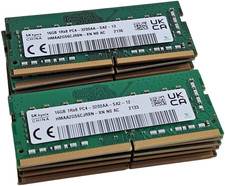
LOT OF 10 - SK hynix 16GB DDR4 3200AA HMAA2GS6CJR8N-XN 1Rx8 PC Laptop Memory RAM
$649.00

Major Brand 8GB PC3L-12800 (DDR3-1600) 2Rx8 DDR3L SDRAM Desktop Memory
$12.99

DDR4 Laptop RAM 4GB 8GB 16GB 32GB 2400 2666 3200 Samsung Hynix
$60.00
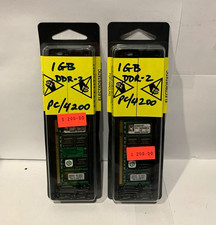
Kingston 2GB Kit (2x1GB) DDR2 PC2-4200 DDR2-533 240-Pin DIMM Non-ECC (LOT OF 2)
$45.00

Kingston RAM 256MB PC-2700 DDR SDRAM 184-Pin DIMM KVR333X64C25/256 (LOT OF 2)
$42.50