-
Knoppix or Kanotix + VMware Player = safe Windows browser!
Hi everyone,
I know all of you are linux geeks, never touching Windows boxes at all, but if you want to demonstrate a linux live-CD (such as Knoppix or Kanotix) to someone who does not even want to leave Windows in order to test (boot) a live-CD, here's the way:
Download & install the free VMware Player from www.vmware.com
Download the latest Knoppix or Kanotix CD-or DVD-iso image from www.knoppix.com or www.kanotix.com
Download a simple VMware virtual machine configuration file (plain text format) from here:
http://www.hgz.com/knoppix/Packages/Kanotix-2005-04.vmx
http://www.hgz.com/knoppix/Packages/...5-09-23-EN.vmx
http://www.hgz.com/knoppix/Packages/...5-09-23-EN.vmx
If you place the respective VMplayer configuration in the folder where you downloaded the CD-or DVD-iso image, you should be able to run Knoppix or Kanotix directly from Windows, with network and sound support enabled.
Warning: You need a reasonably fast machine (>= 1GHz) and something like 256 MB of free RAM available.
It is possible to get away with less, though at least 128 MB of free memory is needed, preferably more, by modifying the configuration file with a text editor before running it with VMplayer.
(Change the value behind "memsize =" to the amount of memory you want to be made available to the virtual machine.)
You can force the Knoppix or Kanotix hardware detection to correctly recognize the size of your desktop by uncommenting lines with "svga.maxWidth" and "svga.maxHeight" (i.e. removing the "#") and setting the respective values correctly.
VMplayer allows access to various physical devices (USB, floppy, CD-ROM, etc.) from inside a virtual machine, so it is even possible (with some tweaking) to use a virtually running live-CD to create a physical copy of itself using a CD-burner in the PC!
The simplest use of a live-CD virtual machine would be to have a completely safe way of web-browsing from Windows (e.g. no WMF vulnerability), in an even simpler setup than using VMware's Ubuntu-based Virtual Browser Appliance, but the possibilities are indeed almost endless.
Try it yourself and be amazed!
Similar Threads
-
By piuskid in forum General Support
Replies: 1
Last Post: 09-30-2008, 05:54 PM
-
By Akegata in forum Customising & Remastering
Replies: 7
Last Post: 03-04-2008, 04:38 PM
-
By Uncle Stinky in forum General Support
Replies: 5
Last Post: 02-03-2008, 09:52 AM
-
Replies: 4
Last Post: 02-13-2007, 04:59 PM
-
By groenewe in forum MS Windows & New to Linux
Replies: 0
Last Post: 01-03-2006, 01:04 PM
 Posting Permissions
- You may not post new threads
- You may not post replies
- You may not post attachments
- You may not edit your posts
-
Forum Rules

Vintage Apple ProFile External Hard Drive Original Box & Paperwork Untested
$999.00

Vintage GTE XT300 Action Station Terminal 1984 - Tested Works Orig. Box & Foam
$889.00
Vintage Tandy Computer Varsity Scripsit Word Processing 3.5 & 5.25 Disks SEALED
$29.95
Vintage Toshiba Tecra 780CDM Laptop Computer Windows 98 & WiFi Adapter
$170.00

Original Vintage Old Style STANDARD Black CD Jewel Case (Heavy Duty) 90g Lot
$316.95
Vintage AMD Am386 DX/DXL-33 Motherboard - Works
$120.00
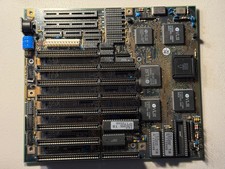
Vintage Siemens 286-16 Motherboard - Works
$140.00
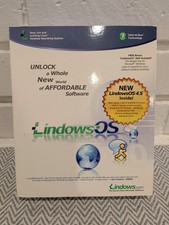
Linspire Lindows OS 4.5 Linux PC Software Vintage Rare 2003 Big Box Retail
$249.87

VINTAGE COLLECTIBLE Comp USA Maxtor 20 GB 3.5 Inch EIDE Hard Drive NEW SEALED
$500.00
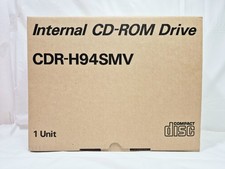
Vintage Sanyo CDR-H94SMV Internal SCSI CD-ROM Drive. 1994 NIB
$70.00



 Reply With Quote