

Hi everyone,
I know all of you are linux geeks, never touching Windows boxes at all, but if you want to demonstrate a linux live-CD (such as Knoppix or Kanotix) to someone who does not even want to leave Windows in order to test (boot) a live-CD, here's the way:
Download & install the free VMware Player from www.vmware.com
Download the latest Knoppix or Kanotix CD-or DVD-iso image from www.knoppix.com or www.kanotix.com
Download a simple VMware virtual machine configuration file (plain text format) from here:
http://www.hgz.com/knoppix/Packages/Kanotix-2005-04.vmx
http://www.hgz.com/knoppix/Packages/...5-09-23-EN.vmx
http://www.hgz.com/knoppix/Packages/...5-09-23-EN.vmx
If you place the respective VMplayer configuration in the folder where you downloaded the CD-or DVD-iso image, you should be able to run Knoppix or Kanotix directly from Windows, with network and sound support enabled.
Warning: You need a reasonably fast machine (>= 1GHz) and something like 256 MB of free RAM available.
It is possible to get away with less, though at least 128 MB of free memory is needed, preferably more, by modifying the configuration file with a text editor before running it with VMplayer.
(Change the value behind "memsize =" to the amount of memory you want to be made available to the virtual machine.)
You can force the Knoppix or Kanotix hardware detection to correctly recognize the size of your desktop by uncommenting lines with "svga.maxWidth" and "svga.maxHeight" (i.e. removing the "#") and setting the respective values correctly.
VMplayer allows access to various physical devices (USB, floppy, CD-ROM, etc.) from inside a virtual machine, so it is even possible (with some tweaking) to use a virtually running live-CD to create a physical copy of itself using a CD-burner in the PC!
The simplest use of a live-CD virtual machine would be to have a completely safe way of web-browsing from Windows (e.g. no WMF vulnerability), in an even simpler setup than using VMware's Ubuntu-based Virtual Browser Appliance, but the possibilities are indeed almost endless.
Try it yourself and be amazed!
 Posting Permissions


Dell PowerEdge M630 Blade Server 2x Xeon E5-2680 v4, 2F3MP , 4GDP5 ,R10KJ ,JVFVR
$96.60

NETAPP HCI NAF-1701 SuperMicro Server 4X BLADE H410C 8X GOLD 5120 4 NODE SERVER
$1499.97
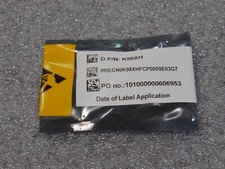
NEW DELL TRUSTED PLATFORM MODULE TPM 2.0 POWEREDGE T430 T630 G13 SERVERS K98XH
$225.00

Dell PowerEdge M620 Blade Server 2x Xeon E5-2680v2 256GB DDR3 RAM NO HDD
$349.99
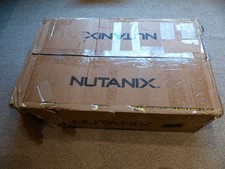
SUPERMICRO CSE-827 SERVER 4* E5645 2.4GHZ 12* 8GB PC3 RAM 11* 2TB SATA HDD 2*PSU
$679.99

Dell PowerEdge VRTX 2.5"x25 Bay Blade Enclosure 4x1600W + 4X M640 (4X Blades)
$1599.99
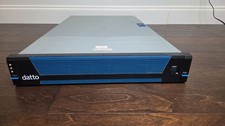
Datto S3E12000 RACK SERVER 2U 2x Xeon E5-2670 v3 2.30GHz 32GB RAM 2x PSU 14 BAY
$399.95

Dell Poweredge C6400 24x 2.5’’ 2x 2400W 4x C6420 Nodes H330 | 2x SFP | 8x Trays
$799.99
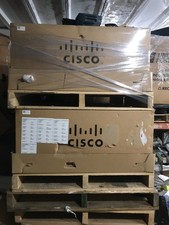
NEW Cisco UCSB-5108-AC2 Blade Server Chassis 8 Slot 6RU Chassis 4 X PSU - DW
$599.40

Dell PowerEdge M640 Blade Barebone Server Dell P/N: HHB006 Tested Working
$149.99


 Reply With Quote