-
Settings/Bookmark retention
Seems to me settings arn't retained between boots. Example: Firefox- homepage, bookmarks, etc. I have the Tohd/fromhd option in use. Would be nice if all settings could be retained. I use DSL but I imagine dialup settings won't be retained either????
-
I found that if I place a file "index.html" in the next directory before "/Knoppix" dir that the "tohd" command installed, it loads in the browser. I placed my bookmarks in this page. You can use the first button on the second tool bar to load this as home page.
I found the save config program, "Knoppix.sh",but it seems to only save limited settings. I did the load Config at boot:.
Anyone have any Idea how to retain and save and make all settings Knoppix and programs saved and reloaded with the load up with "fromhd". Settings seem to go into RAM drive and are lost at shutdown.
I know one might say do a full install, but that defeats the reason I'm using Knoppix. I want the free CD and Harddrive speed and the likely hood that virus and spyware aren't likely to be installed on an image and if the image is damaged another "tohd" and I'm right back with a virgin copy.
-
Senior Member
registered user
Here is what I do (with knoppix 4.0.2 and unionfs) to preserve my firefox bookmarks between sessions on my live cd workstation. I keep a copy on a hard drive partition (but could be a thumbdrive, floppy, etc.), delete the index.html that comes with knoppix, and create a logical link to my bookmarks:
rm -rf /home/knoppix/.mozilla/firefox/3d4ef4xp.default/bookmarks.html
ln -s "/mnt/hdb1/My Documents/bookmarks20051024.html" /home/knoppix/.mozilla/firefox/3d4ef4xp.default/bookmarks.html
-
I have all my bookmarks & settings saved -
you just click the penguin, configure,
Create a persistent Knoppix disk image.
If you plan to install clamav, you will need at least 300M;
600M is better if you have the disk space.
(If you defrag first it's faster; backup before defrag just to be sure)
BUT the real frustration is when booting - one MUST answer the prompt
to allow overwrite - easy - then NOT hit enter - HARD -
but Left Arrow to OK, THEN enter - within 20 seconds -
or the saved bookmarks,etc. are NOT loaded.
When this little UI gotcha is fixed, it will be fine.
When you pick overwrite, it should DEFAULT to OK, NOT CANCEL!
(please please PLEASE kind developers fix this!)
Remember tho that the Root superuser has its own bookmarks -
I exported the Knoppix bookmarks & imported as Root, but it's a hassle.
(Someone please make a real database plugin for bookmarks)
Similar Threads
-
By ihawk60 in forum Hardware & Booting
Replies: 1
Last Post: 12-30-2007, 02:43 PM
-
By ozgurgerilla in forum General Support
Replies: 1
Last Post: 04-19-2005, 11:00 AM
-
By Wumpus in forum General Support
Replies: 0
Last Post: 10-21-2003, 06:33 AM
-
By ankit in forum Hardware & Booting
Replies: 1
Last Post: 09-14-2003, 03:23 AM
-
By SenateDC in forum General Support
Replies: 1
Last Post: 03-28-2003, 09:14 PM
 Posting Permissions
- You may not post new threads
- You may not post replies
- You may not post attachments
- You may not edit your posts
-
Forum Rules


Acer Aspire 14" AI Copilot+PC Laptop Core Ultra 5 226V Gen 4 ARC 16GB 1TB Refurb
$461.10

Dell Latitude 14" Laptop Computer Intel i7 Up To 32GB RAM 1TB SSD Windows 11 Pro
$427.48

External SSD 1TB 2TB Portable Hard Drive USB 3.1 Type-C High Speed PC Mac
$15.99

External SSD 1TB 2TB 4TB Portable Hard Drive USB 3.0 Type-C High Speed PC Mac
$19.99

Acer Predator Helios Neo 16S AI 16" i9 275HX 2S RTX 5070 Ti 32GB 1TB SSD Refurb
$1774.24

SAMSUNG T7 Portable SSD 1TB Indigo Blue USB 3.2 Gen2 External MU-PC1T0H/AM
$159.99

1TB Kingston DataTraveler Max DTMAX/1TB USB Type-C Flash Drive
$86.95

Fanxiang 1/2/5/10Pcs 2.5'' SATA SSD Lot 1TB 2TB 4TB 512GB 256GB TLC Internal SSD
$129.99

Dell Latitude 14" Laptop Computer Intel i5 Up To 32GB RAM 1TB SSD Windows 11 Pro
$288.98
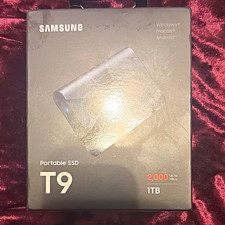
Samsung Portable SSD T9 1TB USB 3.2 Gen 2x2 Black Encrypted Drop Resistant
$185.00



 Reply With Quote