-
Newbie trying to get Internet installed on Knoppix w/wifi
Hi Knoppixers,
I am new to Linux (thought I'd try it out after my wife's computer crashed due to spyware/viruses twice). Even though I run ZoneAlarm suite and a plethora of anti-spyware progs, I find the occasional pest getting to my computer too and I'm tired of the security holes.
I am not really a hardware orientated person and missed out on the DOS era of entering command lines,
so the KDE interface in Knoppix really appeals to me ! I am willing to read up and learn if I like LINUX. The best thing about windows is the plug and play interface and I know that a variety of reasons make this a weaker area in Linux (such as developers refusing to release source code for their drivers!)
I have a Dell Inspiron 9100 laptop, 3.2 Ghz P4 h/t 1MB cache, 1GB 400 Mhz DDR dual channel, ATI Radeon 9700,
60 GB 7200 Hitachi HDD, Broadcom 440 ethernet, dell truemobile 1350 wifi card. Everything installed and ran fine except
internet (wireless card not detected). After much research, I got my wifi card detected via NDISWRAPPER. The commands I used were.
ndiswrapper -i (path) bcmwl5a.inf > modprobe ndiswrapper> (ndiswrapper -l shows driver and device working), then
iwconfig wlan0 mode managed (next 3 commands listed on a website but would not compute were..iwconfig wlan0 essid <ESSID>, iwconfig wlan0 key restricted <KEY>,
iwconfig wlan0 up - only the iwconfig wlan0 mode MANAGED was recognised, then ndiswrapper -m to save . The wifi card shows as being connected at 54 Mbps and working but still no internet access.
Then I heard about run ifconfig (it produced some data about loopback address and stuff). Then I was told to enter routers IP address by inputting ifconfig wlan0 192.xxx.x.xxx (x substitutes real numbers)
I did this and in the wifi wizard, the IP address when from unknown to the 192.xxx.x.xxx address but still no internet connection. I feel frustrated because I have no other means of connecting to the net and feel
after getting the wlan detected with ndiswrapper (a feat in itself) that I should be able to get internet. I am obviously missing some commands or something needs configuring because the wireless card is blinking away and getting detected loud and clear.
Your assistance will be gratefully received !! Regards, martin (leedsquietman)
Similar Threads
-
By deejay1127 in forum Hardware & Booting
Replies: 1
Last Post: 06-05-2006, 01:44 AM
-
By phrazerm in forum MS Windows & New to Linux
Replies: 4
Last Post: 01-11-2006, 09:29 PM
-
By zaccraven in forum Networking
Replies: 2
Last Post: 01-06-2006, 05:10 PM
-
By bluemoon in forum Networking
Replies: 3
Last Post: 08-12-2005, 02:13 PM
-
By fatemonkey in forum General Support
Replies: 9
Last Post: 01-31-2003, 03:31 AM
 Posting Permissions
- You may not post new threads
- You may not post replies
- You may not post attachments
- You may not edit your posts
-
Forum Rules


Lenovo ThinkPad L13 Yoga Touch Laptop 13.3” Core i5 8GB RAM 256GB SSD Win 11 Pro
$239.99

Lenovo ThinkPad L15 Gen 3 15.6" 16GB, Thunder Black
$241.50

Lenovo ThinkPad E14 Gen 3 Laptop 14” FHD AMD Ryzen 5 16GB RAM 512GB SSD Win 11
$374.99

Lenovo ThinkPad L15 Gen 3 15.6" 16GB, Thunder Black
$241.50

Lenovo ThinkPad E14 Gen 2 Laptop 14” HD Ryzen 5 16GB RAM 512GB SSD Win 11 Pro
$319.99

Lenovo ThinkPad T14 Gen 1 14" AMD Ryzen 5 16GB 256GB SSD
$219.99

Lenovo - IdeaPad Slim 3i 15.3" 2K Touchscreen Laptop - Intel Core 7 350 2026 ...
$679.99
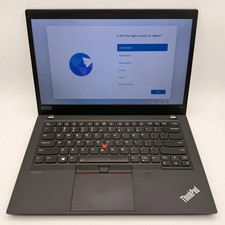
Laptop Lenovo ThinkPad T14 G2 Ryzen 5 PRO 5650U 16GB 500GB Black Fair
$18150.00

Lenovo ThinkPad T14s Laptop 14” Laptop Core i5 8GB RAM 256GB SSD Windows 11 Pro
$249.99

Lenovo ThinkPad T495 14” Laptop AMD Ryzen 5 PRO 16GB RAM 256GB SSD Windows 11
$229.99



 Reply With Quote