-
New version. kdesu and gksu support.
Code:
--- install	2005-12-20 13:11:44.000000000 -0500
+++ install.xterm	2006-01-05 14:10:20.000000000 -0500
@@ -81,6 +81,59 @@
  esac
 }

+# Determine the native X vt
+export NATIVEXVT=rxvt
+if [ "$DIALOG" = "kdialog" ]
+then
+  export NATIVEXVT="konsole --nomenubar --notabbar --noframe --noscrollbar"
+elif [ "$DIALOG" = "zenity" ]
+then
+  export NATIVEXVT="gnome-terminal --hide-menubar"
+fi
+
+unset XVT
+# Determine what X virtual terminal to use (if applicable)
+if [ "$DISPLAY" -a "`tty | grep not`" ]
+then
+  for i in xterm \
+        rxvt \
+        "$NATIVEXVT"
+  do
+    $i --help
+    if [ "$?" != "127" ]
+    then
+      export XVT="$i -e"
+    fi
+  done
+fi
+
+# Determine how to su
+unset GUISU
+if [ "$DIALOG" = "kdialog" ]
+then
+  kdesu --help
+  if [ "$?" != "127" ]
+  then
+    export GUISU="kdesu -c"
+  fi
+elif [ "$DIALOG" = "zenity" ]
+then
+  gksu --help
+  if [ "$?" != "127" ]
+  then
+    export GUISU=gksu
+  fi
+fi
+
+visisu() {
+  if [ "$GUISU" ]
+  then
+    $GUISU $@
+  else
+    $XVT /bin/bash -c "echo Please enter your root password:; su -c $@"
+  fi
+}
+
 cat > $HOME/.klik <<\EOF
 #!/bin/bash

@@ -512,7 +565,17 @@
 EOF
 chmod 777 "$HOME/klik-cmg-install-root"

-(sudo sh "$HOME/klik-cmg-install-root" && rm -f "$HOME/klik-cmg-install-root") || (dmsgbox "Your /etc/fstab is not setup to use cmg files. Please run $HOME/klik-cmg-install-root as root.")
+# Try su'ing to root
+visisu $HOME/klik-cmg-install-root
+
+# If that didn't work, just tell the user what to do
+if [ -z "$(cat /etc/fstab | grep app/7)" ]
+then
+  dmsgbox "Your /etc/fstab is not setup to use cmg files. Please run $HOME/klik-cmg-install-root as root."
+else
+  rm -f "$HOME/klik-cmg-install-root"
+fi
+
 fi

 #
Similar Threads
-
By mkjtravel in forum Hardware & Booting
Replies: 0
Last Post: 11-02-2004, 07:49 AM
-
By eracerbit in forum Hdd Install / Debian / Apt
Replies: 0
Last Post: 01-22-2004, 12:48 AM
-
By rickenbacherus in forum Tips and Tricks
Replies: 13
Last Post: 01-20-2004, 03:39 PM
-
By eriixblaike in forum Ideas
Replies: 3
Last Post: 08-10-2003, 11:04 AM
-
Replies: 0
Last Post: 07-17-2003, 08:24 AM
 Posting Permissions
- You may not post new threads
- You may not post replies
- You may not post attachments
- You may not edit your posts
-
Forum Rules


(New) AMD Ryzen 7 5700X 8 Core 16 Thread AM4 Unlocked 3.4 GHz CPU OEM Tray
$169.99

Intel Core i9-9900K SRG19 3.60GHz 16MB 8-Core LGA1151 B Grade CPU Processor
$175.00

HP Pavilion Laptop Computer 15.6 8-Core Intel i3 8GB RAM 628GB Storage, Open Box
$299.00

AMD Ryzen 7 7700X 8-Core, 16-Thread Unlocked Desktop Processor
$250.00
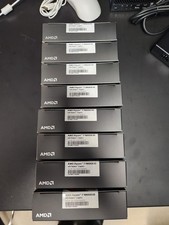
AMD RYZEN 7 9800X3D 8-Core, 16-Thread Desktop Processor
$399.00

AMD Ryzen 5 PRO 4650GE 100-000000153 6-Core 3.30GHz 8MB AM4 CPU Processor
$59.99
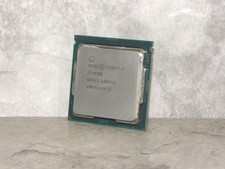
Lot of 10 Intel Core i7-9700 8-Core 3.0 GHz LGA 1151 Desktop Processor SRG13
$799.99

AMD Ryzen 7 9700X 8-Core 16-Thread 40MB Cache Socket AM5 9000 Series Processor
$245.99
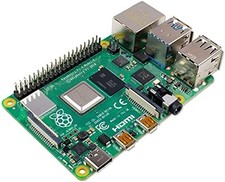
Computer Board 4 Model B Quad Core 1.5GHz 2GB WiFi Bluetooth Ethernet
$208.99
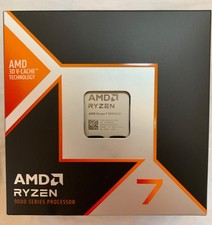
AMD Ryzen 7 9800X3D 8-Core 4.7GHz Socket AM5 CPU 100-100001084WOF New Sealed
$359.41



 Reply With Quote