-
knoppix newbie needs help with dial-up
OK, bear with me here, I'm not computer-illiterate, but I am pretty new to Linux.
I'm booting Knoppix from a CD over an old Windows 98 machine. I found instructions on-line as to how to set up my model through KPPP, but I've had no luck. There was a bit of a blurb in the instructions that indicated that some modems were kinder than others, so I'm not necessarily shocked or anything.
Anyway, what I've done so far is opened KPPP and gone through the steps to add a new modem. I set "Modem Device" to each of the choices one after the other, and went to "Query Modem". In each case I got a response that the modem couldn't be opened.
Now I know very little about hardware, so I'm going to list what information I can dredge up in the hopes that someone has had an experience with this. If you've got an idea for me to try, be sure to be detailed -- like I said, I'm quite new to this :)
The modem is an internal 56.6K (V.90) It's a Conexant SoftK56 PCI Modem and the device manager in Windows indicates that it's on COM2. Knoppix in starting up indicated that it did find my ethernet card -- that's old and dates from when I was at college. I don't have ethernet now, but I never bothered to take the card out... is there any possibility of conflict here? (I can't see why there would be, but it's worth mentioning anyway)
Thanks all, in advance. Though I've been itching to play with this for a while, the recent WMF thing is what really brought it to the top of my pile. I'm not ready yet to give up on this old machine, nor am I willing to put my shiny new Mac on the 'net, no matter how much more secure it might be than Windows, so I'm keeping my fingers crossed that someone out there will know what to do.
-
Senior Member
registered user
Re: knoppix newbie needs help with dial-up

Originally Posted by
Uzuri
I found instructions on-line as to how to set up my modem through KPPP, but I've had no luck.
To be more precise - you don't setup your modem through kppp. In fact, you setup only your conection through it. Winmodems need drivers to be installed, only after that you can use kppp. Hrdware modems not need drivers. There are external, serial hardware modems and some, very rare and expensive, internal PCI modems.
Here is a very good site for you WINMODEMS Visit it, and good luck!
Update, 12.jan.2006: There are some Linux distribution that have integrated suport for some winmodems, as Mepis, Kanotix, Kurumin and some others. With such distribution, you dont need drivers for such modem, they work from the first moment, you only need to write your user name, passwd and IP tel.number in kppp.
-
I had wondered about that... the instructions seemed pretty insistant that most modems wouldn't need anything extra, just plug 'er in and go.
I'll check this out and see what I come up with; I might be back :)
Thanks!
-
mo modem gets stuck in "initialising modem"
hi there, i am not so new to computers but haeve more rather work with windows, but rather liked the feel of knoppix 3.7, but being new to it i have had quite
problem with it as I cant get it to boot normally unless i do "knoppix acpi=off" ive no idea what it means but it got me load up instead of the fail safe wich i could
get no sound and otehr stuff unsuported, but mi issue is i can get the internet conection to work, i tried to connect and configure the dialup, and put in all the dns
And well i just can figure it out, i have an internal Agere Systems PCI Soft Modem and using a Compaq Presario SR1110NX, and well i got it to identifie the
modem and it starts but it then get stuck when it initializes the modem, and i have the slithes idea, as when use the win xp it does connect and everithing, well i
hope this was enougth info, cuss i defenetlly like to get knoppix surfing as i feel it does run mutch faster and smoother on my machine, thanks, and Uzuri got any luck fixing you'res??
-
http://www.linuxant.com/drivers/modemident.php drivers should work on the Conexant chip set.
First download and run "List Modem Tool for Linux " to find out if you need the HSF or HCF drivers. Mine required both.
-
thanks, i also talked to the guys in compaq support they told me that the drivers for my modem, are used when boot windows but when i boot knoppix their not there, so now im see in the way to get tehm in to linux
Similar Threads
-
By mipr in forum Hardware & Booting
Replies: 4
Last Post: 09-01-2008, 01:46 AM
-
By 66phil in forum General Support
Replies: 2
Last Post: 12-29-2007, 10:09 AM
-
By jjjrrr3 in forum Networking
Replies: 0
Last Post: 12-12-2004, 04:46 AM
-
By fgeller in forum Networking
Replies: 2
Last Post: 04-05-2004, 04:12 PM
-
By CWGCWG in forum General Support
Replies: 5
Last Post: 01-29-2003, 03:26 AM
 Posting Permissions
- You may not post new threads
- You may not post replies
- You may not post attachments
- You may not edit your posts
-
Forum Rules

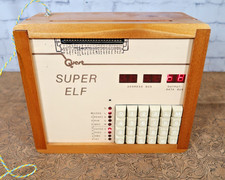
Rare Vintage Quest Electronics Super ELF Computer Trainer
$1999.00
🔥 Vintage HP 21MX 1000 M-Series Minicomputer Chassis Backplane Parts AS-IS �
$216.30

Vintage Commodore 64 Big Box Game Boxes Manuals Enchanter Dragon Riders Of Pern
$189.99

Vintage Commodore 64 C64 Box Game Boxes & Manuals Only Lot EA Accolade
$199.99
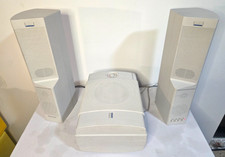
Vintage Altec Lansing ACS500 ACS250 PC Surround Sound Speakers Subwoofer Tested
$112.45

Original Vintage Old Style STANDARD Black CD Jewel Case (Heavy Duty) 90g Lot
$316.95
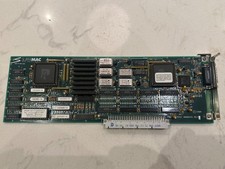
SuperMac Technologies Spectrum/8 0006945 Rv J Vintage Macintosh NuBus Video Card
$129.00
Vintage Franklin Ace 1000 computer
$120.00
Vintage computer AMD K6-2 300 MHz 96 MB ram No HDD/No OS
$79.99
Vintage Intel iPDS-100 Personal Development System
$1499.99



 Reply With Quote