-
dual boot windows xp and knoppix - facing kernel panic error
Hi all,
I'm a windows user and totally a newbie to linux. So please be kind to me.
My pc is running WindowsXP SP2 in the hdd first partition (30GB) and recently i installed knoppix into the second partition (40GB) of the same hdd with some guidance from tutorials i found in the net. Knoppix boots fine from LiveCD previously, so i guess my pc is not the problem.
When i tried to boot into knoppix during bootup, this error appears:
kernel panic - not syncing: VFS: Unable to mount root fs on unknown-block(3,3)
What is this error and how to fix it?
I can't boot into linux, so how should i fix it from within WindowsXP?
I use something called GRUB to perform this dual boot.
Can someone please show me step by step what should i do?
Thanks all.
-
Senior Member
registered user
Welcome to Knoppix.net!
If you could, please indicate which website or guides you have read that describe the Knoppix HD install process. I want the links because simply put, they are misinformed & need to be educated that they are spreading incorrect advice. I have been here for over three years & Knoppix has always had many problems when installed to a HD. This occurs so frequently that we have written up FAQs & guides to recommend people NOT install it to the HD: http://www.knoppix.net/wiki/Category...e_Installation .
As for your kernel panic, I have no idea. It might have something to do with the partition layout & /etc/fstab settings.
A recommendation: your post's subject "DUAL BOOT WINXP AND KNOPPIX 4.0.2 - KERNEL PANIC" is in all caps & is hard to read. If you want to attract more people to help you, then you might want to drop the all capitals. This can be done by editing your first post where it will give you the option of changing the subject.
I hope this helps.
James
-
Hi James,
Sadly, i couldn't locate the tutorial that i've downloaded from the net. I'll try to find it and post the link here when i find it.
In the mean time, if anyone has any solution or further questions regarding my problem, please feel free to do so.
Actually, i've tried to google my problem and i've found quite a number of ppl with the same problem. But the problem is most of them are using commands in linux which i'm not familiar with in the first place. Moreover, i could not boot in linux therefore i do not know where to type those commands anyways...
Thanks for your tips regarding the title.
-
Senior Member
registered user
It looks like gub, the bootloader is looking in the wrong place for the linux kernel. I would read up on grub and how to use it to try different devices,partitions for booting. For example if grub has been configured to look in block 3,3 for a linux kernel and there is either no such block or no kernel there, a panic ensues. If you change the configuration to look in the right place, it should boot.
You can edit the boot parameters at boot time when the grub screen appears.
-
Senior Member
registered user
Try a different Bootloader
Since you are new to this you could try using a different and easier bootloader.
Bootpart comes to mind. It will actually allow you to use WinXP's boot.ini
menus. It will automagically place a line in boot.ini for you.
You have to run it once to see what your Linux partition is. Then use the number it comes up with to create a file it will use. It's actually pretty easy.
It is a free download at:
http://www.winimage.com/winimage.htm
Look in the left column under free software.
Bootpart is the boot loader that the old Corel Linux used when it was around.
sakiZ
Similar Threads
-
By misterdj in forum Hardware & Booting
Replies: 5
Last Post: 01-08-2007, 11:50 PM
-
By misterdj in forum Hardware & Booting
Replies: 0
Last Post: 12-31-2006, 02:13 PM
-
By shivakumara.madegowda in forum Hardware & Booting
Replies: 1
Last Post: 12-18-2006, 11:54 AM
-
By jimbo62 in forum MS Windows & New to Linux
Replies: 4
Last Post: 08-09-2004, 04:22 PM
-
By dinacre in forum Hdd Install / Debian / Apt
Replies: 2
Last Post: 07-13-2004, 11:15 PM
 Posting Permissions
- You may not post new threads
- You may not post replies
- You may not post attachments
- You may not edit your posts
-
Forum Rules


Fujinet 1.7.1 Atari 400 800 800XL 130XE 65XE XEGS Assembled, Tested, Working
$99.99

Atari 400 Home Computer System includes Power Cord G2U
$159.99

Atari 400 / 800 Computer Memory Module 16K RAM PCB CX853 - Works Perfectly
$18.95
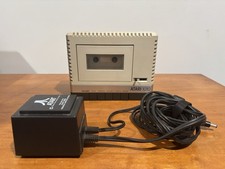
Atari 1010 Cassette Recorder/Player w/ Power Adapter For Parts/Repair Turns On
$25.00
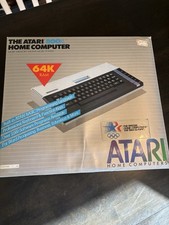
Atari 800XL Home Computer 64K RAM in Original Box 1984 Olympic Edition Untested
$149.99

A8PicoCart Multicart for Atari 800xl /65xe / 130xe / XEGS
$16.95
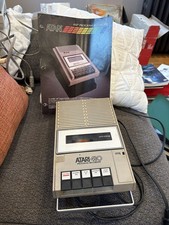
Atari 410 Program Recorder repair w manual sheet/ adapter cord
$23.99

Gotek USB Floppy Emulator v3.44 OLED (no speaker) Amiga Atari IBM Roland AKAI
$44.00
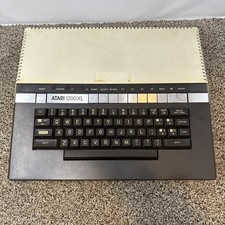
Atari 1200XL Computer Game Console Vintage Rare FOR PARTS OR REPAIR READ
$270.00
Atari SX212 Modem for IBM-Compatible Systems w/ Power Adapter & Manuals NOS
$125.00



 Reply With Quote