

 Reply With Quote
The color of the boot text comes from the one of the colors of palette of the boot image. You need to modify the palette.


I followed the directions at http://knoppix.net/forum/viewtopic.php?t=7 to change the bootsplash.
Now the problem is that the text is all of a sudden a very dark gray that is not readable on the black background.
What did I do wrong?
Thanks.
The color of the boot text comes from the one of the colors of palette of the boot image. You need to modify the palette.
As said in page http://knopper.net/knoppix/knoppix-g...s-specs-en.txt the color in no. 7:
Code:Bootscreen: =========== Format: 640 x 400 Pixels in 16 Colors (!), Color No. 7 should be a light color, because it's the text color in the isolinux splash screen. Colors: No gradients if possible, since the picture will be runlength-encoded. File size: Compressed GIF, max. 12kB.
-tapsa-
 Posting Permissions


🔀 Juniper Networks EX2300-C-12P 12× Gigabit PoE+ • 2× 10G SFP+ Compact Switch ⚡
$109.99

Juniper EX2300 12-Port Gigabit PoE+ Managed Network Switch P/N: EX2300-C-12P
$149.99

Juniper QFX5100-48S-3AFI 48-Port SFP+ 6 QSFP+ 2x SFP/RJ-45 Management
$249.97

Juniper Networks EX2300-48P 48-Port PoE Gigabit Switch (Renewed)
$345.97

New Sealed Juniper EX4100-F-12P 12x 1GbE PoE 2x 10GbE uplinks 1 Year Warranty
$895.00

Juniper QFX5120-48Y-AFO 48 x 1/10/25GB SFP28 + 8 x 40/100GB Switch w/Dual AC
$10499.99
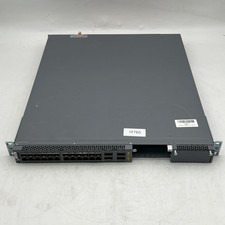
Juniper EX4600-40F-AFO 24-Port Dual PSU Network Switch
$164.98

Juniper Networks EX2300-48P 48-Port Gigabit PoE Managed Ethernet Switch
$79.99

New Juniper Networks EX3400-48P 48-Port PoE+ 4-Port SFP+ Ethernet Switch Sealed
$466.65

Juniper Networks SRX220 8-Port Gigabit Layer 3 Managed Rackmount RJ-45 USB
$285.00