
Hello
I am going to modify knoppix-installer, but I don't know where is the list of packages (choosing debian, knoppix, beginner installation option). Where are these files? I' am using Quantian 0.7.9.1 DVD (based on Knoppix 4.0). Please help.


Hello
I am going to modify knoppix-installer, but I don't know where is the list of packages (choosing debian, knoppix, beginner installation option). Where are these files? I' am using Quantian 0.7.9.1 DVD (based on Knoppix 4.0). Please help.
I give you a good advice:Originally Posted by maxmartin
First list packages and grep only those packages you want:
Then re-pack that package you needt:Code:dpkg -l | grep installer
Then open mc (Midnight Commander) if you have and press button F3. Now you see everything containing to that package, not only paths but also dependencies etc.Code:dpkg-repack knoppix-installer
As you can see knoppix-installer is located in /usr/sbin/knoppix-installer and other packages you need to modify for translating in /usr/share/knoppix-installer/.
-tapsa-
knoppix-installer is just a set of script files that can be found in /usr/share/knoppix-installer. Be warned it aint pretty.
Hmm...
Ok. I will check it, but i need more time, I'am beginner in linux. Thanks for your advices -tapsa-.
Thanks for now.
"I am going to modify knoppix-installer, but I don't know where is the list of packages..."
Um, I don't think it exists as such. The Knoppix installer isn't a proper installer but a script to copy the live Cd to the hard drive... thus the need for a freshly formatted partition. Generally, people doing a remaster will add and remove packages in setting up the .iso.
To leave packages out of the HD install, it should be possible to exclude their directories (assuming they were in discrete ones--not sure how to do something like this if they installed to something like /bin) from what is copied to the disk, but you would also want to manipulate the .deb database, as the packages would be missing but package management tools would think they were there.
Knoppix-installer scripts are a little bit complicated
Is there any possible to make something like this:
(1) Add at the first screen of the knoppix installer "language choosing option" (for example English, Polish)?
(2) Add in knoppix-installer my installation option (there are 3 options: beginner, knoppix, debian) with my list of packages, for example "science"
(3) And what is it: when I execute knoppix-installer from a text terminal it runs like text-mode windows installer, and when I run knoppix installer from KDE It run's in graphical mode?
Can anyone help me? Please help
"And what is it: when I execute knoppix-installer from a text terminal it runs like text-mode windows installer, and when I run knoppix installer from KDE It run's in graphical mode?"
It DOES? That's either new or old. The old installer (script called knx-hdinstall) would do graphical if run in KDE, but text/curses if Knoppix was run w/o the GUI. When it changed to knoppix-installer, I remember it refusing to run if KDE wasn't running. If it works completely CLI, that means I could remove KDE and X Windows and use it as the basis for a server install. Cool.
But my understanding of the installer script is that it is simply a copying operation, not installing packages like a traditional installer. It's limited to the packages installed in the live CD--no more, no less. The only reason it's complicated is the need for special handling of some directories (/proc, for instance), and the fact it needs to produce different versions of configuration files, and set varying permissions--especially in order to allow the three different styles of install.
Knoppix-installer only copy Knoppix from CD (DVD) to a hard disk and add some scripts? That is all?
(1) How can I localize (translate for my language) knoppix-installer in text mode and KDE graphical mode. Which files should I edit and what is the name of tool (program, software) I can do it?
(2) I would like to have knoppix-installer in two languages: english and polish. How can I do it?
Any ideas?
Please help.
"I would like to have knoppix-installer in two languages: english and polish. How can I do it?"
You should be able to open the script in a text editor, search for the text of the display messages, and add a corresponding Polish version. In all likelihood, the same text is fed to the QT and curses versions, which would simplify the task. On the other hand, I don't know if the script calls up other scripts as it runs--which would be a complication. Also, adding to the text might make the result too big for some of the dialog boxes--though I don't remember any that are that large or busy.
I also don't recall if the script can be successfully run from some form of hard drive install to install to a different hard drive partition. If so, that would be a way to test the edited script without completely doing a new remaster for every change you make.
Which files should I edit for translating knoppix-installer to Polish language? What tool could I use? A normal text editor?
 Posting Permissions


🔀 Juniper Networks EX2300-C-12P 12× Gigabit PoE+ • 2× 10G SFP+ Compact Switch ⚡
$109.99

Juniper EX2300 12-Port Gigabit PoE+ Managed Network Switch P/N: EX2300-C-12P
$149.99

Juniper Networks EX3400-24T 24-Port Ethernet Switch w/Power Cord
$174.99

Juniper EX3400-24P 24-Port PoE+ GbE + 4-Port 1/10Gb SFP Switch
$245.00

JUNIPER QFX5120-48Y-AFO 48x 10/25GbE SFP28 8x 40/100GbE Network Switch Dual PSU
$6998.00

Juniper MX204 +JUNOS and Dual Power Supply
$7299.99

Juniper Networks AP33-US Indoor Wifi6 (US Version) 5GHz: 4x4:4; 2.99
$24.99
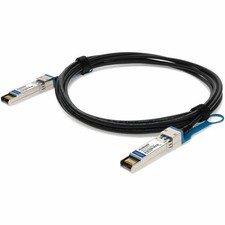
Juniper Networks QFX-SFP-DAC-7MA to Brocade (Formerly) XBR-TWX-0701 Comp TAA
$196.99

Juniper Networks Mist Wireless Access Points, Model AP45
$59.99

Juniper Networks EX2300-48P 48-Port Gigabit PoE Managed Ethernet Switch
$79.99

 Reply With Quote