

 Reply With Quote
' dpkg -L pkgname |grep bin ' (you do not have to be root)
Originally Posted by MacBee


I use downloaded deb files to install softwares in my Knoppix 4. and does the installation via sudo dpkg -i filename.deb
In many cases the installation seems success but the program name wont appear in the KDE menu.To run it from console i dont know the exact console commands reffering to that programs.Any one has an idea wat should i do??
' dpkg -L pkgname |grep bin ' (you do not have to be root)
Programs should be added automatically but, of course, you can run update-menus afterwards, too. It should do the job.
You can also run kappfinder and select programs you would like to add to menus.
Btw, Midnight Commander (mc) comes with Knoppix and you can look inside the .deb package by F3 button. It shows where files goes after installing.
-tapsa-
 Posting Permissions


TP-Link TL-SG105 5-Port Gigabit Ethernet Unmanaged Metal Desktop Network Switch
$19.99

NETGEAR GS308EP Essential Series 8-Port Gigabit PoE+ Unmanaged Switch
$39.99

D-Link DGS-1210-28P 28-Port PoE Gigabit Web Smart Switch With Cord
$49.99

10-Port Gigabit PoE Network Switch with 8 PoE+ Ports with 2 Combo SFP Slots 125W
$39.99

TP-Link TL-SG105, 5 Port Gigabit Unmanaged Ethernet Switch, Network Hub, Ethern
$15.25

TP-Link Omada SG3428 24-Port Gigabit L2+ Managed Switch 4x SFP w/ Ears
$99.99
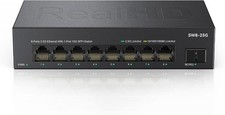
8 Port 2.5Gb Ethernet Switch Unmanaged Network Switch w/8 x 2.5G & 1 x 10G SFP
$45.00

NETGEAR 5-Port Gigabit Ethernet Unmanaged Switch (Gs305) - Desktop Quiet Fanless
$22.00

Cisco WS-C3650-12X48UR-L 48-Port Stackable Layer 3 8x10G SFP+ Port Switch
$129.99

TP-Link TL-SG1048 48-Port Gigabit Rackmount Switch New Factory Sealed
$199.99