-
Problems with VNC in Knoppix
Hello everyone. Hope your all well & hopefully somebody can help me out with a problem Im sure, is pretty simple for an expert! Also note, that Ihave searched not only this forum, but the Internet in general too to try & find an answer to my problem before posting here - so as not to waste anyones time!
ok, I have a box running a HDD install of Knoppix. Everythings fine, network adapter is configured , has an IP address over DHCP, can access the Internet, all ok. Now I try & run the VNC server and although it tells me its running on display 1 with all the usual output, I cannot access it from another client.
now, each client can ping the other, so for example, the PC I want to use VNC Viewer on can ping the box running the VNC server, and vice versa, but no connectivity over VNC. A look at the log (knoppix:1.log) says theres a problem with a font path or file...........? It then says fatal server error!
Could someone possibly shed some light on this? Im guessing I have to modify the vnc.conf file somewhat but dont know where it is.
Cheers
Mario
-
Well I have a project I am working on that would work great using knoppix on stripped-down pc's as terminals supporting samba-shared printers.
One of the musts is that I need to have VNC at startup for remote administration/support.
I booted two machines on the same network (they can see each other, ping-wise) with two knoppix 5.0 DVD's. I went to KDE MENU->Control Center->Internet & Network->Desktop Sharing on both machines. I checked the "Allow uninvited connections" and "Allow uninvited connections to control the desktop" and unchecked all the other options. I used no password to keep things simple.
I opened a screen console and got the ip addresses of the machines using ifconfig.
At this point I was able to VNC into either machine from the other. They are both running the exact same version of VNC so that variable should be out of the equation. I was having problems with VNC from XP but this test told me I -COULD- make the machines talk to each other since I could make this most-simple solution work.
Now I rebooted one machine into XP and tried using RealVNC (which is the product we will be using on XP, for now) in that configuration. I was having a problem with the VNC window appearing for a brief second and closing just when the display was made. Occasionally I had a KDE error report window open on the Knoppix desktop.
I made sure my firewall running on the XP box was not blocking the Knoppix machine. I also ran the RealVNC listener and server. This has been working for the most part. Sometimes Knoppix 5.0 still will close the connection unexpectedly. This is on my home network where I have NO problems with VNC from my XP box in the front room to my dedicated SuSE linux server in the home office.
This is how I got VNC working on my Knoppix situation. I hope it gets you somewhere.
I am saving my knoppix.sh and configs.tbz on a thumb drive. I now want to remaster my Knoppix so that it automatically does the "myconfig=scan" during the boot.
Similar Threads
-
By javiergp in forum Hdd Install / Debian / Apt
Replies: 0
Last Post: 06-22-2006, 12:39 PM
-
By wroseland in forum Hardware & Booting
Replies: 0
Last Post: 03-23-2006, 02:10 PM
-
By mindmeddler2003 in forum General Support
Replies: 1
Last Post: 02-03-2004, 07:29 PM
-
By lesshaste in forum General Support
Replies: 2
Last Post: 01-09-2004, 05:50 PM
-
By pbearseven in forum General Support
Replies: 3
Last Post: 10-14-2003, 11:19 AM
 Posting Permissions
- You may not post new threads
- You may not post replies
- You may not post attachments
- You may not edit your posts
-
Forum Rules

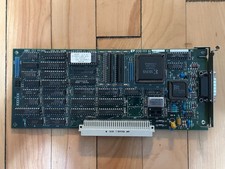
Vintage Radius Pivot II Display NuBus Video Card 632-0030
$149.00
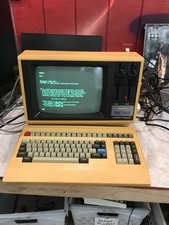
Rare Vintage Sanyo MBC-1150 Terminal With Keyboard CPM2.2 — Boots - DW
$1000.00
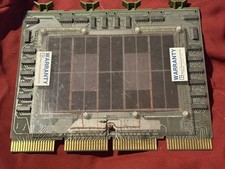
Litton Vintage 8K x 16 Memory Board Module Expansion Card MPN 30-10654
$750.00
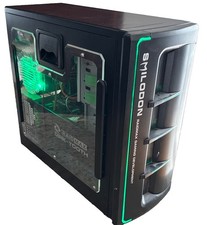
Vintage RaidMax Dirk-Tooth Smilodon Gaming Tower with Hardware-Green LED Lights
$199.00
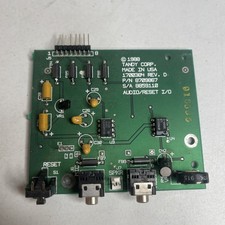
Vintage 1988 Tandy 1000 SL SL/2 Audio / Reset I/O Board P/N 8709867 Rev D
$34.77
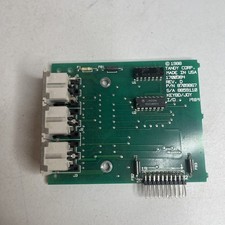
Vintage Tandy 1000 SL Keyboard Joystick I/O Daughterboard PCB P/N 8709867 Rev D
$24.77
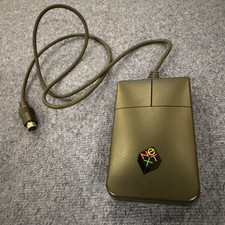
NeXT Part 193 Wired Ball Mouse for N4000A Monitor Non-ADB Mini-DIN Vintage Read
$99.00
Vintage Compaq Portable II Personal Computer 256K 5.25" disk 80286 9" GRN DOS 3.
$285.00
Vintage NICE Plus 486 USA Motherboard Intel i486 DX2 CPU Manual Expansion Card
$224.99
Vintage Dell Optiplex GX1 800L Celeron 128 MB Ram No hard drive or o.s.
$119.95



 Reply With Quote