

 Reply With Quote
eh, try startin K3b and use that to burn your CD's it is fairly easy to use.


I am attempting to use knoppix to recover the data from my hard drive that crashed. I want to burn the data off of my old drive to CD's/DVD's and am having some difficulty doing it. I'm brand new with Knoppix so my knowledge is pretty limited.
I am using Knoppix 4.02
I have 2 writeable drives, one CD and one DVD
I have set the drive permissions to write (I beleive I have - i right click on the drive, select properties, permissions and make them writeable)
I right click on the drive, select the make data disk and I put the files I select the files I want to burn.
When I try to burn the CD it does a couple of things.
First it says there is no writeable CD in the drive. (There is)
Second it says I get an error that basiclly says (Error, unable to determine the size of the volume to be written)
I'm sure i'm making some simple mistake but as stated above I'm new at this. Can someone assist me? Even just a link to an idiot resistant set of instructions on burning data disks would be highly appreciated.
Thanks
eh, try startin K3b and use that to burn your CD's it is fairly easy to use.
I wasn't entirely clear with my original post. I am trying to burn the CD's with K3b, the error's I'm getting are from K3B.
I seem to remember that older versions of k3b were quite buggy, so I quit using it.
Though it will probably be ugly to you, give the command line a try.
First open up a console in which you type
<code>
sudo su -
</code>
Next, you need to determine the hardware driver:
<code>
cdrecord -scanbus dev=ATAPI
</code>
Leave "dev=ATAPI" out if your burner is SCSI. You will see strings like
0,0,0 0) 'HL-DT-ST' 'DVD-RW GCA-4080N' '0H38' Removable CD-ROM
In this case the device is "0,0,0" and we'll need it for the burning command.
Now mount the partition you want to save data off by clicking its icon or by entering
<code>
mount /dev/hdaX /mnt/hdaX
<code>
and replace X with the appropriate number. Also substitute sda for hda in case of SCSI.
We're now ready to roll:
<code>
mkisofs -J -r -v /mnt/hdaX | cdrecord -v -pad dev=0,0,0 -
</code>
The symbol between hdaX and cdrecord is the "vertical bar", not a "one" or an "ell".
Now pray and wait. If your burner is ATAPI, you might want to try "dev=/dev/hdY"
with Y=(a|b|c|d) (probably c) instead of "dev=0,0,0".
HTH
 Posting Permissions


MegaRAID 9580-8i8e 16-port 12G SAS/SATA/NVMe 8GB PCIe RAID - 05-50076-00
$1619.30

Broadcom 9600-24i Tri-Mode RAID Controller 4.0 NVMe SAS SATA NEW 05-50111-01003
$639.69

BROADCOM 05-50077-01 PCI-E 4.0 x8 PCI-Express MegaRAID 9560-8i RAID Controller
$739.99

Intel VROC Premium RAID Controller Card PCIe Add-On Module VROCPREMMOD
$265.00

OWC Mercury Elite Pro Quad 4 Bay RAID Storage Enclosure USB 3.1 Gen 2 No Drives
$149.95

Broadcom LSI 9305-16i 12Gbps SAS-3 PCIe x8 HBA 16-Ports Raid Controller
$64.99

LSI 9260-8i 512MB SAS SATA 8-port PCI-E 6Gb RAID Controller Card US
$29.88

LSI 9305-16i SATA SAS 12Gbs Controller card PCIe 3.0 IT-Mode w/SAS SATA cable US
$76.98
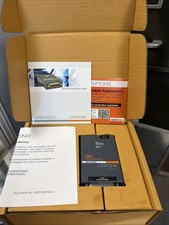
NEW Lantronix UDS1100-POE - One Port RS232/RS422/RS485 to IP Ethernet 950-00169
$89.00

9300-8i LSI SAS3008 8-Port 12Gb PCIe IT mode ZFS FreeNAS unRAID 2*SFF-8643 US
$49.50