

I loaded Knoppix (Debian) on my new Dell PC. Everything went ok...although it looked like my screen resolution was set a bit low. I went to the terminal and typed in the new screen resolution. Apon re-booting, I get a bunch of squiggly lines on my monitor. Now obviously I can not see to "get back in" to change the resolution back. When I re-boot, I hit "E" and get the GRUB> prompt. How can I get back to root to type in origional screen settings. I can still boot and run knoppix off of the dvd....but when I change the settings in the terminal window there... I guess it does not "remember" the setting so when I re-boot I am back to squigly lines.
Any help would be appreciated. I have a 19 inch digital flat screen monitor and sure would like to be able to use it at the higher resoltions....
Sorry for such a N00B question...but I'm kinda excited and really want to get Knoppix (Debian) back upand running as it is the first distro out of like 10....that actually did WORK (for a whileon my pooter.
 Posting Permissions


OPNsense Firewall VPN QAT 8-Core Atom C3758 2.20GHz 16GB DDR4 128GB SSD 8xNIC
$175.00

Ubuntu Server 26.04.1 LTS Bootable USB Flash Drive – Latest September 2026
$12.99

OPNsense pfSense 8-Core Atom C3758 2.2GHz 8GB DDR4 64GB SSD 8x NIC QAT AES VPN
$115.00

Start9 Server Pure 32GB 4TB Intel i7 Node StartOS — Box + PSU
$649.00

All New Ubuntu 26.04 LTS Linux Bootable USB Flash Drive
$15.95

ZimaBoard 2 1664 Home Server 16GB
$350.00
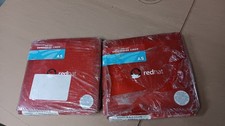
Brand New Genuine Red Hat Enterprise Linux AS (Advanced Server) Version 3
$39.99

Novell SUSE Linux Enterprise Server 9, Linux Professional 8.2 / 9.1 — 3 DVD Set
$58.00

Microsoft SQL Server 2019 Enterprise 40 Core Unlimited CAL Retail License FPP
$299.00

SQL Server 2022 Enterprise 96 Core License & DVD Unlimited CALs with CoA
$284.99


 Reply With Quote