

I have just installed Knoppix 4.0.2 to an external USB hard drive connected to my laptop. The install went smoothly, but when I boot from it I cant get past the grub editor. Here is what it outputs,
root (hd1,0)
kernel /boot/vmlinuz root=/dev/sda1 ro ramdisk_size=100000 init=/etc/init lang=us apm=power-off nomce quiet noscsi vga=791
initrd /boot/initrd.img
savedefault
boot
Im not sure how to make this work, I have searched the web for solutions, but so far nothing has worked.
My external drive is parted up like this, (from qparted)
/dev/sda
01 /dev/sda1 ext3 9.31GB
02 /dev/sda2 linux swap 953.67MB
03 /dev/sda3 ext3 60.83GB
04 /dev/sda-1 free 3.45GB
I want to run knoppix on the external drive and not partition my internal laptop drive (only 40 gigs)
Can someone point me in the right direction?
Thanks!
 Posting Permissions


Vintage Gray AC Power Cable Cord 3-Prong Plug to 3-Prong 3-Slot Connector
$50.00
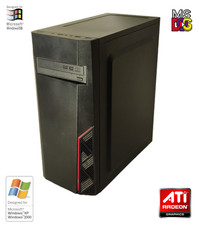
NEW* AMD Athlon 4850e 4GB ATI X1050 Win98 XP DOS Multiboot Retro PC w/ 50 Games
$389.00

Vintage HP 21MX 1000 M-Series Minicomputer Chassis Backplane Parts AS-IS
$228.19
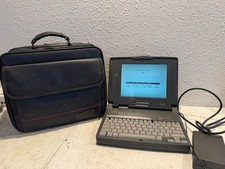
Vintage Compaq Contura 4/25c Laptop Computer With Power Adapter & Bag
$199.99

Vintage Microsoft Office 1.0 Apple Macintosh 1989 Big Box Software Sealed
$399.99
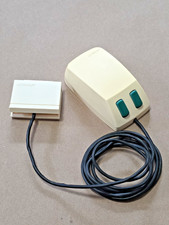
Vintage Microsoft Green-Eyed Mouse 1983 First Gen Bus connector Tested - Video
$350.00
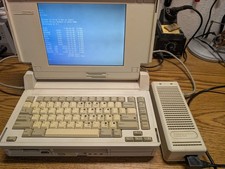
Vintage Compaq SLT/386s/20 laptop Boots to DOS, power supply, CMOS dead working
$345.00
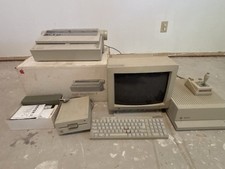
Apple IIc Vintage Computer System w/ Monitor, Printer, Disk Drive, Joystick
$350.00

Lot of 2 Vintage Plextor PX-43CS SCSI CD-ROM Caddy Drives + 4 Caddies Used
$55.99
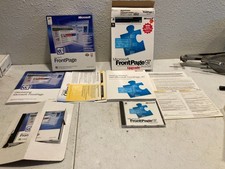
Vintage Microsoft FrontPage 97 and FrontPage 2002 Software Lot CD Manuals Set
$64.99


 Reply With Quote