

On booting up, Knoppix correctly identifies my Philips 105E monitor and says
"Video adaptor = Vesa VGA"
"Using modes 1024x768, 800x600...etc"
With no cheat codes entered I get a totally scrambled screen, as if the horizontal or vertical syncs are wrongly set.
However, changing these to other (lower) values has no effect.
The only way I can get anything to display is using the cheat code xserver=XF86_SVGA.
But this shows hugely enlarged icons, with the "task bar" occupying the bottom 1/4 of the screen.
I have mucked about with all the other cheat codes, but I cannot get any further than this.
 Posting Permissions


Juniper EX2300 12-Port Gigabit PoE+ Managed Network Switch P/N: EX2300-C-12P
$149.99
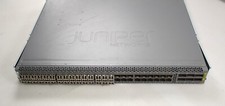
Juniper QFX5100-48S Switch 48x SFP+ 6x QSFP Ports w/ 30x SFP modules 1*DC PSU
$151.80

Juniper Networks EX2200-C 12T-2G 12 Port Gigabit Switch Compact + Cord Tested
$64.99

Juniper Networks AP33 Wireless Access Point Bluetooth WiFi 6 Cloud Managed NIB
$54.99

Juniper EX4100-F-12P Switch 12x 1GbE PoE 2x 10GbE Uplinks 4x 10GbE Stack Ports
$900.00

NEW JUNIPER QFX5120-48Y-AFO-T 48x 10/25GbE SFP28 8x 40/100GbE Switch Dual AC PS
$12500.00
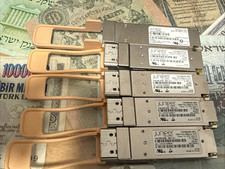
Lot of 5 Juniper 740-061405 100GE QSFP-100GBASE-SR4 850nm Transceivers
$100.00

Juniper EX2300-C 12 Port Compact Gigabit Switch EX2300-C-12p
$99.99
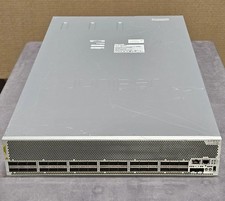
Juniper QFX10002-36Q 36-Port 40GbE QSFP+ 24x 100G Ethernet Switch
$649.99

Juniper Networks EX2300-48P 48-Port Gigabit PoE Managed Ethernet Switch
$79.99


 Reply With Quote