

I noticed a few unanswered questions on how to use BitTorrent on Knoppix. Hopefully this will be a reasonable solution. It assumes you have a working internet connection.
Mount your hard drive where you'll be storing the data files. I have a hard drive without an operating system attached to my knoppix system. It's the first drive on the primary IDE controller, therefore it's HDA1. Right click its icon on the desktop. Then left click MOUNT. A window pops up and goes away.
Make the drive writeable. Right click the drive again. Then left click ACTIONS -> CHANGE READ/WRITE MODE. And confirm.
Open Mozilla and navigate to http://torrent.unix-ag.uni-kl.de/
Navigate to your desired version. In this example, I used: KNOPPIX_V4.0.2CD-2005-09-23-EN
Click the link: DOWNLOAD TORRENT.
Mozilla asks you what to do with the file "KNOPPIX_V4.0.2CD-2005-09-23-EN.torrent". Navigate to "/mnt/hda1" and save it.
Open a Konsole from the desktop.
Change directories in Konsole by typing: cd /mnt/hda1
Fire up BitTorrent in Konsole by typing: btdownloadcurses --saveas /mnt/hda1 KNOPPIX_V4.0.2CD-2005-09-23-EN.torrent
Optional: I prefer to limit the upload rate to 10kB/sec when I'm using my broadband internet connect for my own purposes. To do so, I add a limit to the btdownloadcurses command above: --max_upload_rate 10
Just for the record, I tried adding the speedlimit to the end of the command and it was ignored. The following command seemed to impose the limit. btdownloadcurses --max_upload_rate 10 --saveas /mnt/hda1 KNOPPIX_V4.0.2CD-2005-09-23-EN.torrent
Once you've finished downloading it, leave the Konsole open and people will be able to download it from your machine (your $.02 for the cause). If you completed the download on a previous session, BitTorrent will scan the file and then make itself available for others to download the files from your machine without having to download them again.
Typing "q" exists the BitTorrent session and drops you back to a command prompt within Konsole.
If this helps you out, post a "thumbs up." Not for my ego, but to increase the odds of my posting the changes necessary to get this done in future versions of Knoppix.
 Posting Permissions

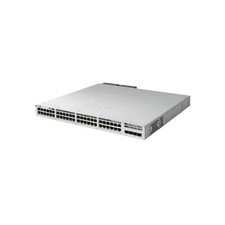
Cisco C9300L-48UXG-4X-A Catalyst 9300L 48-Port UPOE 12-mGig 4x10G Switch
$2395.00

Cisco WS-C3650-12X48UR-L 48-Port Stackable Layer 3 8x10G SFP+ Port Switch
$129.99

Cisco Catalyst C9130AXI-B WiFi 6 802.11ax Wireless Access Point Brand New
$101.99
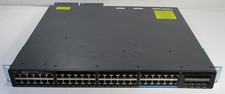
Cisco Catalyst WS-C3650-12X48UQ-L 48 Port UPOE 4x 10G SFP+ Switch
$175.00

Cisco | N3K-C3232C | 32-Port 100G QSFP Network Switch W/ 2x PSU, 2x Power Cords
$205.00

Cisco Nexus N9K-C92160YC-X 48P 25GbE SFP28 6P QSFP+/QSFP28 PE Switch
$439.00
Cisco C9200-48P-E Cisco POE Network Switch
$749.99

Cisco C9300-48UXM-A Switch 9300 Series 48-port UPoE Network
$874.99

Cisco Acacia DP04QSDD-E25-840 400G QSFP-DD Coherent DCO Transceiver Module
$699.99

NEW Sealed Cisco SFP-10G-LR 10GBASE-LR SFP+ 1310nm 10km *US Shipping*
$24.00


 Reply With Quote