

 Reply With Quote
boot with the cheatcode: knoppix nodhcp
It should get past that point because now it won't get IP for both eth0 & eth1.
Once knoppix is loaded, run the command netcardconfig and tell it to use dhcp on eth0.


i've gotten my CD to work on one of my PCs (except networking did not work), but when booting on my AVERATEC 3200 Series Laptop, when it gets to the network devices i get:
then it hangsCode:Network Device eth0 detected, DHCP broadcasting for IP (Backgrounding) Network Device eth1 detected, DHCP broadcasting for IP
im assuming that 'eth1' is my wireless card...
any ideas?
thanks in advance,
~Dark Dragon
boot with the cheatcode: knoppix nodhcp
It should get past that point because now it won't get IP for both eth0 & eth1.
Once knoppix is loaded, run the command netcardconfig and tell it to use dhcp on eth0.
 Posting Permissions


Mini Computer Vacuum USB Keyboard Cleaner PC Laptop Brush Dust Cleaning Kit NEW
$13.89

LEVOIT Cordless Vacuum Cleaner, Stick Vac with Tangle-Resistant Design, Up to...
$162.04

V3 Robot Vacuum and Mop Combo,Self-Charging,5000pa Strong Suction,WiFi/Alexa NIB
$82.00

Cordless Air Duster & Vacuum Cleaner for Keyboard & PC Cleaning - 110000RPM Powe
$53.99
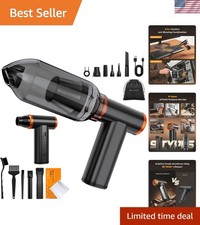
Ultimate 2-in-1 Air Duster & Vacuum - 180-Minute Battery Life for Quick Cleaning
$105.99
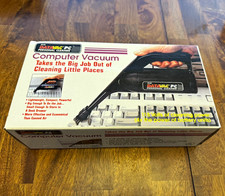
Datavac PC Computer Vacuum for Keyboard Cleaning w/ Nozzle & Brushes
$17.82

2-in-1 Compressed Air Duster & Vacuum, Brushless Motor, 320000RPM
$37.99

US Mini Computer Vacuum USB Keyboard Cleaner PC Laptop Brush Dust Cleaning Kits
$13.89

Mini Computer Vacuum Cleaner & Compressed Air Duster 14500Pa, 110000RPM, Cordles
$53.99

Cordless Handheld Vacuum Cleaner Compatible with DeWalt 20V Battery
$107.67