-
moving files from one HD to another
I went through all the help stuff i could find and still can take the write protection off of a HD. Im trying to copy files from a HD that crashed to another one. Everytime i try and do this it says the drive is write protected. how do i take this off. already tried unchecking "read only" in device properties. What else should I do? I can't seem to find the "Captive NTFS" prompt that all the help stuff leads too. thanks ~Cody
-
Senior Member
registered user
Before you enable write acess, what filesystem is on the destination drive (the good HD)? If it is FAT32 or a Linux filesystem then it is fine. If it is NTFS, we tell all people who intend to use Knoppix to write to a NTFS drive that Knoppix in most cases can not reliably (possibly destroy) a NTFS filesystem. Older versions of Knoppix (i think 3.6 & 3.7) has captive NTFS. Knoppix 4.0.2 has
- Updated NTFS read-write support using libntfs CVS version and fuse*)
(*)A free (GPL) NTFS write support is currently under development. Experimental-friendly testers may find the corresponding tools and instructions for accessing rw-mounts of NTFS-Partitions, on the DVD (use at your own risk).
You are welcome to attempt it with Knoppix 4.0.2 but there is always a risk that it will write garbled data to that good drive.
-
The file system is a NTFS. So you are recommending using an older version of knoppix? Is it possible to create a new partition on the good HD with a FAT32 system and then write to that?
-
Administrator
Site Admin-

Originally Posted by
ummie4
The file system is a NTFS. So you are recommending using an older version of knoppix? Is it possible to create a new partition on the good HD with a FAT32 system and then write to that?
I doubt very much that Underscore would advise you to obtain an old version of Knoppix to use NTFS, as he knows it has always had problems and would corrupt NTFS systems. If there is space on the disk for a new partition it is certainly posiable to create a FAT32 partition, but that hardly is ever the case; any disk in use is likely to have all of it's space used, often by one large NTFS partition. Knoppix can not shrink a NTFS partition (nor can any of the standard tools that come with XP. Partition Magic can but warns you to have a backup of everything first and Partition Magic is not free.) For more suggestions see answer #5.
-
Senior Member
registered user
Knoppix can certainly resize an ntfs filesystem. Resize has been supported for some time. Writing is however still somewhat experimental.
I don't completely understand this either, but, we are in good company as the developers of the ntfs tools are only less in the dark than we are.
As always, back up any critical data first. Perhaps a dd to another drive to retain an image, then attempt to manipulate the filesystem.
Similar Threads
-
By shared3 in forum MS Windows & New to Linux
Replies: 0
Last Post: 08-21-2007, 06:59 AM
-
By barrman in forum MS Windows & New to Linux
Replies: 3
Last Post: 09-21-2005, 04:51 AM
-
By AlanForrester in forum General Support
Replies: 3
Last Post: 05-16-2004, 09:09 AM
-
By tha_raptest in forum General Support
Replies: 0
Last Post: 02-12-2004, 08:05 PM
-
By kleptophobiac in forum General Support
Replies: 1
Last Post: 08-06-2003, 03:36 AM
 Posting Permissions
- You may not post new threads
- You may not post replies
- You may not post attachments
- You may not edit your posts
-
Forum Rules

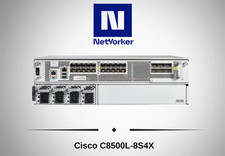
Cisco Catalyst 8500 C8500L-8S4X 4x SFP+ 8x SFP 4x10GE 8x1GE Router-Fast Ship
$6299.99

Cisco Acacia DP04QSDD-E25-840 400G QSFP-DD Coherent DCO Transceiver Module
$699.99

Qty 20 New Cisco QSFP-100G-FR-W2 10-3659-01 Module Hologram Brand New 20 Pack
$260.00

Cisco C9300-48UXM-A Switch 9300 Series 48-port UPoE Network
$874.99
Cisco C3850-NM-2-10G 2 Port Network Exp.Module for 3850
$18.90
Cisco ISR4331 Intergrated Service Router K9 4300series
$45.99
Cisco Catalyst 3850-48F-L 48-Port UPoE Gigabit Switch NM-4-1G
$59.99
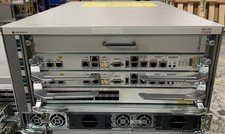
Cisco ASR-9904 w/ 2x A9K-RSP5-TR, 1x A9K-24X10GE-1G-TR , & 2x AC Power
$24995.00

Cisco Catalyst C9130AXI-B WiFi 6 802.11ax Wireless Access Point Brand New
$101.99

Cisco Catalyst 2960-48TT-L 48-Port Fast Ethernet Managed Rackmount Switch
$46.99



 Reply With Quote