

 Reply With Quote
One thing i wanted to mention is that I can hear mp3s on Knoppix, I also hear the sound when I'm watching a video or I'm playing Enemy Territory.
Strange thing oO


First of all, I'm sorry for my English, I'm from Austria.
It's a long story, but I hope you will understand my problem.
I've wanted to run TeamSpeak on my Knoppix, but when I connect to the server, my headset & microphone is muted and I can't turn them on.
It seems they are disabled for the program.
So I thought it has to do with the sound card and maybe with the control center (Sound System).
I've tested the sound configuration tool in the 'Knoppix' menu item. It doesn't work, because of this error:
I've also tried to turn the Sound System on, but when I do that, this message appears:You don't seem to be running a kernel with modular sound enabled.(soundcore.o was not found in the module search path). To use sndconfig, you must be running a kernel with modular sound, such as the kernel shipped with Debian GNU/Linux or a 2.2 kernel, and sound must be compiled as modules.
Then I've searched in this forum for the problem and I found a thread dealing with turning the soundsystem on.Sound server informational message:
Error while initializing the sound driver:
device /dev/dsp can't be opened (No such device)
The sound server will continue, using the null output device.
Someone has written following:
The first thing worked. After that I edited the "lilo.conf".First, boot 'knoppix alsa' to make sure you are using alsa and not oss.
These are the sound modules in the kernel, oss is obsolete.
If you are installed to HD, edit the 'append=' line in /etc/lilo.conf adding 'alsa' to the list then re run lilo.
Then, try the sound configuration tool in the 'Knoppix' menu item.
Make sure your Kmix volume settings are turned up, you need at least master and PCM turned up.
Go to KDE control center -> sound system & enable the sound system.
Go to KDE control center -> system notifications & turn on all event sounds.
Then you have to edit the hidden file /home/(username)/.kde/share/config/knotifyrc & change all three settings to 'true'.
Code:
Code:[Misc] LastConfiguredApp=The KDE Window Manager [StartProgress] Arts Init=true KNotify Init=true Use Arts=true
It is a hidden file, to find it set konqueror to view hidden files then edit it with Kate or Kwrite.
Why kde doesn't do this automatically when enabling system sounds is a mystery to me but it doesn't.
You should now have system beeps & whistles.
But when I try to run "lilo", this comes out:
Please help me T_T/proc/misc: No entry for device-mapper found
Is device-mapper driver missing from kernel?
/dev/mapper/control: open failed: No such device
Failure to communicate with kernel device-mapper driver.
/proc/misc: No entry for device-mapper found
Is device-mapper driver missing from kernel?
/dev/mapper/control: open failed: No such device
Failure to communicate with kernel device-mapper driver.
Incompatible libdevmapper 1.01.03 (2005-06-13)(compat) and kernel driver
Warning: '/proc/partitions' does not match '/dev' directory structure.
Name change: '/dev/cloop0' -> '/dev/cloop'
Fatal: Trying to map files from unnamed device 0x000e (NFS/RAID mirror down ?)
One thing i wanted to mention is that I can hear mp3s on Knoppix, I also hear the sound when I'm watching a video or I'm playing Enemy Territory.
Strange thing oO
Ok, so nobody knows the answer or you're not interested helping me, you could say me at least an answer if I'm doing the right thing or did I forget something?
By the way: Is this more hardware or more software problem?
Is device-mapper driver missing from kernel?
The entire sequence you cite has appeared as messages during the progress thru knoppix-installer 0.3-14 of putting
live- knoppix 4.0.2 DVD onto a hard drive partition. It is preceded by a reference to the alsa, which in a prior install
of the [extremely similar] live- knoppix 4.0.1 DVD to a hard drive partition always gave upon shutdown an error
message in red from alsa saying that no sound card was found. There the sound did work -- except as you noted,
in some apps. It worked, for example, in the snack sound toolkit and for the most part in Kaffeine but that is a
meta-interface so it's hard to tell which things it really worked in and which not.
Here are my messages (minus some irrelevants at the top).
/usr/sbin/alsactl: save_state:1163: No soundcards found...
Execution of /usr/share/menu/cdd-menu generated no output or returned an error.
/proc/misc: No entry for device-mapper found
Is device-mapper driver missing from kernel?
/dev/mapper/control: open failed: No such device
Failure to communicate with kernel device-mapper driver.
/proc/misc: No entry for device-mapper found
Is device-mapper driver missing from kernel?
/dev/mapper/control: open failed: No such device
Failure to communicate with kernel device-mapper driver.
Incompatible libdevmapper 1.01.00-ioctl (2005-01-17)(compat) and kernel driver
Warning: '/proc/partitions' does not match '/dev' directory structure.
Name change: '/dev/cloop0' -> '/dev/cloop'
Warning: Partition 1 on /dev/hda is not marked Active.
Warning: Unable to determine video adapter in use in the present system.
Fatal: open /usr/share/lilo/contrib/debian.bmp: No such file or directory
I believe these appeared in 4.0.1 as well. In both cases the live-DVD and live-CD voice is heard during change
from text level 2 to windows level 5 with KDE, saying that [XWindows] is being brought up, showing that sound does work right off the bat. These indicate that [OSS] is working.
Maybe your app only tries to use something other than the sound codecs of OSS?
Maybe OSS and alsa are sometimes tangled?
In order to test sound in the new install, I have to sign off now (!).
 Posting Permissions

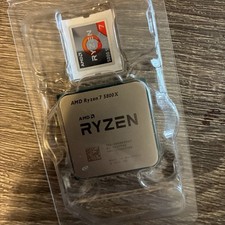
AMD Ryzen 7 5800X Desktop Processor (4.7GHz, 8 Cores, Socket AM4)
$169.99

Corsair RM750e 750W Fully Modular 80 Plus Gold ATX 3.1 PSU Certified Refurbished
$44.99

Intel Core i7-9700 3.0 GHz 8 Core Processor
$85.00

Intel ULTRA 5 250K Plus Processor 18 Cores 6 P-Cores 12 E-Cores up to 5.3 GHz
$184.99

Intel i7-8700 Coffee Lake 3.2GHz 6-Core Max Turbo 4.6GHz Processor
$69.99

Intel Core i7-7700T 2.9GHz 8MB Socket LGA1151 Quad Core Processor SR339
$39.99

Intel 4th Gen Core i7-4790 SR1QF 3.60GHz (Turbo 4.00GHz) 8M 4-Core LGA-1150 CPU
$39.99

Intel Core i7-9700 SRG13 3.0 GHz Desktop CPU
$80.00
AM4 Backplane CPU Heatsink Bracket Backplane Backplate Back Sheet Iron Plate Du
$9.97
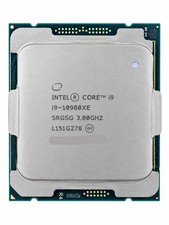
Intel Core i9-10980XE 18-Core 3.0GHz LGA2066 24.75MB Extreme Edition CPU
$349.99