-
Senior Member
registered user
basic auto mount question
I just hdinstalled my whole computer science lab with KNOPPIX 4.0.2CD for my students. We used to have way older versions of KNOPPIX where we had to mount disks the old fashioned way. Now, it seemes all you have to do is place the floppy disk or CD in the drive, click /mnt in konqueror and the disks are auto mounted. This is cool. Now all I do is click on /mnt/cdrom or /mnt/floppy and I can manipulate my disk files.
My problem is switching disks. When I switch floppies, I sometimes get the error:
file:///mnt/floppy does not seem to exist anymore
Somehow, I got this error to go away with floppies. Today I have this error with CDs and I can't get around it!
Am I missing something basic here? Please help!
TIA,
AJG
-
Senior Member
registered user
OK, I figured out that I can auto mount and unmount any data disks (floppy and CD). However, I can't play any music CDs. I can't auto mount a music CD as a user. I can't mount a music CD as root.
I tried Juk and Kaffiene. Juk seems to need me to mount the drive first. Kaffiene actually accesses the drive (the CD starts turning), but then Kaffiene crashes.
What can I do to play a music CD?
TIA,
AJG
-
Senior Member
registered user
> What can I do to play a music CD?
$ apt-cache search player|grep -i cd
ascd - CD player and mixer
cccd - A small GTK+ CD player program
cdcd - command line or console based CD player
...
-
Senior Member
registered user
No CD Player?
What????? There is no CD Player on the whole DVD? I bet there is somewhere.
I can sympathize. I used to love Kaffeine back when it was .43b. Then it got buggy.
Arrrgh.
These days I gave XMMS CD Player functionality by adding a little plug-in for it.
Is GXine on the DVD? It should play CDs and your mp3s. It is a simple front end to Xine and its libraries.
sakiZ
-
Senior Member
registered user
Harrumph, when I
Code:
apt-cache search player|grep -i cd
I only get
libvcdinfo0 - library to extract information from VideoCD
k3b - A sophisticated KDE cd burning application
So I tried to look up cccd, cdcd and ascdd on http://packages.debian.org but its down right now....
No joy yet!
Thanx,
AJG
-
Senior Member
registered user
> I only get
> libvcdinfo0 - library to extract information from VideoCD
> k3b - A sophisticated KDE cd burning application
I have these lines in my sources.list (but it's a Kanotix derived system, so beware):
deb http://ftp.de.debian.org/debian unstable main contrib non-free
deb ftp://ftp.nerim.net/debian-marillat/ sid main
You'll have to run "apt-get update" after including these (or similar) in your sources.list.
-
I am having the same problem with 4.0.
When I try to play a regular music cd I get an error message "file:///mnt/cdrom1 does not exist" (cdrom1 is my cd-rw). However if I insert an mp3 disk or data cd there is no problem reading/mounting it. It just seems to be a problem with music cds.
Anyone found a solution?
Thanks.
-
SOLUTION FOUND
I got the audio cd to play using XMMS. Here is what I did
1. I went into O(ptions) on the XMMS menu - left sie marked by an O
2. I went into Preferences
3. I selected audio CD player, Then Configure, Then Options.
4. Under Default CD Device I changed from /dev/cdrom (which has Knoppix DVD) to /dev/cdrom1 (my cd-rw device).
5. I went back to the Preference dialogue and clicked on CD Audio Player
6. I clicked on COnfigure again.
7. This time I clicked Add Drive at the bottom. I In Device I added /dev/cdrom1. I also chalged to Digital Audio Extraction.
I hope this helps someone else.
-
Senior Member
registered user
Thanx canjohn!
All I had to do was steps 6-7 from your howto and I got xmms working with music cds too! I had to add a drive with devce /dev/cdrom
Regards,
AJG
-
Just to bring this to a full closeure.
Glad to hear this worked for you too.
I went back and experimented a little. Like you I found that I only needed to change the CDAudio part by adding a second drive (in my case /dev/cdrom1) and audio to Digital. I am not running on my HD (yet) so I saved the configuration to a floppy and now each time I boot CDAudio is updated with the cdrom1. Now I wonder if this will be an issue with every program - unlike WIndows which seems to inform new programs automatically with available devices. Hmmmm.
Never sure that will apply to everyone, but just in case someone else looks here I thought I would update this conversation.
JJJJ
Similar Threads
-
By itz_moi in forum General Support
Replies: 1
Last Post: 06-19-2006, 08:13 AM
-
By plener in forum Networking
Replies: 1
Last Post: 12-21-2004, 01:01 AM
-
By BeckBristow in forum General Support
Replies: 6
Last Post: 10-30-2004, 01:27 AM
-
By Mic Q in forum General Support
Replies: 2
Last Post: 10-18-2004, 04:24 AM
-
By hybridus in forum General Support
Replies: 2
Last Post: 03-27-2004, 10:24 PM
 Posting Permissions
- You may not post new threads
- You may not post replies
- You may not post attachments
- You may not edit your posts
-
Forum Rules


Samsung 256GB SSD MZ-JPV256S/0A2 PCIe Solid State Drive SSD SSUBX 655-1959A
$22.02

Samsung Galaxy Tab Active 3 / 64 gig/ WIFI/ IP68 Rated
$85.00

Samsung Galaxy View Tablet 18.4 SM-T670/677A Digitizer 100% Original Oem
$152.99
Samsung Galaxy Tab Active 3 / 64 gig/ WIFI/ IP68 Rated
$99.00

RAM-HOL-SAM52CPU RAM USB-C Powered Dock Samsung Tab Active4 Pro & Tab Active Pro
$81.99
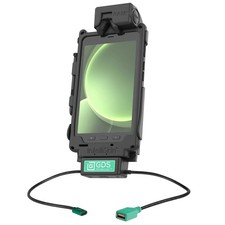
RAM-GDS-DOCK-SAM62CDU RAM GDS Tough-Dock + Single USB-A Samsung Tab Active5 & 3
$241.99

RAM-GDS-U1-SAM90-KIT5 RAM GDS Uni-Conn USB-C & USB-A for Samsung Tab Active5
$407.99

3 -M.2 2280 512GB SSD - Samsung MZNTE512HMJH, MZNLN512HMJP, Toshiba KSG60ZMV512G
$155.00
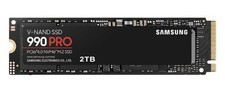
Samsung 990 PRO 2TB Internal SSD PCIe Gen 4x4 NVMe M.2 - Brand New Sealed
$290.00

Original for Samsung NP950QCG-K01US LCD Screen Touch Full Top Assembly FHD Blue
$299.00



 Reply With Quote