

Well I'm new to linux of course, and I'm having some problems burning a CD with the Knoppix Live CD. I have the latest version and I seem to be receiving errors in k3b when I try and burn CD's. Here's the k3b debug output.
System
-----------------------
K3b Version: 0.12
KDE Version: 3.4.1
QT Version: 3.3.4
Kernel: 2.6.12
Devices
-----------------------
GENERIC DVD RW 8XMax 140I (/UNIONFS/dev/hdd, ) at /mnt/auto/cdrom1 [CD-R; CD-RW; CD-ROM; DVD-ROM; DVD-R; DVD-RW; DVD+R; DVD+RW] [DVD-ROM; DVD-R Sequential; DVD-RW Restricted Overwrite; DVD-RW Sequential; DVD+RW; DVD+R; CD-ROM; CD-R; CD-RW] [SAO; TAO; RAW; SAO/R96P; SAO/R96R; RAW/R16; RAW/R96P; RAW/R96R; Restricted Overwrite]
COMPAQ DVD-ROM DRD8080B 1.10 (/UNIONFS/dev/hdc, ) at /mnt/auto/cdrom [CD-ROM; DVD-ROM] [DVD-ROM; CD-ROM] [None]
K3b
-----------------------
Size of filesystem calculated: 121172
Used versions
-----------------------
mkisofs: 2.1-unofficial-iconv
cdrecord: 2.1.1a01
cdrecord
-----------------------
/usr/bin/cdrecord: Warning: Running on Linux-2.6.12
/usr/bin/cdrecord: There are unsettled issues with Linux-2.5 and newer.
/usr/bin/cdrecord: If you have unexpected problems, please try Linux-2.4 or Solaris.
/usr/bin/cdrecord: Cannot allocate memory. WARNING: Cannot do mlockall(2).
/usr/bin/cdrecord: WARNING: This causes a high risk for buffer underruns.
/usr/bin/cdrecord: Operation not permitted. WARNING: Cannot set RR-scheduler
/usr/bin/cdrecord: Permission denied. WARNING: Cannot set priority using setpriority().
/usr/bin/cdrecord: WARNING: This causes a high risk for buffer underruns.
scsidev: '/UNIONFS/dev/hdd'
devname: '/UNIONFS/dev/hdd'
scsibus: -2 target: -2 lun: -2
Warning: Open by 'devname' is unintentional and not supported.
Error trying to open /UNIONFS/dev/hdd exclusively (Device or resource busy)... retrying in 1 second.
Error trying to open /UNIONFS/dev/hdd exclusively (Device or resource busy)... retrying in 1 second.
Error trying to open /UNIONFS/dev/hdd exclusively (Device or resource busy)... retrying in 1 second.
Error trying to open /UNIONFS/dev/hdd exclusively (Device or resource busy)... retrying in 1 second.
Error trying to open /UNIONFS/dev/hdd exclusively (Device or resource busy)... retrying in 1 second.
Error trying to open /UNIONFS/dev/hdd exclusively (Device or resource busy)... retrying in 1 second.
Error trying to open /UNIONFS/dev/hdd exclusively (Device or resource busy)... retrying in 1 second.
Error trying to open /UNIONFS/dev/hdd exclusively (Device or resource busy)... retrying in 1 second.
Error trying to open /UNIONFS/dev/hdd exclusively (Device or resource busy)... retrying in 1 second.
Error trying to open /UNIONFS/dev/hdd exclusively (Device or resource busy)... retrying in 1 second.
/usr/bin/cdrecord: Device or resource busy. Cannot open '/UNIONFS/dev/hdd'. Cannot open SCSI driver.
/usr/bin/cdrecord: For possible targets try 'cdrecord -scanbus'. Make sure you are root.
/usr/bin/cdrecord: For possible transport specifiers try 'cdrecord dev=help'.
/usr/bin/cdrecord:
/usr/bin/cdrecord: For more information, install the cdrtools-doc
/usr/bin/cdrecord: package and read /usr/share/doc/cdrecord/README.ATAPI.setup .
Cdrecord-Clone 2.01.01a01 (i686-pc-linux-gnu) Copyright (C) 1995-2004 Joerg Schilling
NOTE: this version of cdrecord is an inofficial (modified) release of cdrecord
and thus may have bugs that are not present in the original version.
Please send bug reports and support requests to <[email protected]>.
The original author should not be bothered with problems of this version.
TOC Type: 3 = CD-ROM XA mode 2
cdrecord command:
-----------------------
/usr/bin/cdrecord.mmap -v gracetime=2 dev=/UNIONFS/dev/hdd speed=8 -tao driveropts=burnfree -eject -multi -xa -tsize=121172s -
mkisofs
-----------------------
121172
mkisofs command:
-----------------------
/usr/bin/mkisofs -gui -graft-points -volid K3b data project -volset -appid K3B THE CD KREATOR (C) 1998-2005 SEBASTIAN TRUEG AND THE K3B TEAM -publisher -preparer -sysid LINUX -volset-size 1 -volset-seqno 1 -sort /ramdisk/tmp/kde-knoppix/k3bnQ7Vna.tmp -rational-rock -hide-list /ramdisk/tmp/kde-knoppix/k3bUc3i6b.tmp -joliet -hide-joliet-list /ramdisk/tmp/kde-knoppix/k3bAIvWYa.tmp -full-iso9660-filenames -iso-level 2 -path-list /ramdisk/tmp/kde-knoppix/k3bZ2hGkb.tmp
Can anyone help me or point me in the right direction in fixing this problem? Thanks in advance.
numba9
 Posting Permissions


Original Vintage Old Style STANDARD Black CD Jewel Case (Heavy Duty) 90g Lot
$316.95

Vintage GTE XT300 Action Station Terminal 1984 - Tested Works Orig. Box & Foam
$889.00

Vintage Tandy Computer Varsity Scripsit Word Processing 3.5 & 5.25 Disks SEALED
$29.95
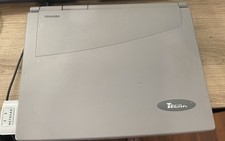
Vintage Toshiba Tecra 780CDM Laptop Computer Windows 98 & WiFi Adapter
$170.00
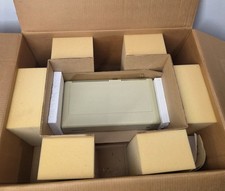
Vintage Apple ProFile External Hard Drive Original Box & Paperwork Untested
$999.00
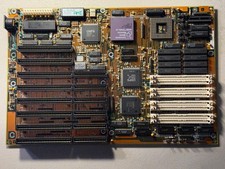
Vintage AMD Am386 DX/DXL-33 Motherboard - Works
$120.00
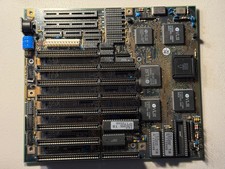
Vintage Siemens 286-16 Motherboard - Works
$140.00
Hewlett Packard Brio HP Recovery Cd 5011-3872-ABA 1997 vintage
$44.56
Vintage Sanyo CDR-H94SMV Internal SCSI CD-ROM Drive. 1994 NIB
$70.00

VINTAGE COLLECTIBLE Comp USA Maxtor 20 GB 3.5 Inch EIDE Hard Drive NEW SEALED
$500.00


 Reply With Quote