-
Senior Member
registered user
With most network types, Knoppix will automatically detect the network & get itself connected. You may have to enter commands to get it configured.
use the command: lspci
to see what hardware it is identifying
use the command: lsmod | sort
to get a list of loaded drivers. It may not make any sense to you & this is OK.
use the command: dmesg | grep -i eth
to see what driver it has loaded & details if any
use the command: ifconfig -a
to list all detected nework devices. If the command ifconfig -a does not produce a eth0 or a eth1 entry then it is not finding your network card.
use the command: netcardconfig
to configure a network card
Some example output of those commands.
Code:
-bash-2.05b# lspci
00:00.0 Host bridge: Intel Corp. 440LX/EX - 82443LX/EX Host bridge (rev 03)
00:01.0 PCI bridge: Intel Corp. 440LX/EX - 82443LX/EX AGP bridge (rev 03)
00:07.0 ISA bridge: Intel Corp. 82371AB/EB/MB PIIX4 ISA (rev 01)
00:07.1 IDE interface: Intel Corp. 82371AB/EB/MB PIIX4 IDE (rev 01)
00:07.2 USB Controller: Intel Corp. 82371AB/EB/MB PIIX4 USB (rev 01)
00:07.3 Bridge: Intel Corp. 82371AB/EB/MB PIIX4 ACPI (rev 01)
00:0f.0 VGA compatible controller: Matrox Graphics, Inc. MGA 1064SG [Mystique] (
rev 03)

-bash-2.05b# lsmod | sort
3c509                  12372   1
Module                  Size  Used by    Tainted: PF
autofs                 13204   0  (autoclean) (unused)
caienfk               526976   2
caienfk_shim             892   1  [caienfk]
ext3                   85704   2
floppy                 56592   0  (autoclean)
hid                    22084   0  (unused)
input                   5856   0  [keybdev mousedev hid]
jbd                    50572   2  [ext3]
keybdev                 2944   0  (unused)
ksymadd                 5096   0  [caienfk]
lockd                  58160   1  (autoclean) [nfsd]
microcode               5656   0  (autoclean)
mousedev                5492   0  (unused)
nfsd                   83664   8  (autoclean)
sunrpc                 82076   1  (autoclean) [nfsd lockd]
usb-uhci               25836   0  (unused)
usbcore                77152   1  [hid usb-uhci]

-bash-2.05b# dmesg | grep -i eth
isapnp: Card '3Com 3C509B EtherLink III'
divert: allocating divert_blk for eth0
eth0: 3c5x9 at 0x220, 10baseT port, address  00 a0 24 a3 7a ad, IRQ 5.
divert: freeing divert_blk for eth0
divert: allocating divert_blk for eth0
eth0: 3c5x9 at 0x220, 10baseT port, address  00 a0 24 a3 7a ad, IRQ 5.
eth0: Setting 3c5x9/3c5x9B half-duplex mode if_port: 0, sw_info: 1321
eth0: Setting Rx mode to 1 addresses.

-bash-2.05b# ifconfig -a
eth0      Link encap:Ethernet  HWaddr 00:A0:24:A3:7A:AD
          inet addr:192.168.1.183  Bcast:192.168.1.255  Mask:255.255.255.0
          UP BROADCAST RUNNING MULTICAST  MTU:1500  Metric:1
          RX packets:37944245 errors:0 dropped:0 overruns:0 frame:0
          TX packets:4118674 errors:0 dropped:0 overruns:0 carrier:257
          collisions:84376 txqueuelen:1000
          RX bytes:527853872 (503.4 Mb)  TX bytes:433869574 (413.7 Mb)
          Interrupt:5 Base address:0x220

lo        Link encap:Local Loopback
          inet addr:127.0.0.1  Mask:255.0.0.0
          UP LOOPBACK RUNNING  MTU:16436  Metric:1
          RX packets:74392783 errors:0 dropped:0 overruns:0 frame:0
          TX packets:74392783 errors:0 dropped:0 overruns:0 carrier:0
          collisions:0 txqueuelen:0
          RX bytes:3898313821 (3717.7 Mb)  TX bytes:3898313821 (3717.7 Mb)
You are using Knoppix 3.4 which is over 1.5 years old & may not support your laptop with alot of expert commands. Unless the person is a systems administrator, I suggest that all people use the most recent release which is version 4.0.2. Visit the Downloading FAQ http://www.knoppix.net/wiki/Downloading_FAQ where we have written many tips, tricks & guides on getting Knoppix downloaded & properly burned to a CD.
Similar Threads
-
By net2surfin in forum Networking
Replies: 4
Last Post: 06-02-2007, 05:00 PM
-
By Joe999 in forum Hdd Install / Debian / Apt
Replies: 0
Last Post: 08-14-2004, 08:32 AM
-
By moift in forum Networking
Replies: 3
Last Post: 05-18-2004, 01:34 PM
-
By vesselinpeev in forum Networking
Replies: 6
Last Post: 09-29-2003, 05:32 AM
-
By Pavilion in forum Hardware & Booting
Replies: 11
Last Post: 06-13-2003, 06:37 AM
 Posting Permissions
- You may not post new threads
- You may not post replies
- You may not post attachments
- You may not edit your posts
-
Forum Rules


RAM-HOL-SAM52CPU RAM USB-C Powered Dock Samsung Tab Active4 Pro & Tab Active Pro
$81.99

Samsung 32GB DDR4-2666 PC4-21300 288-Pin DIMM RAM M393A4K40CB1CRC0Q
$185.00

Samsung 2.5" 870 EVO SSD SATA III 250GB 500GB 1TB Internet Solid State Drive Lot
$90.00
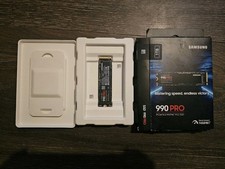
Samsung - 990 PRO 1TB Internal SSD PCle 4.0 NVMe M.2
$200.00

RAM-HOL-SAM60CPU RAM USB-C Powered Dock for Samsung Tab Active5 - 3 - 2
$81.99

RAM-GDS-SKIN-SAM54-NG-1 RAM Mounts IntelliSkin® Next Gen for Samsung Tab Active4
$93.99

Samsung Galaxy Tab SCH-1800 7" 4GB Wi-Fi + Verizon Tablet Working
$30.00

RAM-GDS-DOCK-SAM88CPU RAM GDS® Tough-Dock™ for Samsung Tab A9+
$174.99
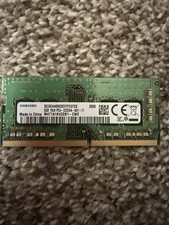
8GB Samsung 3200MHz SODIMM DDR4 Laptop RAM One Stick
$49.99

Samsung Galaxy View Tablet 18.4 SM-T670/677A Charging Port 100% Original Oem
$98.99



 Reply With Quote