-
Senior Member
registered user
Disk Problem - Help to recover 4G disk space
I have a non-system disk partition (hdb1) that filled up, and I could not read or write anything to it till I went into .Trash-0 and .Trash-1000 on that partition and manually deleted the items in the files subdirectory inside. However, now it looks as if I "lost" 4G of disk space. when I run a df -h command I see the following:
Filesystem Size Used Avail Use% Mounted on
/UNIONFS/dev/hdb1 76G 71G 1.1G 99% /mnt/hdb
It seems like it *should* say 5G available and not 1.1G available. The fsck command says that the ext2 partition is clean, so I am not sure what to try next. Any suggestions would be greatly appreciated.
Best regards to the group,
Paul
-
Senior Member
registered user
Disk Problem - Help to recover 4G disk space
By default, an ext2 filesystem reserves 5% for the superuser. If you have emptied all of your trash, this could be your problem. Use tune2fs to adjust this amount. On the other hand, a file system that has seen this kind of use can become seriously fragmented. Copying to a clean partition will resolve this.
-
Senior Member
registered user
nad,
thanks for the reply... couple o' questions
if i copy the data to another partition, then copy it back, will i (to the best of your knowlege) recover this disk space?
also, what (if any) downsides are there to changing the amount of disk space reserved to superuser? The tune2fs trick definately seems to be working. what does superuser need with this disk space anyways?
regards,
paul
-
Senior Member
registered user
Disk Problem - Help to recover 4G disk space
Copying the files off then back may free up a small amount of blocks. The main reason is for disk performance and reorganizing to free up larger contiguous blocks (especially if you are streaming data such as music).
The reserved amount is basically for a one disk system. Just to start up, an OS needs space to append to log files and such. If this is a second drive, you may decrease this percentage (1% will still leave you ~750MB) without worry.
Just keep in mind that a nearly full file system is an invitation to disaster. Decreasing the space available for any overhead needed by the system must be monitored.
Similar Threads
-
By loonix in forum Customising & Remastering
Replies: 3
Last Post: 12-29-2007, 12:01 AM
-
By inflames989 in forum MS Windows & New to Linux
Replies: 10
Last Post: 06-20-2006, 05:54 AM
-
By paparazzo79 in forum Hardware & Booting
Replies: 2
Last Post: 12-10-2005, 09:03 PM
-
By babelbrennt in forum Hdd Install / Debian / Apt
Replies: 6
Last Post: 08-19-2005, 09:45 PM
-
By flowergardener in forum General Support
Replies: 3
Last Post: 08-12-2005, 10:02 PM
 Posting Permissions
- You may not post new threads
- You may not post replies
- You may not post attachments
- You may not edit your posts
-
Forum Rules


16GB KIT (2x8GB) DDR3 Gamer Desktop RAM PC3 MIXED BRANDS VIPER VENGEANCE FURY
$10.00

Netac DDR4 32GB 16GB DDR4 3200MHz UDIMM C16 Desktop Internal Memory RAM Kit
$99.99
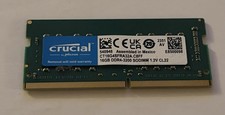
Crucial 16GB DDR4 3200MHz SODIMM Laptop RAM Memory Module CT16G4SFRA32A.C8FF
$55.00

Samsung 32GB DDR4-2666V-2Rx4-RB2-12 RAM M393A4K40CB2-CTD6Q
$169.00

A-Tech 8GB DDR3 1600 PC3-12800 Laptop SODIMM 204-Pin Memory RAM PC3L DDR3L 1x 8G
$21.68

RAMAXEL Lenovo 32GB LPDDR5X CAMM2 7500MHz Laptop RAM | UNTESTED
$445.00
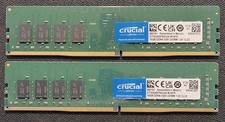
Crucial RAM 32GB Kit (2x16GB) DDR4 3200 MHz CL22 Desktop Memory CT2K16G4DFRA32A
$124.99

Major Brand 16GB (2x8GB) PC3-12800U DDR3-1600MHz DDR3-12800 DESKTOP RAM NON-ECC
$29.99
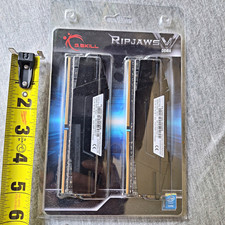
G.SKILL Ripjaws V 16GB (2x8GB) DDR4-3200 DIMM Intel XMP 2.0 F4-3200C16D
$75.00
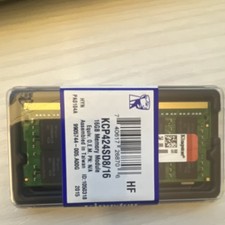
Kingston 16GB DDR4 SO-DIMM PC4-19200 2400MHz Memory Module KCP424SD8/16
$55.00



 Reply With Quote