

 Reply With Quote
You could always have typed netcardconfig to run the script to configure your card.Originally Posted by alexcg


How about installing Gnome System Tools by default? I spent ages messing around on the console trying to set my IP number and netmask, when I could have saved hours by just using the network module of the system tools. It provides an interface very similar to the windows network control panel.
GST also includes configuration for:
* Users and groups
* Date and time
* Network configuration
* Bootloaders
* Runlevels
I'm not sure if all of these run okay on knoppix, but I know for sure that network config does.
You could always have typed netcardconfig to run the script to configure your card.
Stephen is right. If you just go to Knoppix, Configure in Kmenu (or run netcardconfig from the command line) you will have access to tools to confiigure your ethernet card. Most other config stuff can be done quite well in the KDE Control Center.
For a wireless network card use wlcardconfig or look in the same place in Kmenu.
 Posting Permissions


Gigabyte 4U AI Server 10x Nvidia GPU 2x Xeon Gold 6150 36 Core 2.7GHz DDR4 RAM
$1499.00

Dell EMC PowerEdge R440 Xeon silver 4215 2.5GHz 16 GB ram 2x 550W PSU No HDD
$275.00

867959-B21 HPE ProLiant DL360 G10 CTO Server W/ 2x 865414-B21 1x 840140-001
$245.00

Dell PowerEdge FX2s + 8x FC430 Blades 16x E5-2630v4 160 Cores Rails No PSU/RAM
$699.00

Dell PowerEdge C4130 1U AI GPU Server | 2x E5-2690 v3 | 64gb Ram | 2x 1600W
$524.99

Dell PowerEdge C4130 1U AI GPU Server | 2x E5-2680 v3 | 32gb Ram | 2x 1600W
$409.99

Dell PowerEdge C4130 1U AI GPU Server | 2x E6-2699 v3 | 128gb RAM | 2x 1600W
$899.99

Dell Poweredge R730xd 12LFF 2*2660v4 4*1Gbe h730 2x 750W Server CTO
$308.00
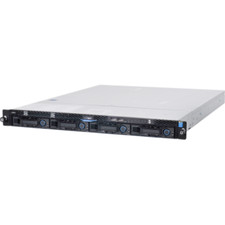
1U Server Intel Xeon E3-1240 V5 3.5Ghz 4C 32GB RAM 2x M.2 2280 OCP RJ45 Rails
$310.00

Dell Poweredge R630 2x Xeon E5-2680 v3 2.5ghz 24-Core | HBA330 | No RAM or HDD
$149.99