-
Senior Member
registered user
Try opening a console *before* you plug the camera in, then run
<code>
less +F /var/log/messages
</code>
Now plug in the camera, already switched on.
(You might need to be root; syslogd needs to be running for this to work)
Hopefully you'll see some activity in the console window:
Mar 14 09:46:00 tunix kernel: scsi0 : SCSI emulation for USB Mass Storage devices
Mar 14 09:46:00 tunix kernel: usb-storage: device found at 3
Mar 14 09:46:00 tunix kernel: usb-storage: waiting for device to settle before scanning
Mar 14 09:46:00 tunix kernel: usbcore: registered new driver usb-storage
Mar 14 09:46:00 tunix kernel: USB Mass Storage support registered.
Mar 14 09:46:05 tunix kernel: Vendor: USB Model: Flash Disk Rev: 2040
...
Mar 14 09:46:05 tunix kernel: sda: sda1
Mar 14 09:46:05 tunix kernel: sd 0:0:0:0: Attached scsi removable disk sda
Mar 14 09:46:05 tunix kernel: sd 0:0:0:0: Attached scsi generic sg0 type 0
Mar 14 09:46:05 tunix kernel: usb-storage: device scan complete
In this case the device to mount is "/dev/sda1" (like suggested by sakiZ); since
sda1 didn't work for you, hopefully something else shows up.
Similar Threads
-
By DelNorte in forum General Support
Replies: 1
Last Post: 03-22-2005, 07:27 AM
-
By ThomasX in forum General Support
Replies: 6
Last Post: 01-25-2005, 01:32 PM
-
Replies: 5
Last Post: 01-15-2005, 11:51 PM
-
By zlibre in forum General Support
Replies: 2
Last Post: 10-08-2004, 03:00 AM
-
By HomerCube in forum General Support
Replies: 0
Last Post: 09-29-2004, 03:09 PM
 Posting Permissions
- You may not post new threads
- You may not post replies
- You may not post attachments
- You may not edit your posts
-
Forum Rules


Atari 800 XL 8-Bit Computer W/ Blue LED And S Video A/V Cable
$155.00
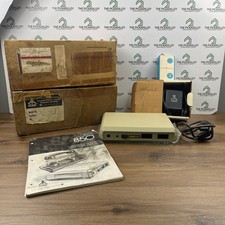
Atari 850 Interface Module Vintage 8-Bit Computer Expansion Serial Parallel Box
$159.95

Happy 1050 Upgrade for Atari 1050 Disk Drive - Solderless Installation - HS/DD
$49.97
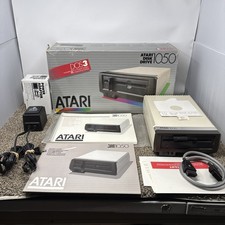
Atari 1050 Floppy Disk Drive Tested With All Cables Power And Data SIO In Box
$200.00

ATARI XF551 DISK DRIVE WITH AC POWER ADAPTER AND PARALLEL PORT ADAPTER, UNTESTED
$250.00

Fujinet 1.7.1 Atari 400 800 800XL 130XE 65XE XEGS Assembled, Tested, Working
$99.99

Atari 1200 XL home computer with original owners guide and power supply power on
$255.00
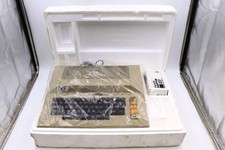
Atari 800 Home Computer Later Variant In Original Styro W/ BASIC CLEAN Untested
$249.99
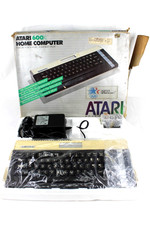
VTG Atari 600XL Home Computer System in Box ** Powers On ** Clean * Tested Works
$148.75

GreaseWeazle v4 board USB floppy drive adapter Retro All Formats
$35.00



 Reply With Quote