-
Newb question: how do i browse c:\ using knoppix?
I boot from cd, Knoppix. Loads fine. Within Knoppix, right click brings up menu... but i don't recognize a standard "explorer" type file browser. I have opened the many "shells", looks like DOS, but "cd c:" isn't recognized.
How can I use Knoppix to browse my harddrive and view the files? I know I can't/shouldn't "write" to NTFS, but I should be able to "read" and "copy" the files to a USB flash drive right?
HELP!
-
Senior Member
registered user
Newb question: how do i browse c:\ using knoppix?
What are you doing at a command line? This is the third millenium!
Just click the drive icon on the desktop. This will open a konquerer window with the contents of this drive shown. Or, at the K menu choose the Quick Browser, which will open konquerer with more options.
At a command line, you will first need to know the partitions' designation, eg: /dev/hda1 ; so that you can mount it: mount -t ntfs /dev/hda1 /mnt/hda1 . Once mounted, you can view the contents with the list command: ls /dev/hda1 . The command: dmesg | grep -i hd ; will spew out much information about your installed PATA drives that the system found at startup.
-
Senior Member
registered user
The reason that C: drive wasn't recognized is because drives are identified differently in linux. Linux is not built on DOS. You know how Windows is a GUI built on top of DOS, well think of all Linux versions as GUIs built ontop of the Unix operating system. Unix is far superior to DOS which would make since because DOS is basically a stripped down version of Unix. I am basically a newbie too, but hopefully my basic level of knowledge about the OS will be helpful to you  . You know how in DOS/Windows, everything originates from the C: drive? Well in Unix, every thing stems from the Root directory (directory is another word for folder). All directories are underneath the Root Directory which on the command line of Linux which is actually Unix is represented by /
so if you wanted to access the root directory you would type cd / . Everything is beneath the Root directory, including your hard drive, you need to not thinking of everything in terms of starting from drive C:, drive C: in linux is merely a device in a directory that is in the root directory and is not named drive C:, drive C: is merely the name Windows assigns to the drive it is installed upon in linux the hard drive would be located in two directories underneath root, the dev and mnt directories. The hard drive is only located in the mnt directory after it has been mounted, which is what nad was having you do. The dev directory contains all of the devices your system has which includes the mouse, keyboard, speakers, etc. To access each of these drives type cd /mnt or cd /dev Instead of Dir, type ls -l to see a list of all of the files in the directory you are in. Instead of help, type man for example, type man mount the man files are the manual files for most of the programs installed on your Linux system. If you want to understand the structure of your system better, research the unix operating system, this will give you a better idea as to how things are structured in a unix/linux environment. Oh yeah, and in knoppix, for certain functions type sudo before a command to get root user access (root and root user are concepts you should research to better understand the structure of your system).
-
Senior Member
registered user
I have a HD installation of Kanotix and during a recent dist-upgrade includung udev, the icons on the desktop appear with their Windows names under the icons i.e. Windows, Photos, Programmes etc.
drb
-
Ah, excellent! Thank you for all of you're responses. I've never dealt with Unix, so this is going to be fun! 
Thanks again!
Similar Threads
-
By kinneas in forum General Support
Replies: 10
Last Post: 04-25-2005, 03:55 AM
-
By Mavrious in forum General Support
Replies: 5
Last Post: 01-05-2005, 03:49 AM
-
By knokoutned in forum General Support
Replies: 8
Last Post: 01-02-2005, 04:55 PM
-
By woody1377 in forum Hdd Install / Debian / Apt
Replies: 1
Last Post: 10-21-2004, 03:53 PM
-
By bob bobbish in forum General Support
Replies: 5
Last Post: 03-05-2004, 02:27 PM
 Posting Permissions
- You may not post new threads
- You may not post replies
- You may not post attachments
- You may not edit your posts
-
Forum Rules

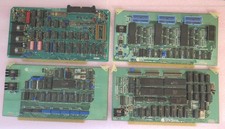
Vintage S-100 California Computer Systems cards Z80 cpu + ADS PromBlaster
$895.00

🔥 RARE VINTAGE HP 2112A 21MX M-SERIES 16-BIT MINICOMPUTER HP
$299.99

🔥 RARE VINTAGE HP 2113A 21MX 1000 E-SERIES MINICOMPUTER CHASSIS BACKPLANE
$249.00

Vintage Computer - PC Innovation Intel 486DX2 - Dos Ver 6.2 Windows 3.1
$250.00
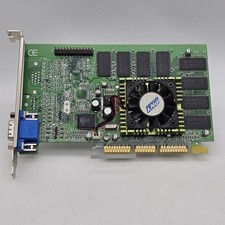
Vintage GF2MX40064SAGP PNY GeForce-2 MX400 64MB VGA/ AGP Video Graphics Card
$79.98
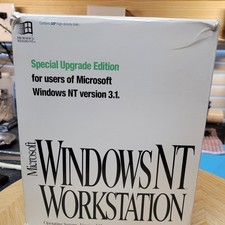
Vintage Microsoft Windows NT 3.51 Workstation 3.5 Floppy Big Box Complete No COA
$139.99
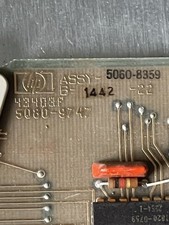
HP 5060-8359 8K solid state semiconducter memory HP 2100/1000 Vintage 1974
$135.36

HP 13210-60001 Disc Drive Interface PCB HP 7900A 7901A Vintage
$225.61

Vintage Jetway J-620BF Socket 370 Celeron AT Motherboard SiS 620 Brand New
$75.00

HP 5060-8359 8K Semiconductor Memory Module 5080-9747 Vintage HP Computer
$224.72



 Reply With Quote