-
Junior Member
registered user
the router is working, but only with win98, not with knoppix.
help
-
Junior Member
registered user
i'm not giving up quite yet lol, so if anyone has any ideas for a software solution that would be cool. Another thing: i tried the Kubuntu 5.10 Live distro, and had the same problem. the distro was working except for the browser. if any1 has any suggestions on how i can get this to work i would appreciate it.
-
Administrator
Site Admin-

Originally Posted by
billabill
the router is working, but only with win98, not with knoppix.
help
We have no information in what you posted about what is actually happening. You are much more likely to get help if you give us details about the nature of "not working", including output from all the usual suspects like ifconfig and netcardconfig, than if you just say "it's not working, help".
-
Junior Member
registered user
Ok sorry about that. what i meant was that i have the same problem with the router installed as i had without the router. i boot with knoppix (or Kubuntu 5.10 Live) and everything seems to work except the connection to internet. when start the firefox it says website cannot be found. how do i get the output from iconfig and netcardconfig etc?
-
Administrator
Site Admin-
Originally Posted by
billabill
how do i get the output from iconfig and netcardconfig etc?
The simple answer is that you run those commands and make notes about what it said ("I got some kind or error message" is not a good or useful note). If you have experience with Linux you can send the output to a file and then copy the file to your post, but that is more than I expect from many of the users here. ifconfig is run from a shell (command prompt window). netcardconfig can be run from the menu or from a shell prompt. The less information that you give us the less likely we will be able to help, the more information that you post about the problem and your hardware, the better your chances of getting helpful feedback.
-
Junior Member
registered user
thanks Harry,
ok i got it to work finally. all i did was run netcardconfig and answered yes to the question: use dhcp broadcast. then got the message: dhcp broadcast from device eth0 OK. auto lo eth0. and now it is working! unbelievable!
could it be that this command *netcardconfig" was all i needed? i will try a few more times to see if maybe i was just lucky....
-
Administrator
Site Admin-
Originally Posted by
billabill
could it be that this command *netcardconfig" was all i needed?
Knoppix normally does an automatic netcardconfig during the boot process, which is why for most users Knoppix doesn't even need the netcardconfig to be done manually at all. It would be interesting to watch the boot process closely (I think there is even a log that you could check) and see if you can see what is going wrong during the boot that causes you to need this at all. But yes, it seems like all you needed was netcardconfig.
---
Verifying of md5 checksum and burning a CD at slow speed are important.
-
Junior Member
registered user
during the boot process i noticed it said *netw dev eth0 detected ....(backgrounding) *. when the boot is finished and i try to start fx it cant connect. and when i run netcardconfig i get the question about dhcp and answer yes it says failed. so when i try again and this time answer no i get ip and mask and more filled in and i can just click to confirm these values. after this when i try fx it does still not connect, but when i run netcardconfig again and this time answer yes i get: *dhcp broadcast from device eth0 OK.*
so it seems i must run netcardconfig two times and first answer NO to the question about DHCP and then run it a second time answering YES to the same question after i have confirmed ip and mask etc to get connected to the internet.
Similar Threads
-
By gccradioscience in forum Networking
Replies: 1
Last Post: 04-03-2008, 01:24 AM
-
By tstrickland in forum Networking
Replies: 6
Last Post: 07-29-2005, 04:16 AM
-
By th3b0d0mr3ap3r in forum Networking
Replies: 3
Last Post: 12-23-2004, 04:07 AM
-
By rusty101 in forum General Support
Replies: 0
Last Post: 08-07-2004, 08:56 PM
-
By MIB in forum Networking
Replies: 0
Last Post: 09-19-2003, 03:46 PM
 Posting Permissions
- You may not post new threads
- You may not post replies
- You may not post attachments
- You may not edit your posts
-
Forum Rules


IBM Power S822 POWER8 1x CPU 32GB DDR4 RAM 2U Rack Server No HDD.
$629.99

Lot of 2 IBM blade center Type H chassis 8852
$559.00
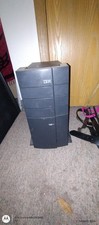
Ibm Computer Tower
$400.00

IBM 7915 AC1 M4 E27R704 Server Intel 2650V2 32GB RAM NO HDD w/ 2x 750w PSU
$200.00

IBM 4262 SYSTEM x3200 Tower - HDD Wiped, NO OS
$80.00

IBM SYSTEM X3500 M3 SERVER 7380AC1 TOWER Server XEON E5620 8GB RAID SEE NOTES
$108.92

IBM Power 8 S822L Server 8247-22L POWER8 Enterprise 256GB RAM 2x 00KV626 CPU
$999.99
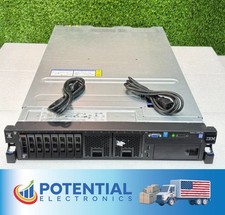
Pre Owned | IBM System x3650 M4 AC1 Server with 1x Intel CPU & 16GB RAM
$154.99
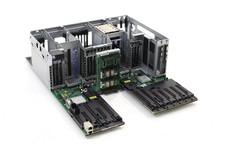
IBM System S822 Dual Socket Server Motherboard W/Cage FRU P/N: 74Y4343 Tested
$499.99

IBM QRadar xx29 2x Xeon E5-2650v4 2x 900W PSU M5120 12x 3.5" Bay Server No RAM
$149.99



 Reply With Quote