-
Junior Member
registered user
try this.
==============
That didn't work, but it seems like it's just from my not understanding.
When I tried using a DHCP broadcast from eth0 or eth1, it would simply say 'Operation Failed'. This confuses me because I have DHCP turned on in my router settings.
I tried doing it manually, but it doesn't seem to like me. I figure this is because I'm using the wrong IP addresses in the wrong places.
Information it's asking for:
IP Address for eth0
Network MMask for eth0
Broadcast Address for eth0
Default Gateway
Nameserver
Information I have:
Router IP Address
Router Subnet Mask
Network Address Server Settings (DHCP) Starting IP Address
Internet IP Address
Internet Subnet Mask
Default Gateway
DNS1
DNS2
Now Default Gateway is rather obvious, as is DNS = Nameserver, but which IP addresses does it want prior to that?
==================////////======
IP Address for eth0
Network MMask for eth0
Broadcast Address for eth0
Default Gateway
Nameserver................... DHCP for the linksys is pushing out an IP for anyone that will listen.
The knoppix OS is saying you have a NIC card and it can see it. if you do not have a NIC then you get no network adapter found. that is the mesg. You got 'Operation Failed'. What that says is the NIC card you have , did not get an Ip from the DHCP. this is good.
Lets give the NIC card an IP? when you run the NCC then next time instead of yes to auto get DHCP, click no "No" button.
then..... put these in.........
IP Address for eth0..................192.168.1.100
Network MMask for eth0.........255.255.255.0
Broadcast Address for eth0....192.168.1.254......mostlikely it will have this in there already, don't change it.
Default Gateway.......................192.168.1.1
Nameserver................................192.168. 1.1...................
These are the 1st IP address for the default DHCP range on a Linksys router.
Put these in to the questions. then and the bash prompt. ( click on the black, gray,white icon in the tool bar, next the orange house)
on my machine a black screen appears and has one line..........knoppix@{knoppix}$.................. ........
type "cd /" "return/enter/key"nothing else...........
type "sbin/ifconfig" ..........."return/enter/key" nothing else................
what do you see???????
you should see that eth0 has the information that you just put in...............
Similar Threads
-
By hooper_fc5 in forum Networking
Replies: 0
Last Post: 04-27-2006, 02:03 AM
-
By master inuyasha in forum Games
Replies: 2
Last Post: 04-16-2006, 07:40 PM
-
By nachral in forum General Support
Replies: 15
Last Post: 12-17-2003, 02:25 AM
-
By nachral in forum General Support
Replies: 6
Last Post: 12-16-2003, 03:31 PM
-
By Flying2Eagles in forum Customising & Remastering
Replies: 0
Last Post: 11-20-2003, 09:55 PM
 Posting Permissions
- You may not post new threads
- You may not post replies
- You may not post attachments
- You may not edit your posts
-
Forum Rules

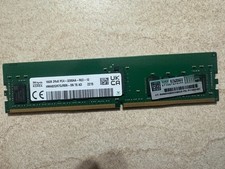
HYNIX HMA82GR7DJR8N - XN 3200AA 16GB 288 Pin RDIMM DDR4 Memory
$105.00

Microsoft Windows 11 Pro 64-Bit USB Flash Drive (HAV-00162)
$36.99

SMART(Micron)SafeStor 32GB(1X32GB) 1RX4 NN4-3200AA(DDR4) HPE Server Memory
$159.98

Micro SD Adapter To SD HC SDHC Memory Card Adapter Reader NEW
$1.39

Kingston 32GB 64GB 128GB 256GB USB 3.0 Flash Drive Thumb Memory Stick Pen lot
$285.90

Server Memory: Samsung 32GB 4DRx4 PC4-2133P ECC LRDIMM DDR4 M386A4G40DM0-CPB
$124.95

A-Tech 8GB DDR3 1600 PC3-12800 Laptop SODIMM 204-Pin Memory RAM PC3L DDR3L 1x 8G
$21.68
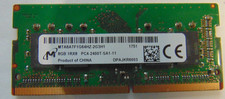
Micron 8GB DDR4 PC4-2400T-SA1-11 / 1Rx8 SODIMM Laptop Memory RAM
$28.00

SK Hynix 32GB 2RX4 PC4-2666V DDR4 RDIMM Server Memory RAM, HMA84GR7AFR4N-VK
$169.95
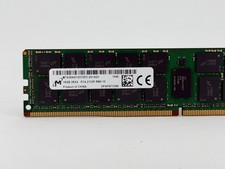
Micron 16GB DDR4 2133MHz RDIMM Server Memory (MTA36ASF2G72PZ-2G1A2II) - Preowned
$59.00



 Reply With Quote