-
Junior Member
registered user
newbie - how to I change the monitor to analogue?
I'm new to this, and pretty keen.
Unfortunately I cannot get past the infamous 'black screen' after boot up
I have a GeForce2 card, and it appears from reading these forums that I have to change from a digital to an anologue plug. I tried pugging the monitor into the other socket on the back of my computer, but that gives a black screen for all operations \ os's.
What am I doing wrong?
Thanks, Cozzy
-
Senior Member
registered user
Try booting with knoppix noddc to stop auto detection for the monitor on boot, what cheat codes have you tried.
-
Junior Member
registered user
knoppix does not like GeForce2 card
thanks for you reply, but no luck using noddc!
-
Junior Member
registered user
still no luck!
I have used the following cheatcodes to no avail!
xmodule=vesa
xmodule=fbdev
xvrefresh=60
screen=800x600
noddc

my video card is a GeForce2 MX/MX400
Similar Threads
-
By mrclark1971 in forum Hardware & Booting
Replies: 5
Last Post: 10-01-2004, 12:27 PM
-
By BackToShell in forum General Support
Replies: 0
Last Post: 02-12-2004, 05:01 PM
-
By Mad_Max_FX in forum Hardware & Booting
Replies: 4
Last Post: 06-23-2003, 04:44 PM
-
By Mad_Max_FX in forum Hdd Install / Debian / Apt
Replies: 1
Last Post: 06-22-2003, 11:34 PM
-
By maltta in forum Hdd Install / Debian / Apt
Replies: 8
Last Post: 05-16-2003, 10:41 AM
 Posting Permissions
- You may not post new threads
- You may not post replies
- You may not post attachments
- You may not edit your posts
-
Forum Rules


IBM System X3850-X5 Server w/4x Intel Xeon E7-4870 CPU , 512 GB DDR3 RAM,NO HDD
$1299.99

Unused IBM 09P0037 MAINBOARD For RS/6000 7044-170 P-Series
$375.00

IBM QRadar xx29 2x Xeon E5-2650v4 2x 900W PSU M5120 12x 3.5" Bay Server No RAM
$179.99

IBM EMC 091-000-091 17 Inch Rackmount LCD Keyboard KVM Console 03N7012
$109.99

IBM Power 8 S822L Server 8247-22L POWER8 Enterprise 256GB RAM 2x 00KV626 CPU
$999.99
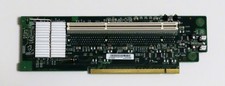
IBM PCI-X Riser Card For System x3650 Server (FRU 43W5861) — Perfect — Clean
$19.95

IBM System x3550 M3 1U Server 2x Xeon E5645, 192GB RAM, 2x 300GB HDD (7944-AC1)
$150.00

IBM SYSTEM X3500 M3 SERVER 7380AC1 TOWER Server XEON E5620 8GB RAID SEE NOTES
$110.30

IBM ADP Server Type 7870 AC1 NO HDD | 128GB RAM PC3L | 2 x Xeon E5620
$199.99

Lot of 3 IBM 00JY196 ServeRAID M1210 PCI Express SAS SATA Storage Controller
$68.99



 Reply With Quote