-

Originally Posted by
BobK_1905
Thanks. As suggested I tried various cheat codes, but without success. The latest download for Knoppix produces the same problem. It seems to be hardware related and not just with Knoppix. I've tried installing the latest versions of Suse, Mandriva and Ubuntu. None could be installed and all had problems with hardware detection. Suse and Ubuntu couldn't detect the CD (DVD) drive the install program was running from.
Its been suggested that as the mobo is new, perhaps the chipset is not supported for Linux. The specs for the board claim support for all later WIN versions, but make no mention of Linux. I'll do a bit more research and if I can get to the bottom of this I'll post the details.
Thanks again.
1st - my apologies for the late reply -- been away for a few days
This is a Desktop ..yes ? (not a Laptop)
.....double check all your physical connections (REseat the RAM, check Cabling, check Drive "jumpers" are correct etc - Make sure BIOS is set to "AUTO" for each IDE/ATA device under IDE Config)
I notice your Display Adapter output is listed TWICE.....it "seems" it may be Ati's Onboard Graphics??
Are you also using a Video Card ? -- if one is installed, Disable the Onboard Video in the BIOS, and Set the "Primary Display Adapter" to one of these appropriate settings (PCI-Express, AGP, PCI) depending upon the the VC
If you can use
as the boot: cheatcode and get to a command prompt, then type
write down info and post it here -- it will look similar to this;
$ lspci -n
0000:00:00.0 0600: 8086:7190 (rev 03)
0000:00:01.0 0604: 8086:7191 (rev 03)
0000:00:07.0 0601: 8086:7110 (rev 02)
0000:00:07.1 0101: 8086:7111 (rev 01)
0000:00:07.2 0c03: 8086:7112 (rev 01)
0000:00:07.3 0680: 8086:7113 (rev 02)
0000:00:0c.0 0401: 1274:1371 (rev 06)
0000:00:0e.0 0200: 100b:0020
0000:00:10.0 0780: 12b9:1006
0000:01:00.0 0300: 10de:0028 (rev 11)
armed with this info, one can paste that into this site's config
http://kmuto.jp/debian/hcl/index.cgi
- and see if it's linux compatible (plus it will inform one of hardware names and drivers/modules)
Similar Threads
-
By destro in forum MS Windows & New to Linux
Replies: 4
Last Post: 04-01-2007, 11:08 PM
-
By doesnotcompute in forum Hardware & Booting
Replies: 1
Last Post: 03-01-2005, 07:29 PM
-
By helios17 in forum General Support
Replies: 7
Last Post: 11-27-2004, 06:27 AM
-
By ebone in forum Customising & Remastering
Replies: 4
Last Post: 05-16-2003, 02:26 AM
-
By mswarbrick in forum Customising & Remastering
Replies: 6
Last Post: 04-18-2003, 12:30 AM
 Posting Permissions
- You may not post new threads
- You may not post replies
- You may not post attachments
- You may not edit your posts
-
Forum Rules

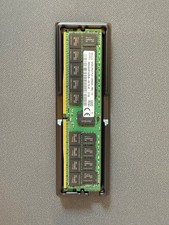
HYNIX 64GB (1X64GB) 2RX4 PC4-3200AA DDR4 SERVER MEMORY
$600.00

SMART(Micron)SafeStor 32GB(1X32GB) 1RX4 NN4-3200AA(DDR4) HPE Server Memory
$159.98
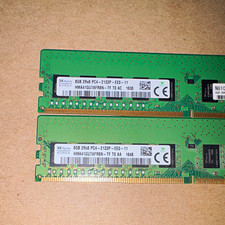
SK hynix 16GB (2x8GB) DDR4 SDRAM PC4-2133P 288-Pin DIMM HMA41GU7AFR8N-TF
$65.00

TF/SD Card Adapter Camera Reader Android Type-c For iPhone17 Pro Max Plusm lot
$288.19
Lot 100 SK hynix 16GB 2Rx8 PC4-23400 DDR4-2933Y ECC Reg Server Memory RDIMM RAM
$8599.00

Kingston 32GB 64GB 128GB 256GB USB 3.0 Flash Drive Thumb Memory Stick Pen lot
$285.90
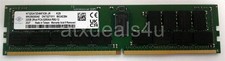
Nanya NT32GA72D4NFX3K-JR 32GB 2Rx4 PC4-3200AA K25 DDR4 RDIMM RAM Server Memory
$199.99

Server Memory: Samsung 32GB 4DRx4 PC4-2133P ECC LRDIMM DDR4 M386A4G40DM0-CPB
$124.95

Dell 16GB PC4-21300 (DDR4-2666) Memory (SNPPWR5TC16G)
$89.99

RAMAXEL Lenovo 32GB LPDDR5X CAMM2 7500MHz Laptop RAM | UNTESTED
$445.00



 Reply With Quote