

|enouf|
I've been getting a bit suspicious of the DVD drive (BENQ), so borrowed another and swapped them. I was able to start Knoppix 4.02 OK running it from the replacement drive. So it seems the BENQ drive is flaky (as suggested in your last post). Anyway, I think I'll still follow your suggestion and install to HDD.
Thanks for all your help.
Bob
---
Verifying of md5 checksum and burning a CD at slow speed are important.
welcomeOriginally Posted by BobK_1905
To others reading.....The advice (suggestion) you refer to;
http://www.knoppix.net/forum/viewtop...=100659#100659
is not the a Real HDD install (it's not what Harry is warning against, AFAIK) - it's simply a way of booting the LiveCD Image while it's located on and runs from the HDD - rather than it being run and located on a physical Optical Disk (CD/DVD) -- again the 2 major advantages are (A) Speed (B) A Free ODD (Once Booted) for burning, listening to music, etc...
Thoughts Harry ?
The only caveat I can see offhand is that ntfs partitions may not 'cooperate" ?? (not sure - I don't use NTFS)..perhaps these ntfs issues are what prompted Gilles (Knoppix member ruymbeke) to create(?) the Win_Partition method (http://www.knoppix.net/wiki/Win_Partition) ?? I am unsure of this. Someone Please clarify, so I may halt any misinformation (on my part) from disseminating.
Booting the ISO from hard disk rask rather than after it is burnt to optical disc is indeed much safer. This has also been called the "Poor man's install", a term from back in the days when some hard disks were not large enough to hold the uncompressed Knoppix files and had to use the ISO on hard disk approach if they were going to go on hard disk at all. If all that is wanted is to boot Knoppix faster then this approach can give an improvement over booting from Optical media. But it also retains the limitations of the optical system; you stll have the Knoppix ISO in a read only system that can't be changed and installing extra software is not simple (although efforts to try should not break the original ISO and systems like Klik should work). But if one is going to go this far I feel that they should at least give a try to a real install of a real Debian system first. If you make the choice to go with a Poor Man's Install after trying Debian, that's a decision I can understand and respect (I could even understand that in some very strange circumstances one might choose to go for a full Knoppix hard disk install (sometimes called a fool Knoppix hard disk install). But I can't see any logic in tryng these approaches without at least looking at current installs of real Debian first.
---
Verifying of md5 checksum and burning a CD at slow speed are important.
 Posting Permissions


GIGABYTE A520M DS3H AC AMD AM4 Motherboard mATX
$59.99
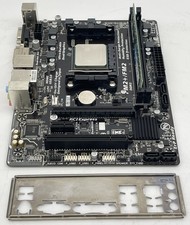
Gigabyte GA-F2A68HM-HD2 Motherboard w/ AMD A8-7600 Series 3.1GHz CPU 4GB RAM IO
$39.95
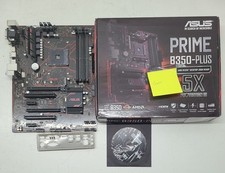
Asus prime b350-plus AM4 ATX AMD DDR4 Motherboard (FL)
$49.99
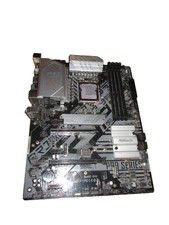
For ASRock Z590 PRO4 Motherboard LGA1200 DDR4 ATX
$59.99

GIGABYTE B365 HD3 LGA1151 Intel 9th Gen motherboard
$59.99
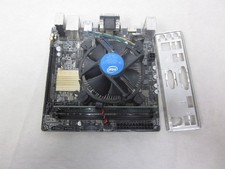
ASUS H110I-PLUS Motherboard LGA1151 w/ I5-7400 CPU, 8GB, Heatsink & I/O Shield
$60.00

ASUS PRIME Z370-A II LGA 1151 Intel Z370 DDR4 DIMM USB3.1 DVI ATX RGB
$69.99

ASRock B550M Phantom Gaming 4 AM4 AMD B550 SATA 6Gb/s Micro ATX AMD Motherboard
$81.99
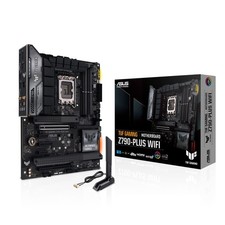
TUF Gaming Desktop Motherboard - Intel Z790 Chipset - Socket LGA-1700 - ATX
$143.00
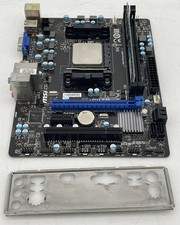
MSI A55M-E33 Motherboard w/ AMD A6-5400 Series 3.6GHz CPU 4GB DDR3 RAM & IO
$39.95


 Reply With Quote