

 Reply With Quote
You do not write to an NTFS partition with Knoppix.


Hello,
I am sure that some of you experts know this problem inside and out. Well, I have a DELL PC and you know how proprietary they can be. Well, I had spyware on it and to make a long story short, I had to reformat my Maxtor SATA 80GB HD. Before I did this, I transferred all of my important data to my secondary SATA slave drive of 250GB. The problem now is that I reconnected the secondary drive and even though it detects it, under computer disk management, it sees this disk as a foreign drive and I cannot see any data and the only options I have are Convert to Basic Disk, Properties, and Help.
I know the problem is with the whole XP Pro being able to import/migrate and XP Home will not even though they are both NTFS. Unfortunately, this proprietary Dell install seems to not allow me to upgrade to XP Pro as it does not see the hard drive so I am stuck with XP Home. I need this data and I have read on sites that Knoppix does have the ability with the ISO boot disk to see the data on that foreign drive. If this is true, then I will just transfer the data through the Knoppix interface from the 250GB foreign drive to the old drive and when the machine boots back up, I will just format the new HD and then transfer the data back.
I do have the Knoppix 4.0.2 ISO created into a bootable disk and I am looking at doing this, but my only concern is that I don't want to make the mistake of messing up and I was hoping that somebody may help me that has been through this and tell me what I am supposed to do as I may only have one shot at this and I am not familiar with this software. Thank you so much for any and all help in regards to this matter.
You do not write to an NTFS partition with Knoppix.
---
Verifying of md5 checksum and burning a CD at slow speed are important.
Nor does one use NTFS in the first place.Originally Posted by Harry Kuhman
Here's a suggestion...
1 install Knoppix to hard drive, overwriting your new XP install. Or alternately, you could simply reformat the boot drive to some filesystem Linux can safely write to--reiserfs, ext2, FAT32.
2 Copy data from the inaccessible NTFS partition to Knoppix install or reformatted boot disk. Even though Knoppix will not be able to safely write to NTFS, it will read it fine.
3 Reformat second disk FAT32 under Knoppix. As FAT32 has no built-in file permissions (unlike ext2/3, reiserfs, and NTFS), the disk should not be a "foreign disk" to XP Home.
4 Re-install XP Home.
5 Copy data from FAT32 disk to your new XP install.
6 If you want, then reformat the disk NTFS.
If you have access to a USB, firewire, or networked external disk that your XP install will read, you could simply copy data to it with Knoppix, then reformat the second disk to NTFS under XP or FAT32 under Knoppix, and go on from there.
By the way, Linux or Windows 98 (or FreeDOS) will probably be able to format your entire 250GB disk as one FAT32 partition--and XP should be then able to read and write it. Windows 2000 and XP cannot format a FAT32 partition over about 32GB. So if file security isn't as important as portability, you may want to just leave the disk FAT32. That way this wouldn't happen in the future, and your data would still be accessible read/write if you wanted to migrate to Linux for real.
 Posting Permissions

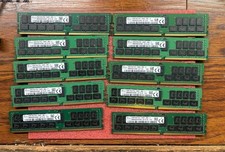
Lot of 10 SK Hynix 32GB DDR4 PC4 2400T HMA84GR7MFR4N-UH Server Memory RAM 320gb
$1400.00
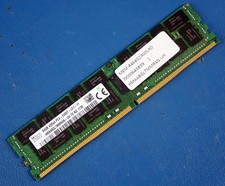
SK HYNIX HMAA8GL7MMR4N-UH 64GB PC4-2400T RDIMM Server RAM
$289.95

SMART(Micron)SafeStor 32GB(1X32GB) 1RX4 NN4-3200AA(DDR4) HPE Server Memory
$159.98

x4 Intel 128GB NMB1XXD128GPS Optane Memory 200 Series PMEM Module 3200 DDR4 RAM
$329.99
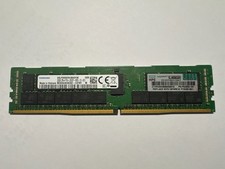
Samsung 32GB (1x32GB) DDR4-2933 RDIMM Memory M393A4K40CB2-CVF
$197.00
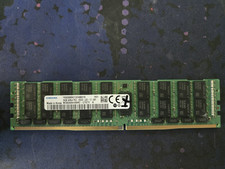
Samsung 64GB 4DRx4 PC4-2666V LD2 DDR4 ECC Server RAM Memory M386A8K40BM2-CTD7Y
$299.00

USB 3.0 Flash Drive 32GB 64GB 128GB Memory Stick Thumb Stick Lot Pack
$826.09

Kingston 32GB 64GB 128GB 256GB USB 3.0 Flash Drive Thumb Memory Stick Pen lot
$285.90

1/ 10/ 100pcs USB 2.0 2GB, 4GB ,8GB ,16GB ,32GB ,64GB 128GB USB Flash Drives Lot
$202.50

MICRON MTA36ASF4G72PZ-2G6E1 | 32GB PC4-2666V ECC RDIMM Server RAM
$184.95